73
Useful functions
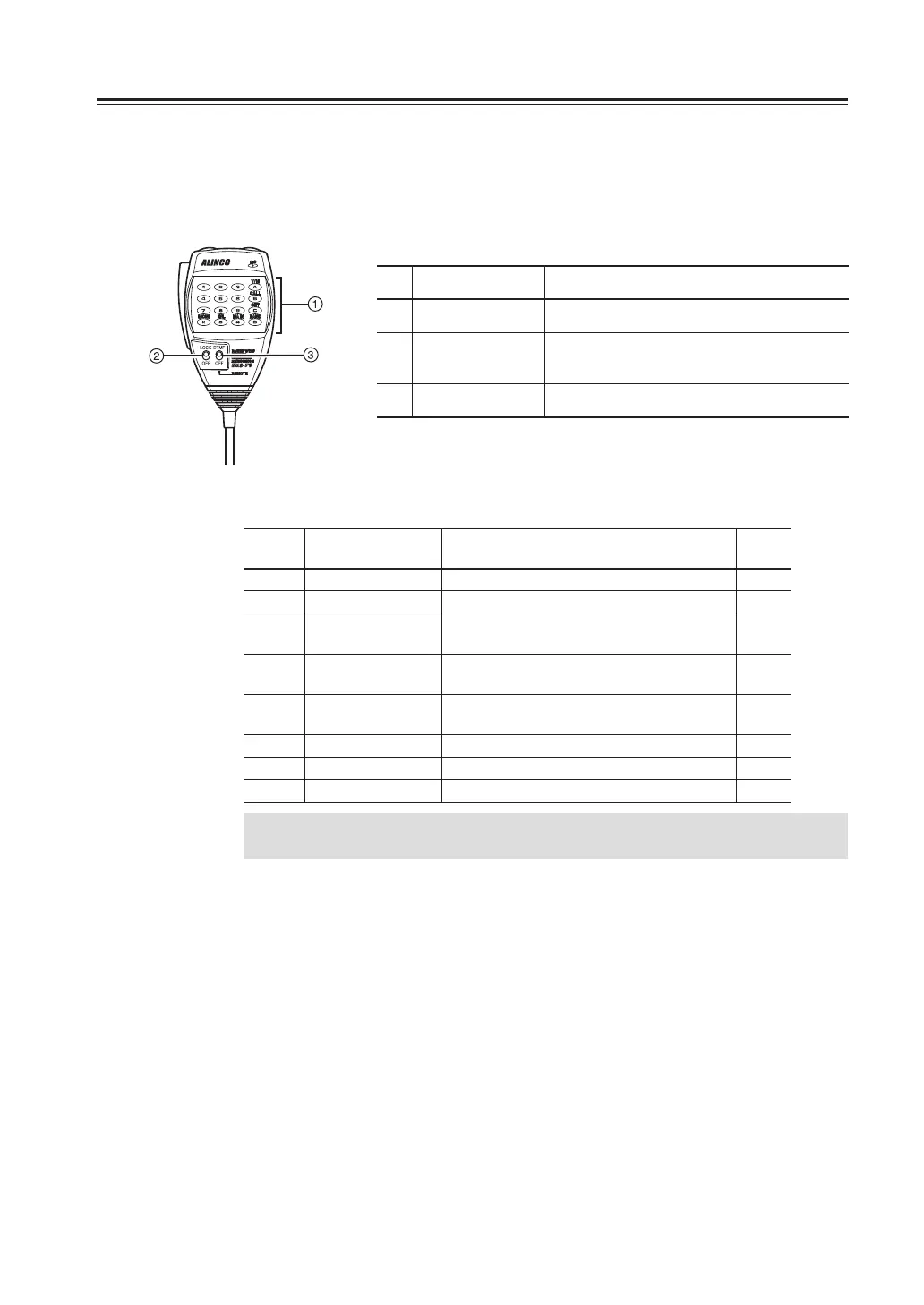
RemoteControlOperation(EMS-79Only)
The radio can be controlled remotely by operating the DTMF keys on the microphone. Frequencies can also
be entered directly through the key pads.
No. Key Function
1
DTMF Enter the remote command or the frequency.
2
LOCK
Only PTT becomes active by locking other
keys.
3
DTMF/OFF Select OFF to operate remote control,
No.
名称 機能
① DTMF リモコンコマンドや周波数を入力します。
② ロックスイッチ
LOCKにするとマイクリモコンを受け付けなくなります。
③
DTMF/REMOTEスイッチ
リモコン操作をする時はREMOTE側にセットします。
List of Remote Control Keys
Key
Radio
corresponding key
Function Page
0-9 - Direct frequency input −
A V/M Memory channel access 23
B Press and hold
V/M
Call channel access 30
C Press and hold
FUNC
SET mode access (Note1) 34
D Press and hold
VOL Knob
Switching bands 19
* FUNC then MW Monitor function 31
# VOL Knob Switching MAIN band 19
0 H/L Switching transmission output 33
IMPORTANT
There is no SUB PTT switch on the EMS-79 microphone.
To select the set mode menu, press the UP and DOWN keys at the top. To select parameters of the left
band, press the * and 0 keys. For the right band press the # and D keys. Press PTT key or C key to save and
exit.



 To Next Page