18
Controls, Connectors, and Display
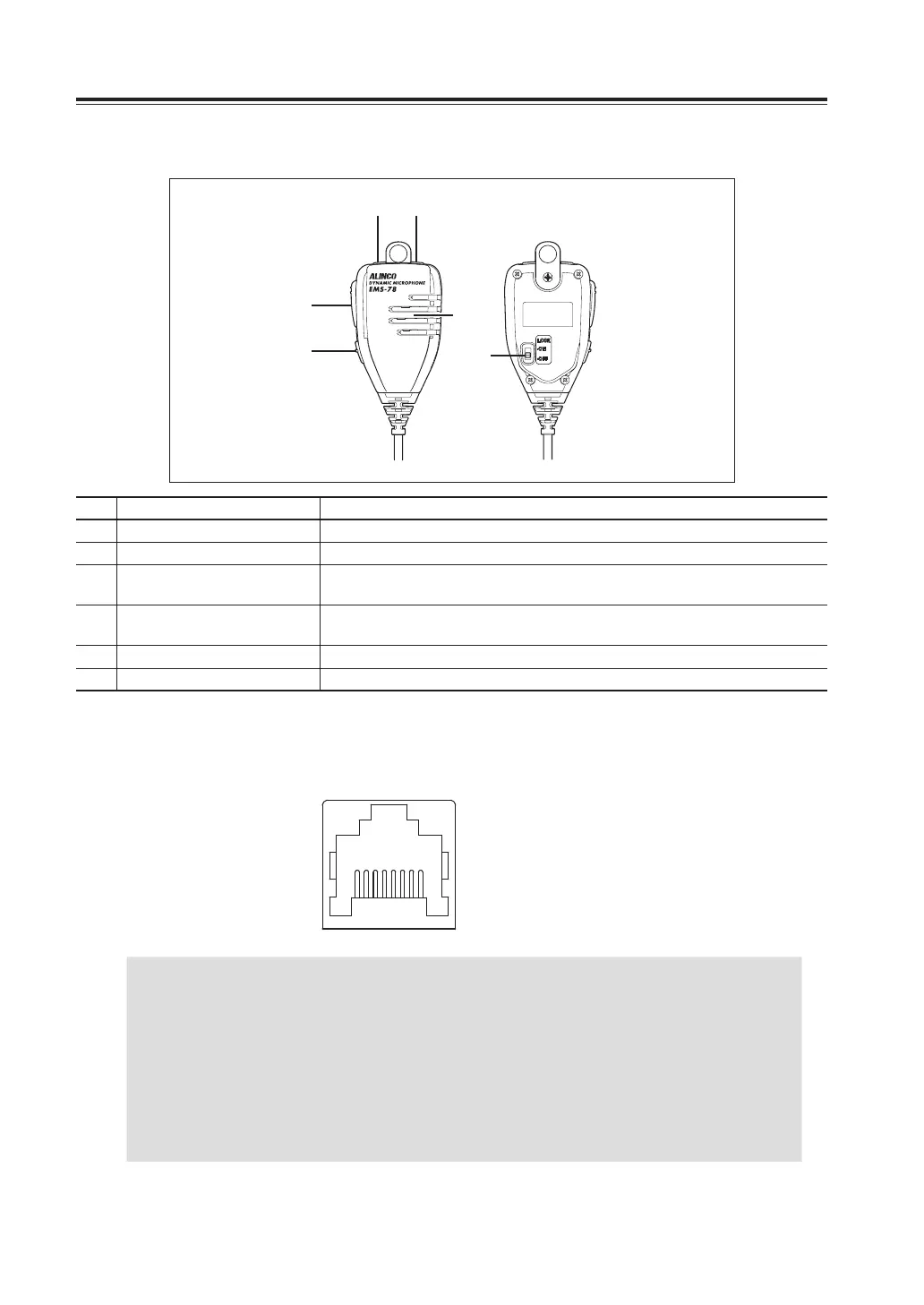
MicrophoneEMS-78(PleaserefertoP.73forEMS-79)
①②
③
⑥
④
⑤
No. Key Function
A
UP Increase the frequency, memory channel number, or setting value.
B
DOWN Decrease the frequency, memory channel number, or setting value.
C
MAIN PTT
Press the PTT (Push-To-Talk) key to transmit. Also press this key to set the
changes made by key operations.
D
SUB PTT
Press the PTT (Push-To-Talk) key to transmit on sub band. Also used for other
functions assigned in set mode. (P.45)
E
LOCK SWITCH Locks out the UP and DOWN keys.
F
MIC Speak to here during transmission.
Unless otherwise specified, PTT key refers to the MAIN PTT in this manual.
Microphone Connector pin Assignment (Front view)
1.DC5V
2.DOWN
3.REMOTE
4.PTT
5.MIC GND
6.MIC
7.GND
8.UP
18
IMPORTANT
• Connect the microphone modular plug provided with the unit into microphone jack.
• Insert the plug until hearing a click. When connecting, be mindful to the modular
plug direction.
• When removing microphone, press the lock on connector then pull the plug out. Do
not pull the microphone’s cable to remove the microphone from radio.
• When using optional EDS-8 (8 pin to modular converter), fix EDS-8 cable on the
bracket to avoid stress on modular socket.
• Be careful not to confuse the separation cable port with the microphone port. Wrong
connection may cause damage to the radio.



 To Next Page