49
Set mode menu
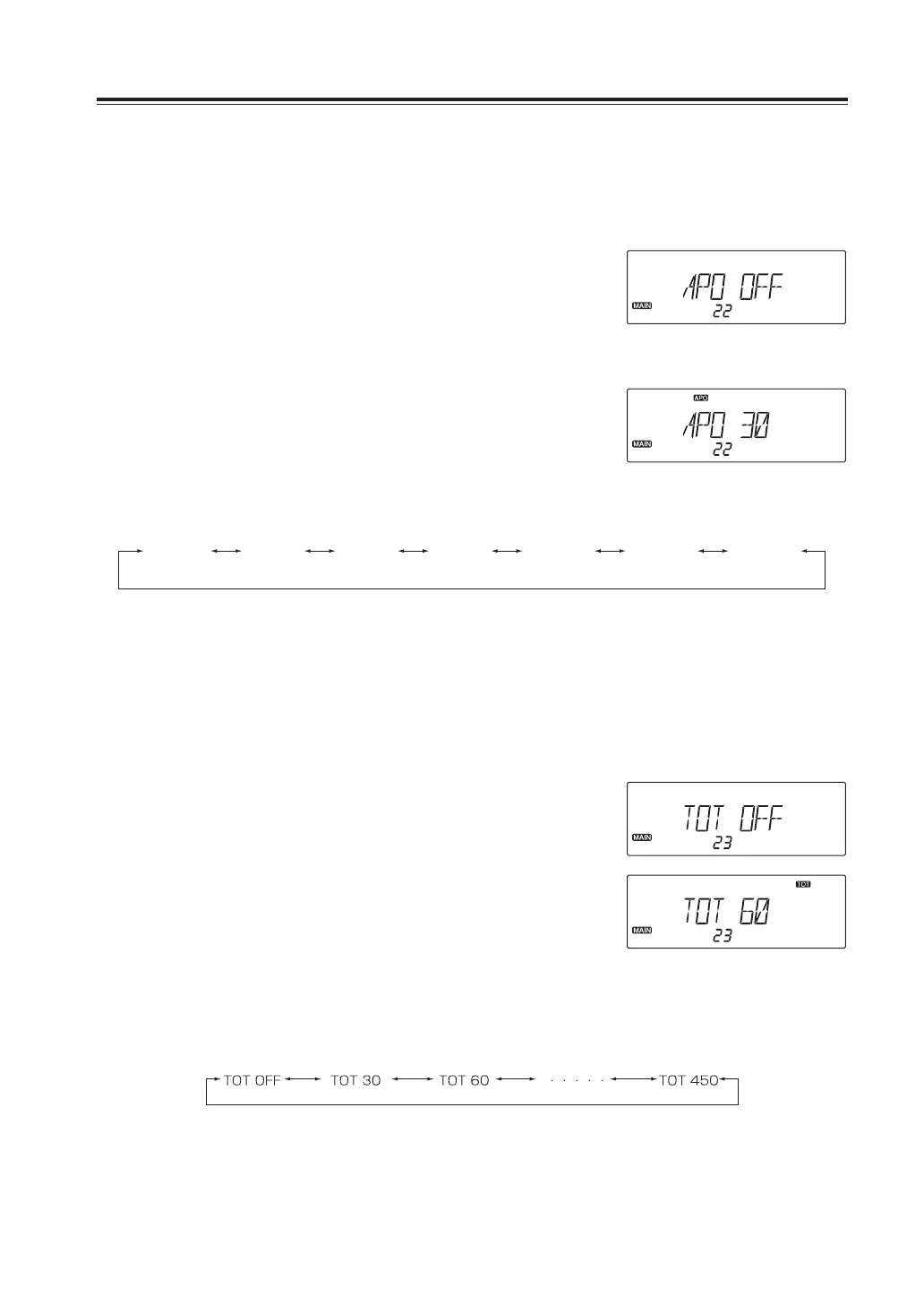
Menu22.AutoPowerOFF(APO)
This feature will automatically shut off the power. It is useful in mobile operation to avoid
draining the car battery. If there is no activity or use of the radio, it will turn off automatically
after selected time followed by a beep sound.
1. Press and hold FUNC key to enter the set
mode. Press dial to select menu 22.
2. Rotate the right dial to select a value in
second as shown below. This setting
becomes effective regardless of bands
and VFOs.
3. Press any key to set and exit, or press the
dial or UP/DOWN keys to set and move to
another menu.
APOOFF APO30 APO60 APO90 APO120 APO150 APO180
Menu23.Timeouttimer(TOT)
The TOT feature is popular in repeater systems. It prohibits users from transmitting on the
repeater after a certain period of time has elapsed. By setting this function and activating it
according to the repeater’s requirement, the radio alerts the user by a beep 5 seconds prior
to time-out. While the time is expired, transmitting stops and automatically returns to receive.
Release PTT key once to resume transmitting.
1. Press and hold FUNC key to enter the set
mode. Press dial to select menu 23.
2. Rotate the right dial to select a value in
second as shown below. This setting
becomes effective regardless of bands
and VFOs.
3. Press any key to set and exit, or press the
dial or UP/DOWN keys to set and move to
another menu.
During the ON setting
During the setting time of 60 seconds



 To Next Page