72
Useful functions
PacketCommunication
Following signals are available from the DIN socket on the rear panel for connection with an external device
like TNC unit. You should activate the TNC output by referring to P.55 in advance.
Using external TNC unit
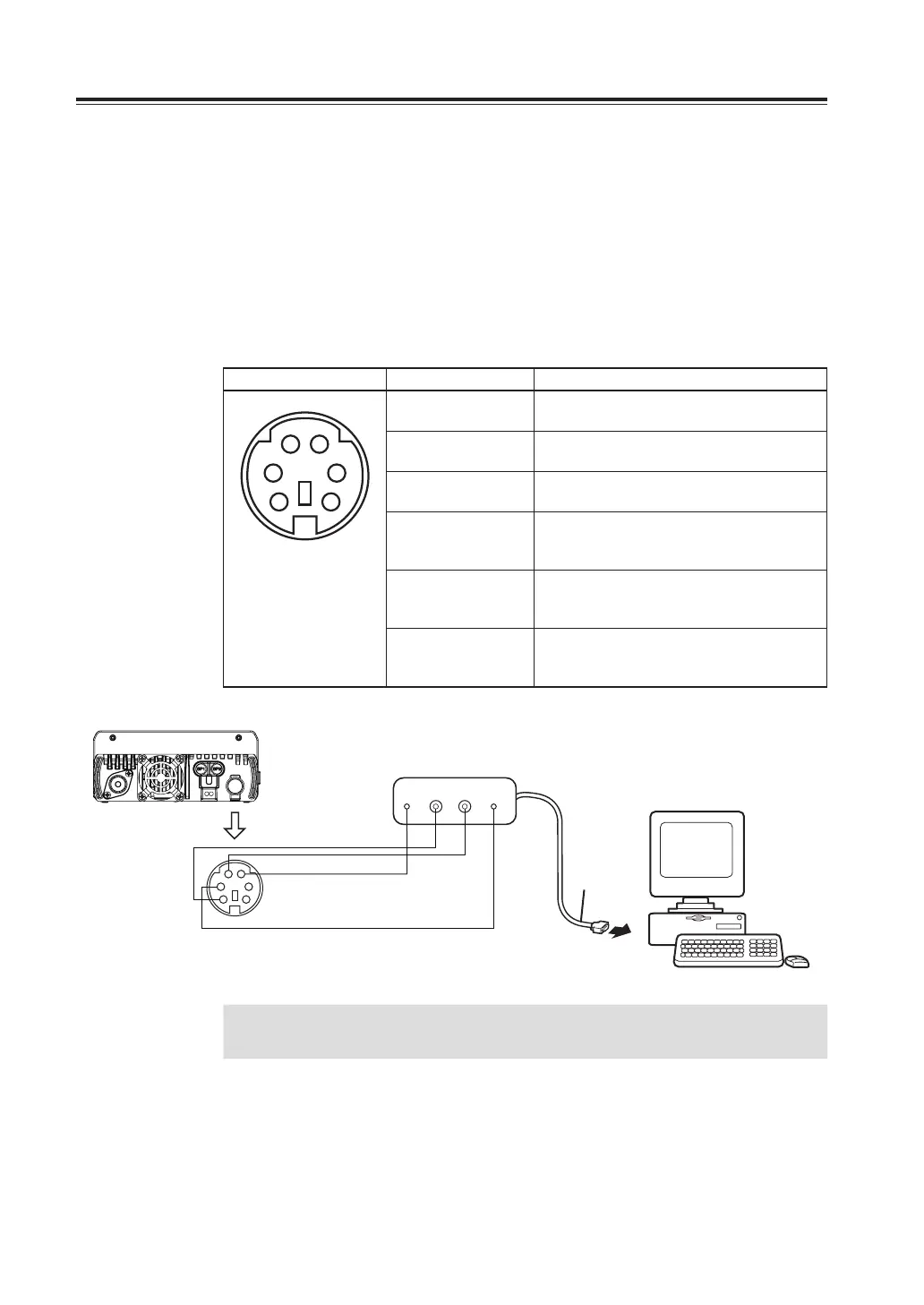
Connect mini DIN socket at the rear panel of radio to external TNC unit as shown.
Enter advanced set mode, select menu. 32 for TNC ON.
Connect pins 1,2,3 and 5 to external TNC unit and if necessary also connect pins 4 and 6.
Mini DIN socket configuration:
Mini DIN socket Configurations DEFINITION
1
3 4
5
6
2
1.DATA IN Packet communications DATA input
(1200bps), Max 4800bps
2.GND Ground for DATA IN, DATA OUT and AF
OUT
3.PTT PTT switch, connect to ground for
transmitting
4.DATA OUT Packet communications DATA output, Data
output for 9600bps received signal
(500mVp-p)
5.DATA OUT Packet communications DATA output, Data
output for 1200bps received signal
(500mVp-p)
6.SQL Squelch output.
SQL open: 0V
SQL close: 5V
RS-232C
1200 bps
FM packet TNC
GND
GND
PTT input
Packet RX output
1200 bps
Packet TX input
1200 bps
DATA
IN
DATA
OUT
PTT
Personal computer
1
3 4
5
6
2
IMPORTANT
Maximum transmission speed is 4800 bps. Maximum reception speed is
9600 bps. TNC mode can be activated only on the right band.



 To Next Page