30
Chapter 2 Communications
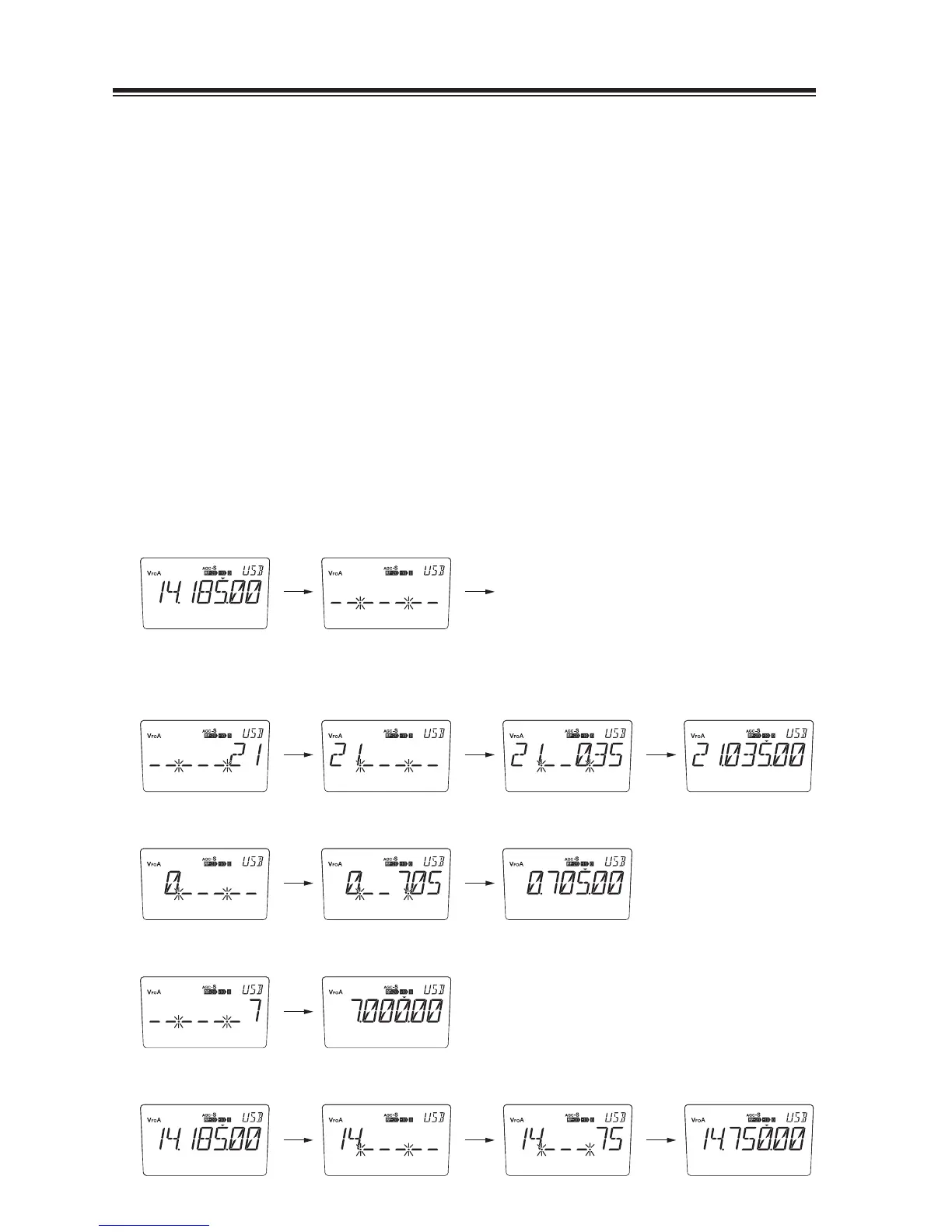
Direct Frequency Entry with Keypad
The transceiver has a keypad for direct frequency entry as described below.
Press the [ENT] key, then press the numeral keys on the keypad to enter the MHz
1.
digits for the desired frequency.
If a key is mistakenly pressed, press any key except keypad and start again from
the beginning.
Press the [ · ] key on the keypad to separate MHz and kHz units.
2.
Press the numeral keys to enter the frequency digits below 1 MHz.
3.
If a key is mistakenly pressed, press any key except keypad and start again from
the beginning.
Press the [ENT] key to set the input frequency.
4.
When pressing the [ENT] key after entering the MHz digits, zeros are
automatically entered for the kHz digits.
* When direct frequency entry with keypad, the mode does not change even if
Automatic USB/LSB Selection is effective.
• Start
[ENT]
Operate keys and press [ENT] to complete.
EXAMPLE
• To set to 21.035 MHz
• To set to 705 kHz (0.705 MHz)
• To set to 7 MHz
• To change 14.185 to 14.750 MHz
[ · ] [ 0 ] [ 3 ] [ 5 ] [ENT][ENT] [ 2 ] [ 1 ]
[ 7 ] [ 0 ] [ 5 ] [ENT]
[ · ] [ 7 ] [ 5 ] [ENT]
[ENT] [ · ]
[ENT][ENT] [ 7 ]



 To Next Page