77
Chapter 6 Parameter Setting Mode (Set mode)
Menu 09. Automatic USB/LSB Selection
This function automatically selects the USB or LSB mode depending on which amateur radio
band has been selected in SSB mode. If “OFF” in selected, the last-used SSB mode is recalled
regardless of the band.
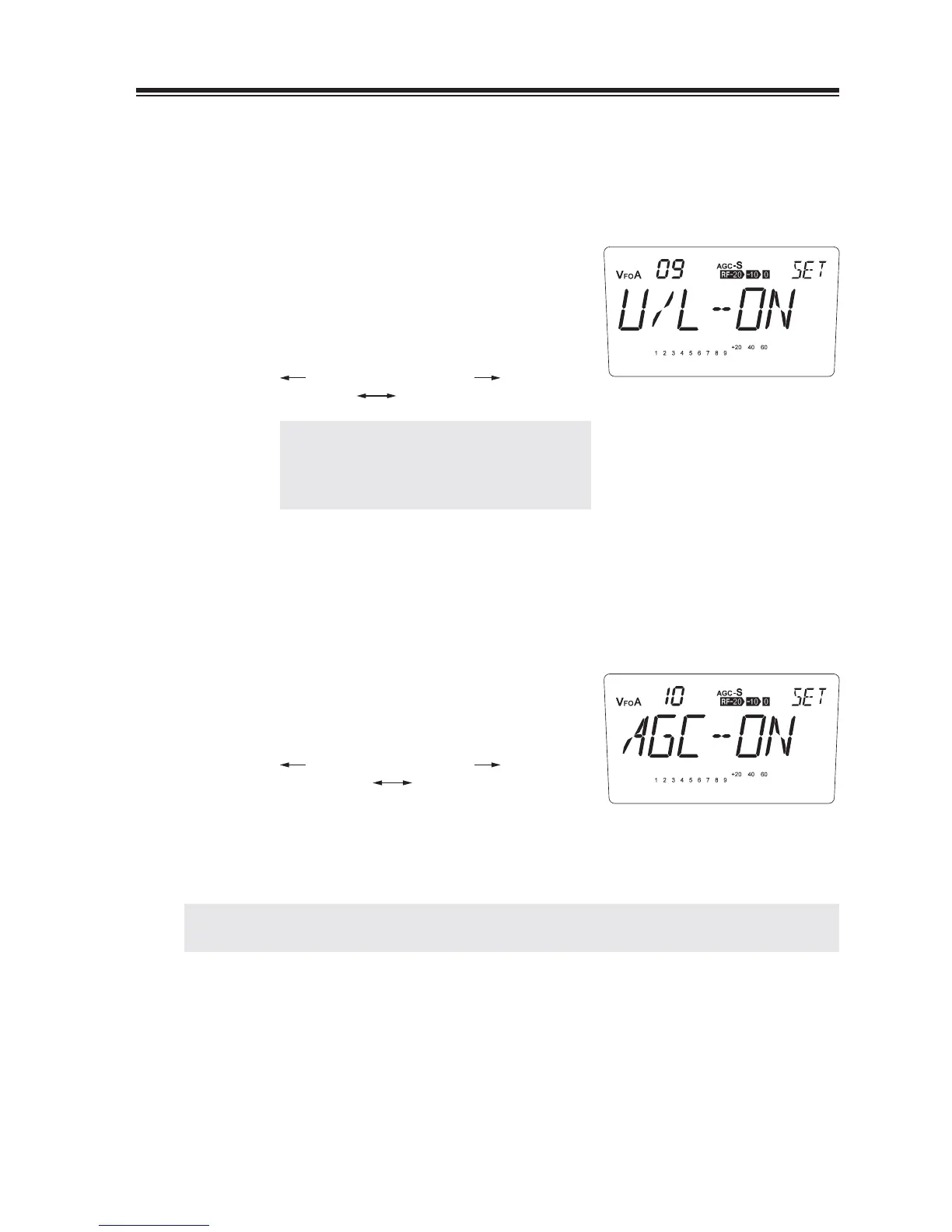
The [U/L-ON] appears on the display.
1.
(Default)
2.
Turn the main dial counterclockwise, the
display changes into the [U/L-OFF] to select
USB/LSB manually.
counterclockwise clockwise
U/L-OFF U/L-ON
NOTE: Even ON is set, manual selection of
USB/LSB is still possible during the
operation but returns to automatic
when the power is turned off.
Menu 10. Automatic AGC-S/AGC-F Selection
This function allows automatically select the AGC-S or AGC-F in accordance with the
modulation mode.
Default range is [AGC-ON].
1.
2.
Rotate the main dial counterclockwise to
select [AGC-OFF] to set it manually.
counterclockwise clockwise
AGC-OFF AGC-ON
In AGC-ON state, AGC will be automatically selected to:
SSB, AM … AGC-S
CW … AGC-F
NOTE: A manual selection of AGC is still possible even the parameter is set to ON position by operating
[FUNC] and [M/KHz] key. It resets to automatic when the power is turned off.



 To Next Page