50
Chapter 3 Memory Features
3.4 Split-frequency Programming
Procedure
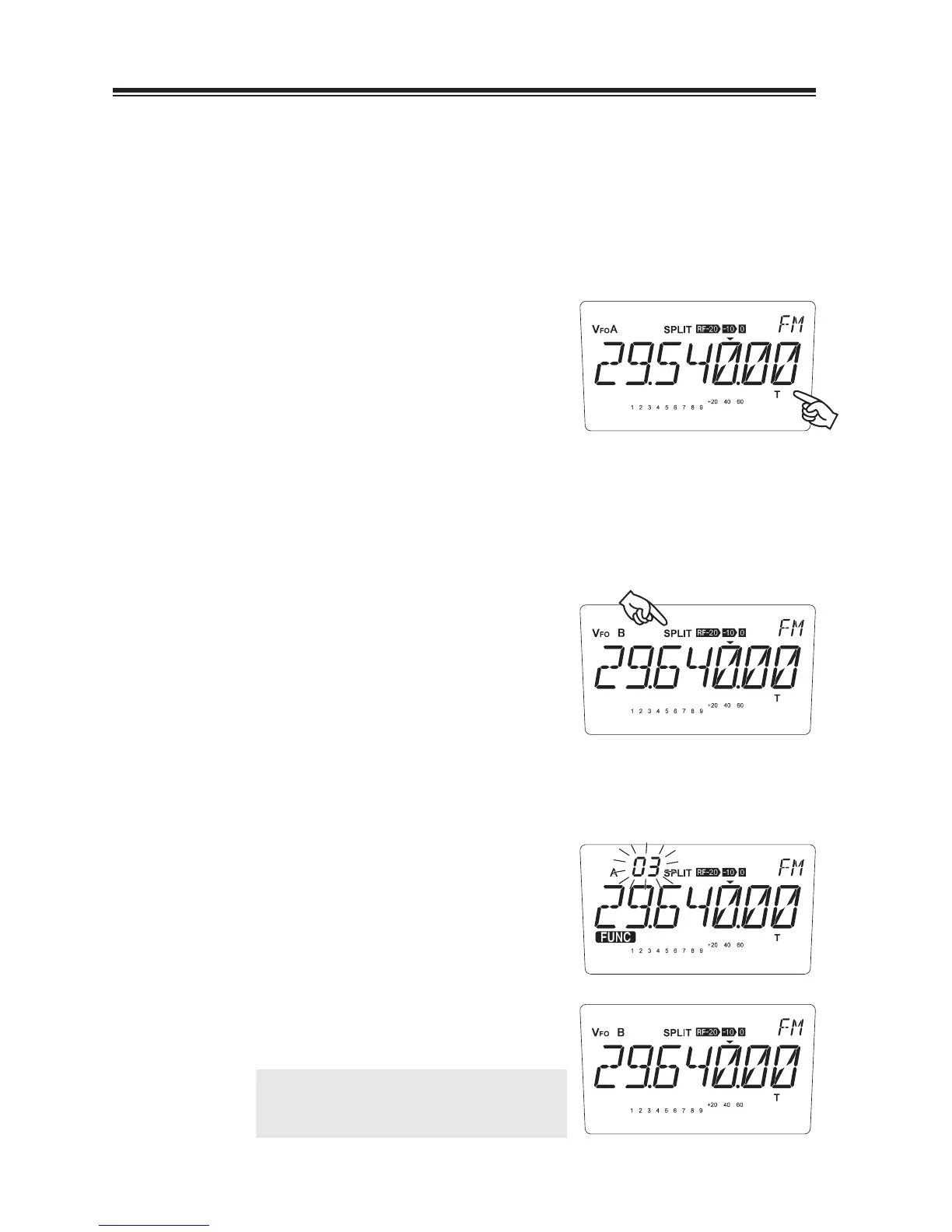
Example: Programming 29.540.00 MHz (transmit frequency) and 29.640.00 MHz (receive
frequency) into memory channel “03”
Setting data
1.
Set 29.540.00 MHz (transmit frequency) in
the VFO A.
• Select FM mode by [MODE] key. Press
[FUNC] then [4] key to activate CTCSS
tone encoding. [T] appears on the display.
Hold the [V/M] key for 1 second until a beep is heard. Press [FUNC] then [1] key
2.
to switch to the VFO B. Observe that the VFO B is set to the same state as VFO A.
Set 29.640.00 MHz (receive frequency) in the VFO B.
3.
4.
Press the [FUNC] then [5] key to indicate
“SPLIT” on the display.
Selecting a Memory Channel
Press the [FUNC] key while the receive frequency is displayed. The frequency
5.
shown in step 2 is the receive frequency.
6.
Press the [Ÿ/ź] keys to select memory
channel “03.”
7.
Press and hold the [V/M] key for more than 1
second. A beep sounds and completes the
setting.
NOTE: There is no priority between A and B.
Select either VFO for RX frequency
and perform step 7.
Read P.51 for memory operation.



 To Next Page