53
Chapter 3 Memory Features
3.7 Memory To VFO Data Transfer
Introduction
This function copies data from any memory channel to the VFO. This is useful when you
wish to tune in a station near the frequency stored in a memory channel.
Procedure
Example: Copying data in memory channel “06” into the VFO A
Press the [Ÿ/ź] keys to select memory
1.
channel “06” in the memory mode.
2.
Press the [FUNC] key, then press the [2] key.
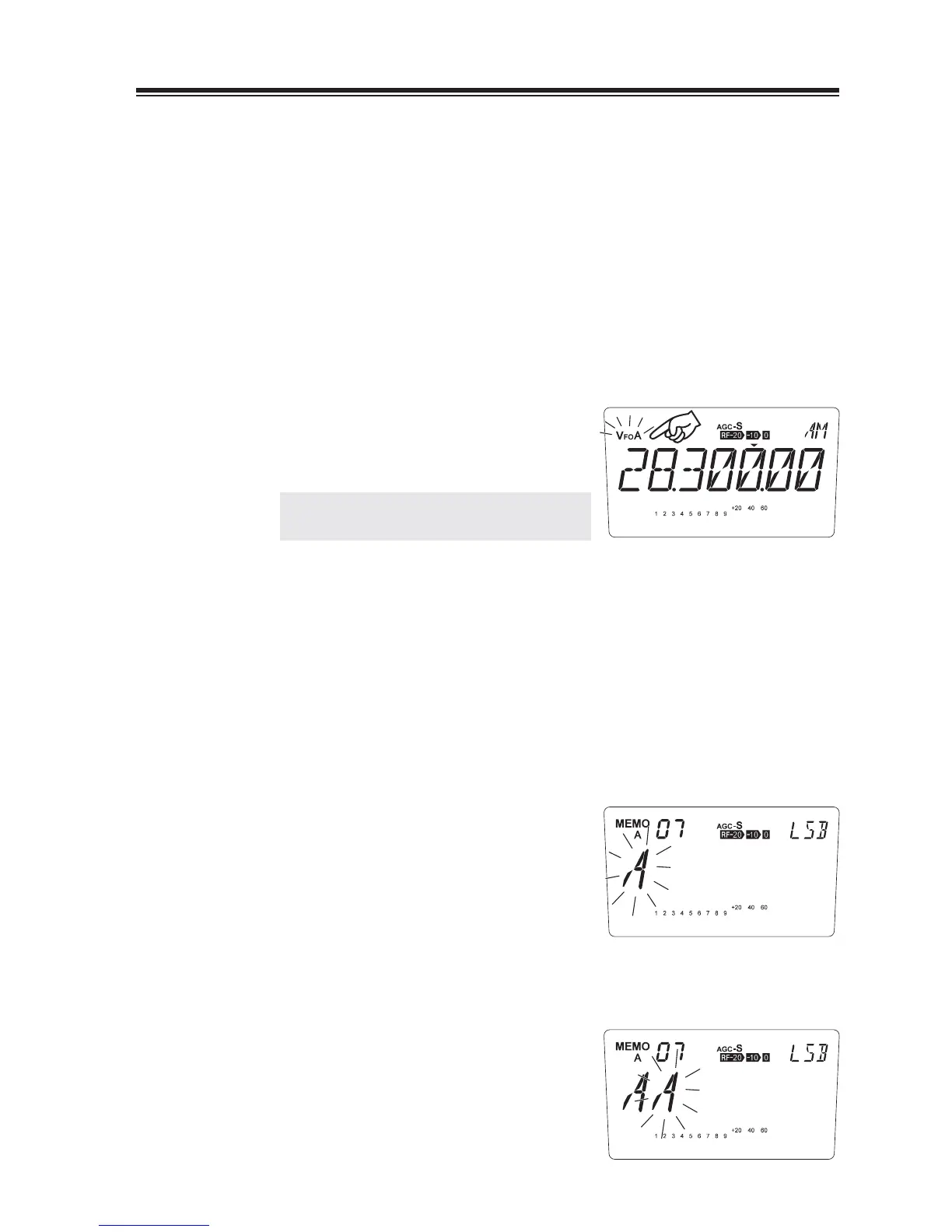
While [VFO] icon is fl ashing, use [Ÿ/ź]
keys to select VFO A or B to copy the data,
then press [2] key to complete.
NOTE: After transfer, the original data still
remains in the memory channel.
3.8 Channel Name (Alphanumeric) Registration Function
The memory channels stored in the memory mode can be displayed with an alphanumeric tag
instead of the default frequency display. There are 67 characters available including A-Z, 0-9.
In the memory mode, select a channel to be
1.
programmed.
Press the [FUNC] key, then press the [ENT]
2.
key.
3.
The display shows [A] fl ashing.
Turn the Main dial or press the [Ÿ/ź] keys
4.
to select a character to be programmed.
5.
By pressing the [ENT] key, the character
stops fl ashing and is entered.
An identical character to the one just entered
fl ashes on the immediate right ready to be
edited.



 To Next Page