54
Chapter 3 Memory Features
Enter the next character with the [ENT] key.
6.
(Repeat the same sequence)
In order to store 6 letters for example, repeat
the sequence until all 6 letters are entered by
[ENT] key, and only 7th digit is fl ashing. To
enter 7 letters, repeat until 1st digit fl ashes.
Pressing the [0] key during programming
7.
will delete all characters to be programmed.
Pressing the [ · ] key to delete the last
character.
Pressing any key other than the [ENT] key, [0]
8.
key, [ · ] key and [Ÿ/ź] keys will complete
the setting and the display will return to the
original status.
NOTE: In the memory mode, a designated alphanumeric tag is displayed instead of
the frequency. Press [FUNC] key to display the frequency temporary. Pressing
[FUNC] key again or changing the memory channel will recall the alphanumeric
display. In case [FUNC] key parameter is set to AUTO, it returns to the
alphanumeric display automatically after 5 seconds.
By pressing any key during operation, the display will return to show the channel
name. But by operating a key designated for some [FUNC] key, the unit will enter
the designated setting mode.
While displaying the name-tag (alphanumeric display), when you perform
frequency-related operation such as changing the frequency using the main dial,
the display turns to numeric indication temporary for 5 seconds then goes back
to the name-tag.
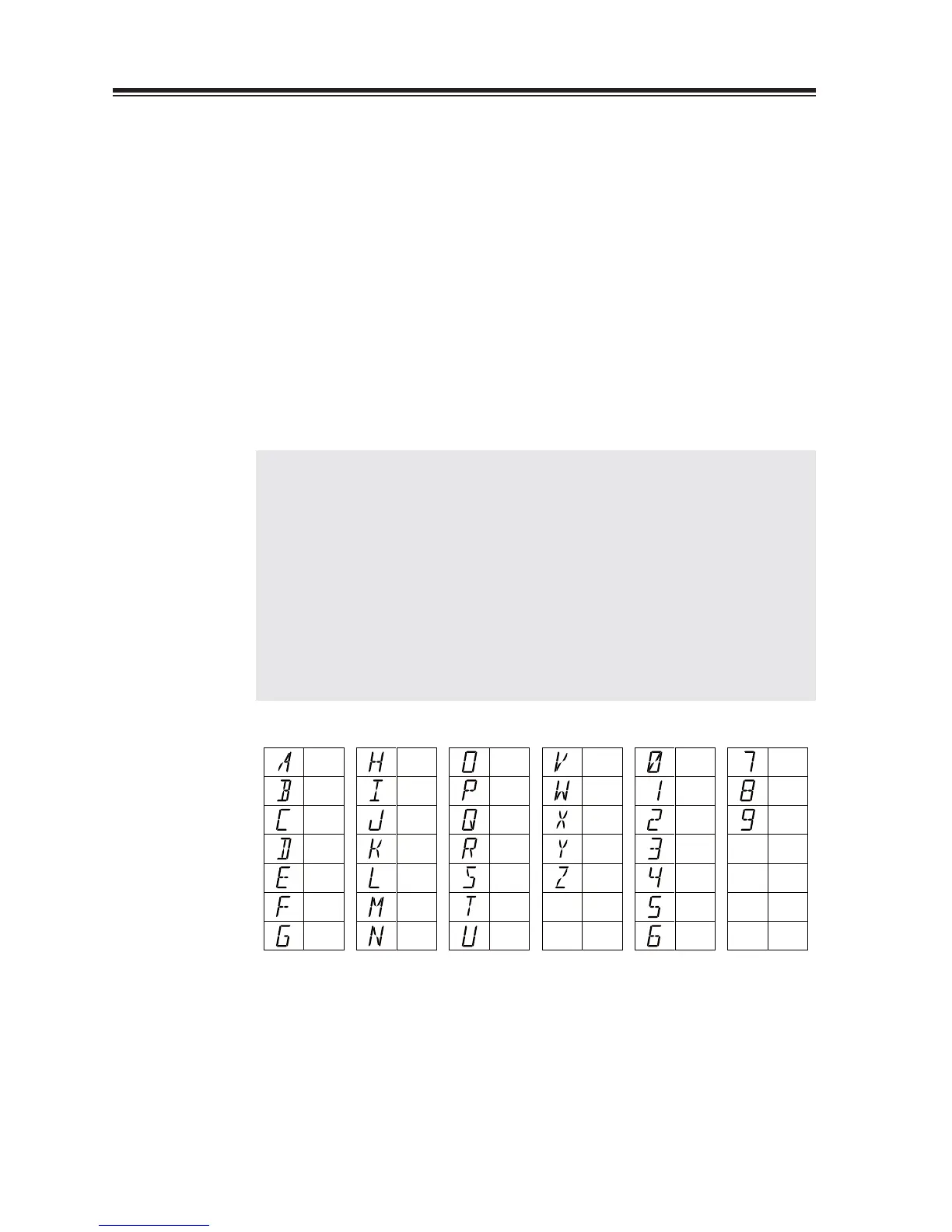
The following table lists available characters.
A
B
C
D
E
F
G
H
I
J
K
L
M
N
O
P
Q
R
S
T
U
0
1
2
7
8
9
3
4
5
6
V
W
X
Y
Z



 To Next Page