48
Chapter 3 Memory Features
3.2 Simplex-VFO-Frequency Programming
Procedure
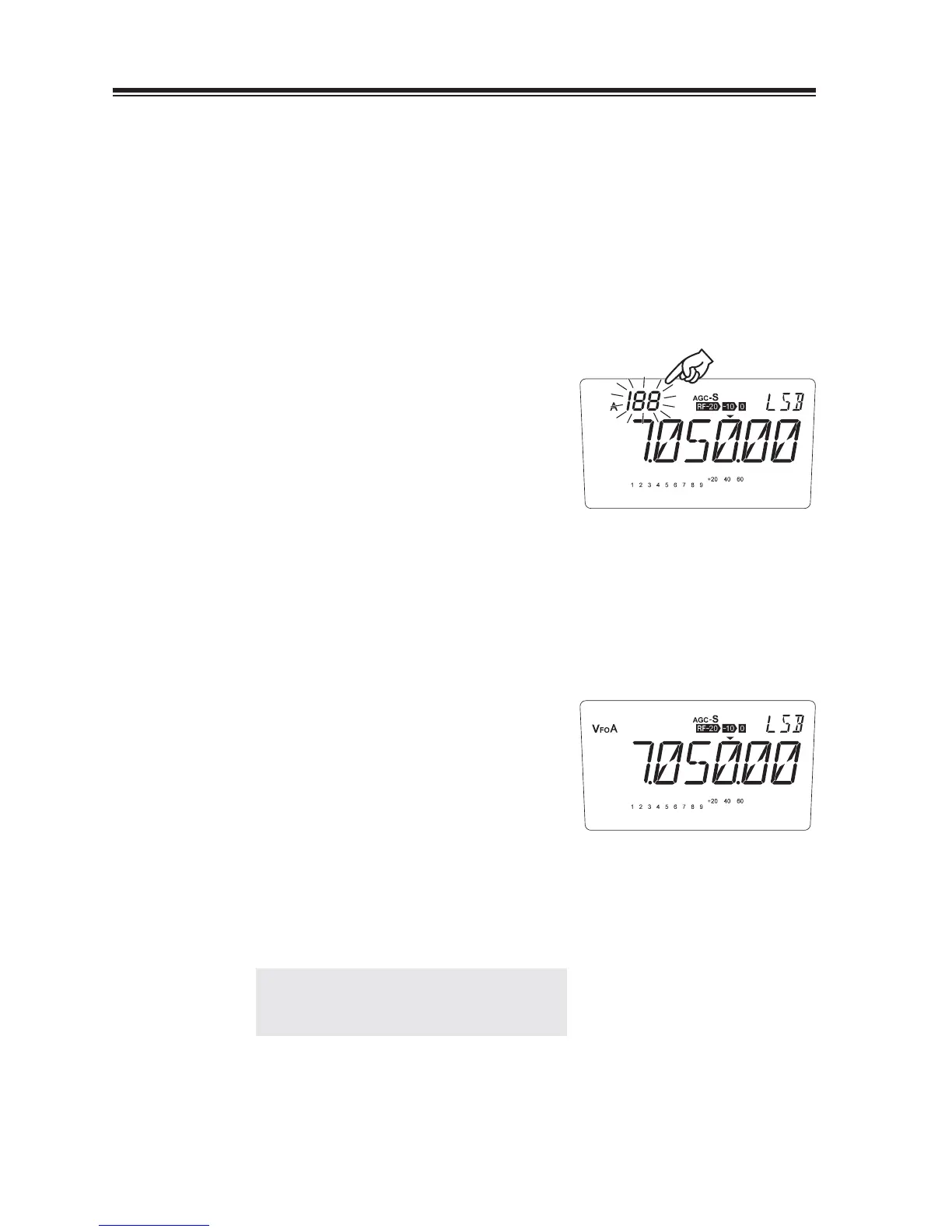
Example: Storing 7.050.00 MHz and LSB into memory channel “188” in bank A.
Please note that a symbol stands for “blank” bank and nothing appears on the display.
Setting data
Set the data to be stored in VFO made.
1.
Selecting a memory channel
2.
Press the [FUNC] key. The memory number
starts to fl ash.
Pressing [V/M] key switches the bank
3.
(blank), A and B, select the A bank.
Press the [Ÿ/ź] keys (or the [UP/DOWN]
4.
keys of the microphone) to select memory
channel “188”. In this case, [ź] or [DOWN]
key works faster to select “188”.
An empty channel is shown with a fl ashing
[Memory No.].
5.
Press and hold the [V/M] key for more then 1
second while “FUNC” is on the display, a
beep sounds, then fl ashing number disappears
to complate the memory programming.
If a previously programmed channel is
6.
selected in step 4, the memory channel will
be overwritten by executing the procedure in
step 5.
Read P.51 for memory operation
NOTE: To avoid overwriting, use overwrite
protection in the Set mode menu 01,
P.72.



 To Next Page