63
Chapter 5 Special Functions
Narrow Filter
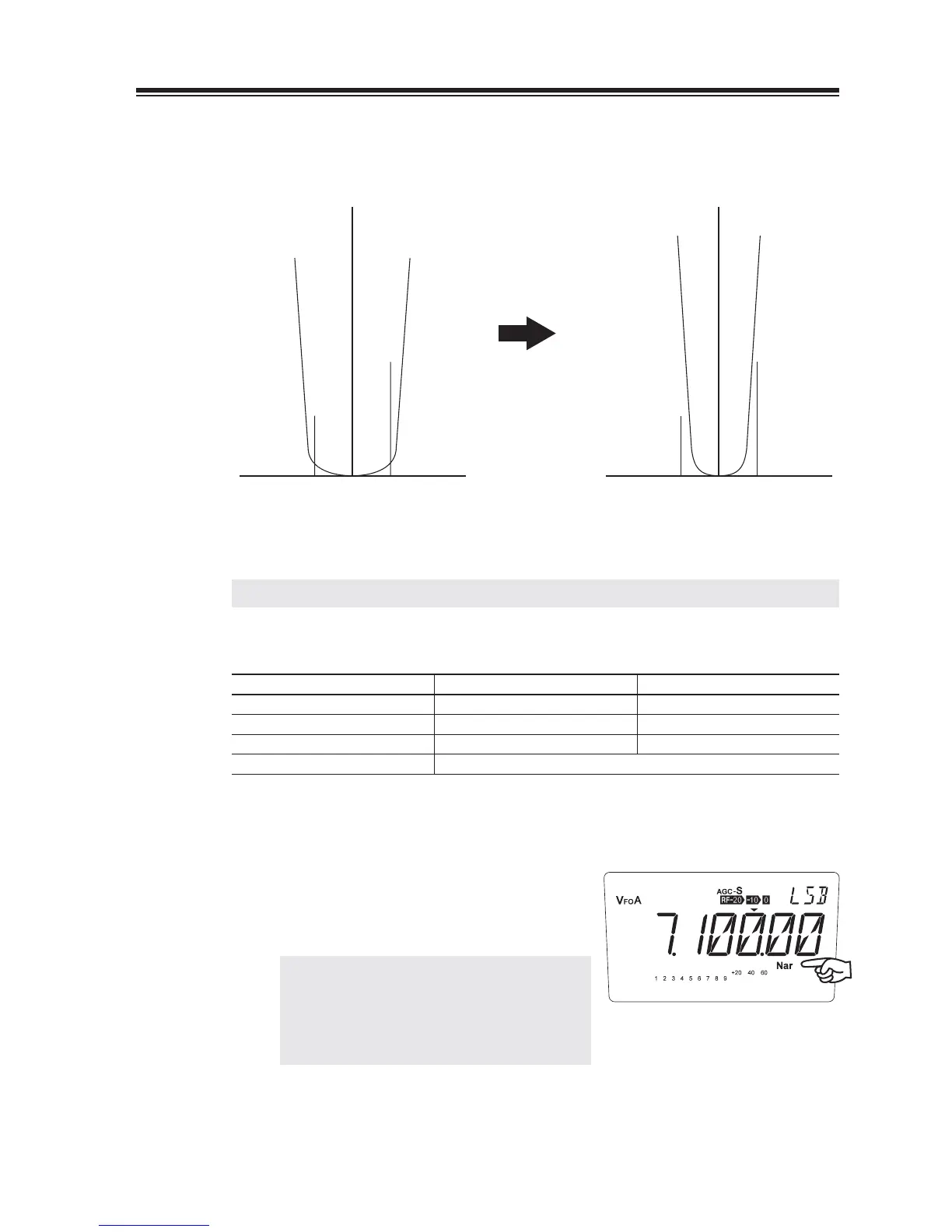
The narrow fi lter can be used in AM, SSB and CW mode. This allows you to effectively
reduce interference.
(A)
0
(B)
(A)
0
(B)
Standard filter Narrow filter
If there are interference signals (A) and (B) when the standard fi lter is used, using the •
narrow fi lter will reduce the interference.
NOTE: Using the narrow fi lter will change the audio slightly.
Filter bandwidth•
Standard Narrow
CW 1.0 0.5
SSB 2.4 1.0
AM 9 2.4
FM 9
Press the [FUNC] key then press the [RF]
1.
key.
• “Nar” appears on the LCD display.
2.
Repeat the same sequence to switch between
the Standard/Narrow fi lters.
• To clarify the received signal, use the ¨IF
function together.
NOTE: Use of narrow fi lter may result in
poorer performance to operate some
data-modes. Be mindful to switch
the fi lter according to your operation
mode.



 To Next Page