Publication 1756-UM523F-EN-P - December 2006
124 Maintain and Troubleshoot the System
To obtain status information about a CNB module:
• use RSLinx software.
• look at the four-character display.
• send a message to the CNB module.
Use RSLinx Software
1. Start RSLinx software.
2. Expand a network until the CNB module appears.
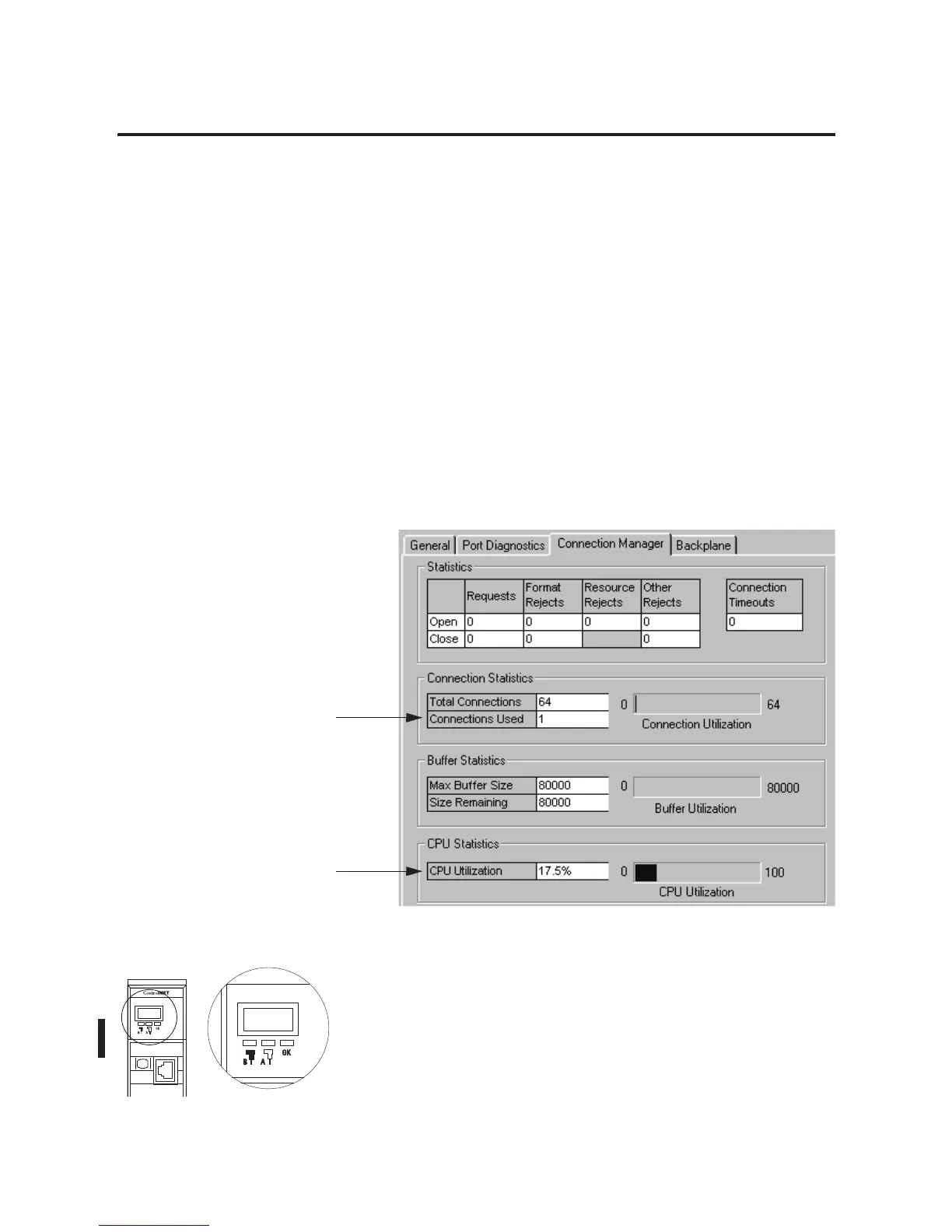
3. Right-click the module and choose Module Statistics.
4. Click Connection Manager.
Four-Character Display
The four-character display on the front of the 1756-CNB/D/E or
1756-CNBR/D/E module, shows this information.
42903
Number of Connections
Used
CPU Usage
42797



 To Next Page
 Loading...