Primera BAG0175.3
8.7 Adjusting the track marker
WARNING
It is prohibited to stand in the swivelling area of the track marker
boom.
8.7.1 Setting the track marker length (on the field)
1. Fold out the track marker on the field and
drive for a few metres.
2. Secure the tractor / machine against unin-
tentional start-up and rolling away
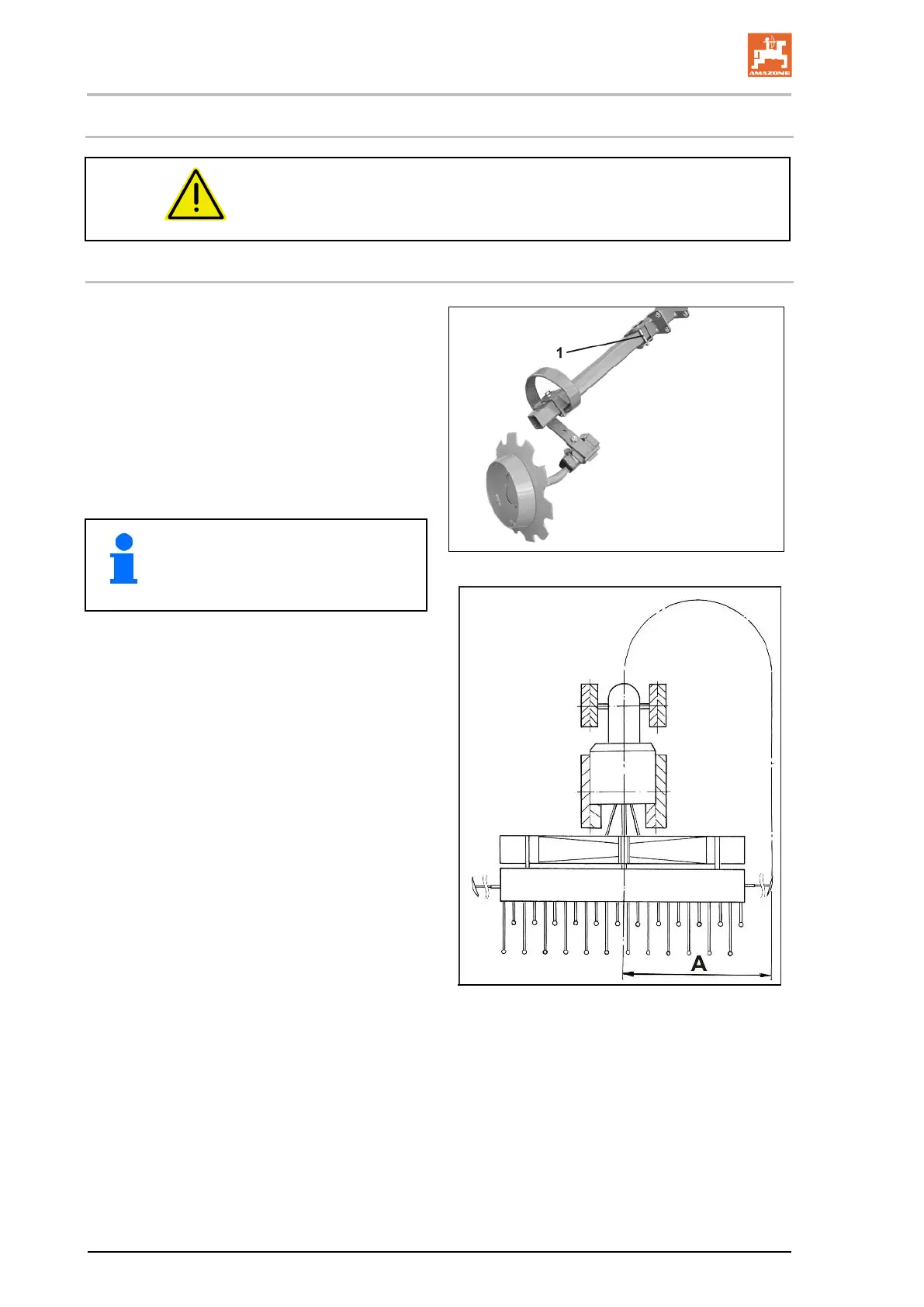
3. Undo the screws 1).
4. Set the track marker length to distance "A".
5. Tighten the screws.
6. Repeat the operation on the second track
marker.
95
Set the track marker discs so that they
are roughly parallel to the direction of
travel on light soils
and are in a more
forward position on heavy soils.
The track markers mark a track in the centre of
the tractor.
Distance A is measured
• from the centre of the machine
•
up to the contact surface of the track marker
disc.
Set both track markers to the same length.
Distance A: 6,0m


 To Next Page