BAG0175.3 07.18
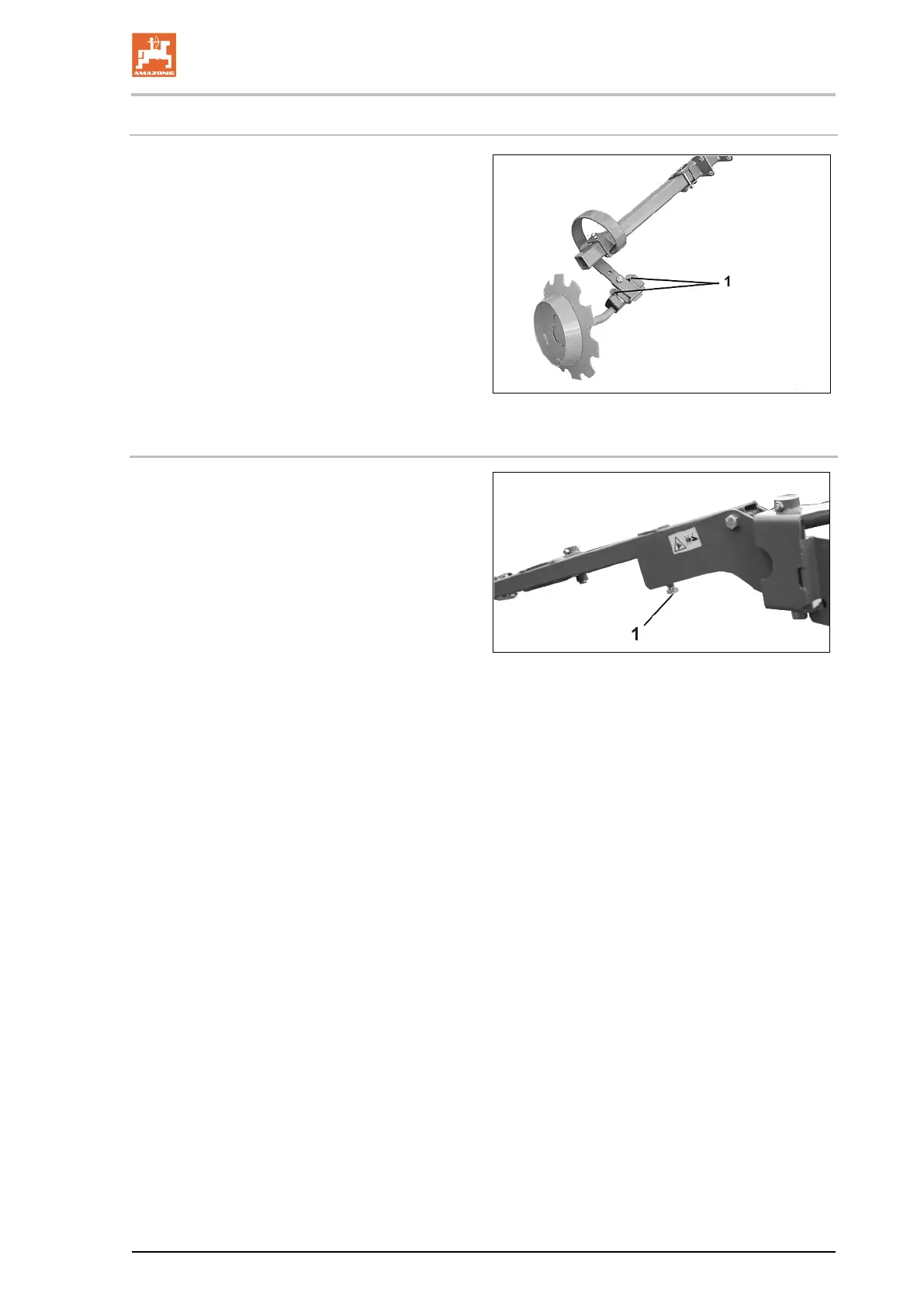
8.7.2 Adjusting the working intensity of the track markers (DMC 602)
Adjusting the working intensity of the track mark-
ers:
1. Loosen both screws (1).
2. Turn the track marker discs to adjust the
working intensity of the track markers so
that th
ey run roughly parallel to the direction
of travel on light soils and are in a more
forward position on heavy soils.
3. Tighten the screws.
4. Repeat the operation on the second track
marker.
97
8.7.3 Adjusting the working depth of the track markers
• Setting a greater working depth of the track
markers: Unscrew the bolt (1) further and
secure with nut.
• Setting a smaller working depth of the track
markers: Screw in the bolt (1) further and
secure with nut.


 To Next Page