Assembly and function
UF 01 DB 238. 07.04
53
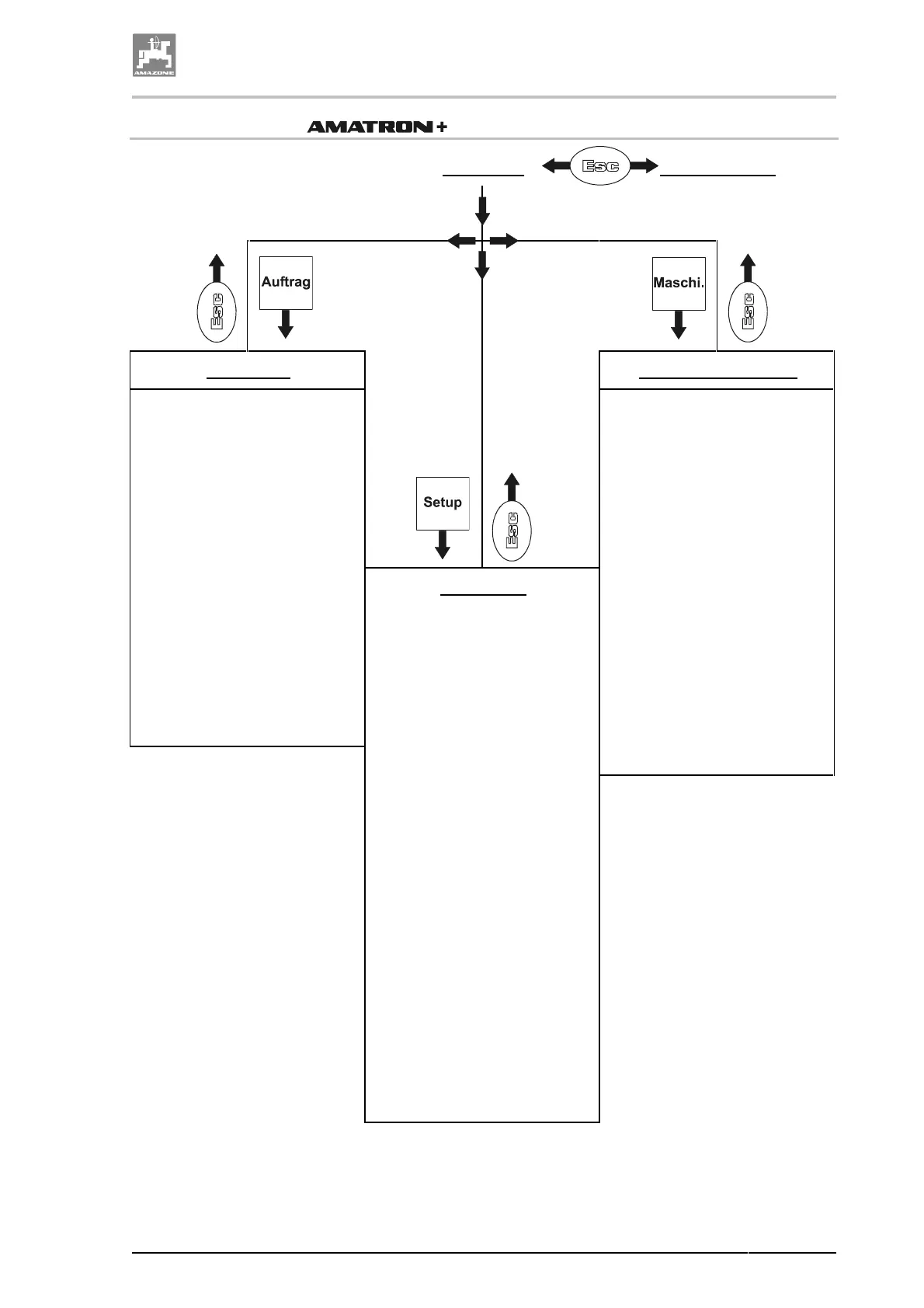
4.9.1 Hierarchy of
Main menu
Menu operation
Menu order
Menu implement data
• Enter name
• Enter note
• Enter spray rates (required
rate)
• Nozzle a
• Nozzle b (only at multi-
ple nozzle access)
• Order start / continue
• Delete order
• Delete daily data or order
data for
• worked area
• Operational hours
• Operational output
• sprayed spray cocktail
amount
• Calibration of tilt adjustment
• Determination of impulses
per litre for both flow meters
(DFM)
•
Enter the nominal PTO shaft
rev. speed
•
Calibration impulses per 100
m
• Boom part width sections
permanently switched off
• selection of individual boom
sections on/off
• Enter filling level alarm limit
• Refill tank
• Enter percentage applica-
tion rate increase
• Enter max. pressure
• Enter min. pressure
Menu setup
• Diagnosis input
• Diagnosis output
• Speed simulator
• Display settings (Setup)
• Implement basic data
• Select machine type
• Select boom type
• Select tank size
• Filling level indicator
on/off and calibration
• Enter working width
• Enter number of boom
part sections
• Enter nozzles per
boom part section
• Enter number of flow
meters
• Enter pressure control
constant
• Off centre nozzles
on/off
• Foam marker on/off
•
• Multiple nozzle access
on/off
• Distance Control on/off



 To Next Page