Assembly and function
UF 01 DB 238. 07.04
55
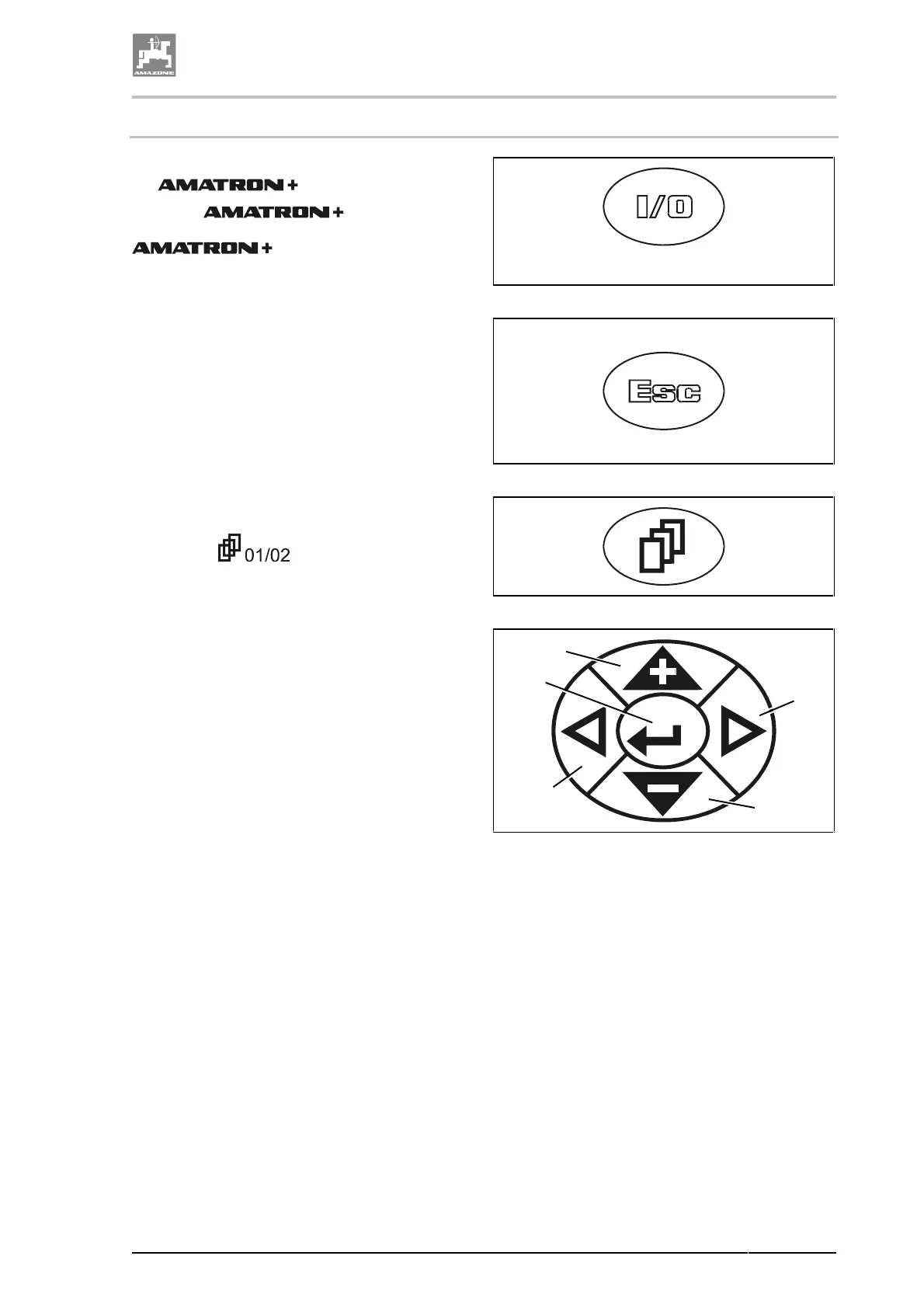
4.9.2.2 Keys on the implement front side
ON (I) / OFF (0) (Fig. 28
). Via this key you switch
the on and off.
When the
is switched on,
the display appears. When the
is switched off, the display
goes out.
Fig. 28
This key has several functions:
• Back into the previous menu view.
• Change between the menu operation and
the main menu.
Keep key pressed for at least 1 second to
change to the menu operation.
• Stop entering.
Fig. 29
Via this key you can recall additional menu
pages when the symbol pageing appears in the
display, e.g.
(page 1 of 2) (Fig. 27/8).
Fig. 30
Fig. 31/...
(1) Cursor in display to the right.
(2) Cursor in display to the left.
(3)
• Increase of spray rate during spraying
operation by pre-selected percentage
application rate (e.g. by 10%).
• Cursor upwards
(4)
• Reduce spray rate during spraying
operation by pre-selected percentage
application rate (e.g. by 10%).
• Cursor downwards.
(5)
• Entering of selected figures and let-
ters.
• Confirmation of critical alarm.
• Reset spray rates to 100 % in the
menu operation.
Fig. 31
1
4
2
3
5




 To Next Page