Assembly and function
UF 01 DB 238. 07.04
65
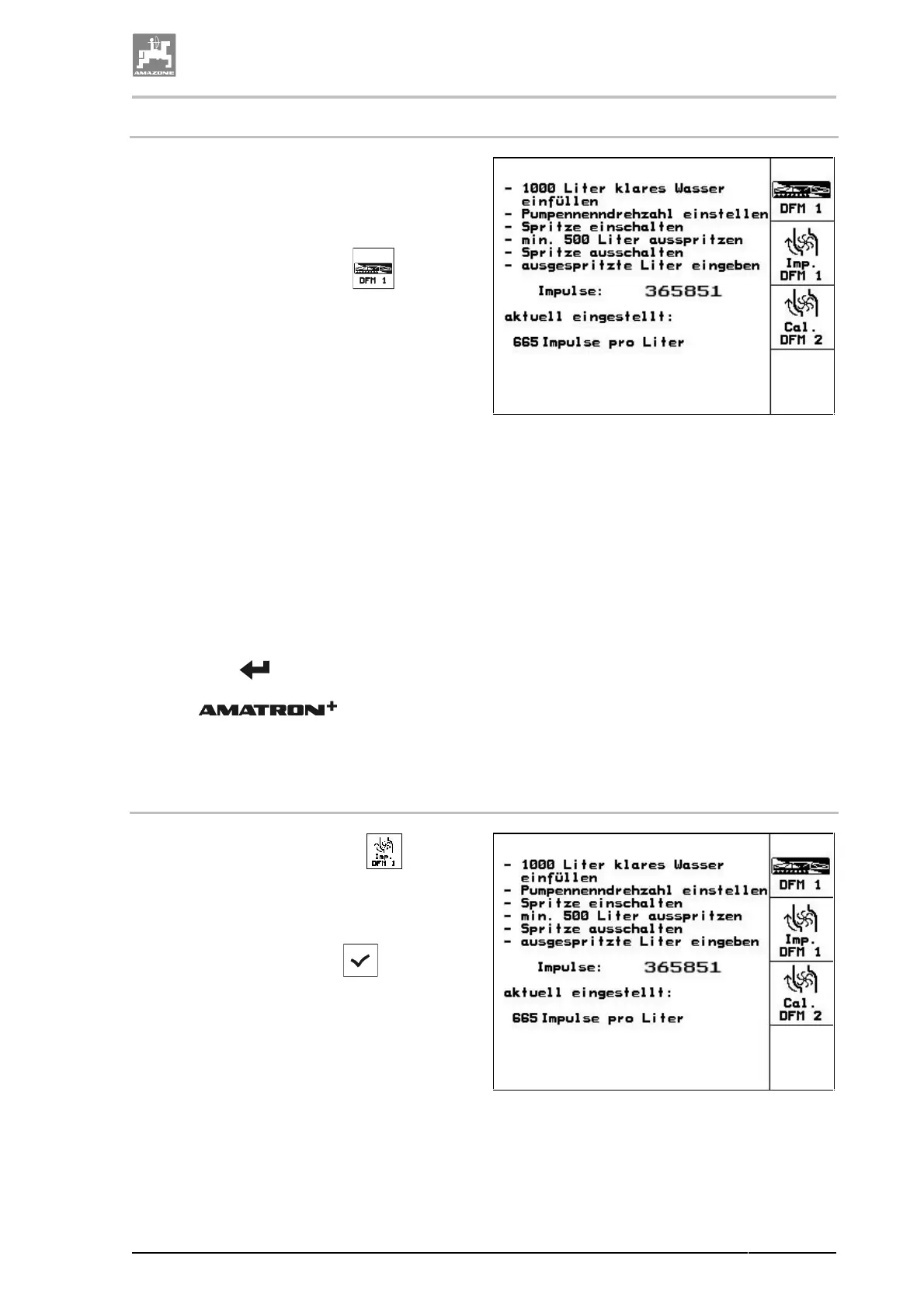
4.9.7.2.1 Determine the Impulses per litre - Flow meter
1. Fill the spray cocktail tank with clear water
(approx. 1000 l) up to the filling mark on
both sides of the spray cocktail tank.
2. Engage the PTO shaft and drive pumps
with a nominal speed (e.g. 450 R.P.M.).
3. Actuate the functional field
.
→ The calibration procedure starts.
4.
Switch on sprayer booms and spray at least
500 l of water (see tank level indicator) via
the sprayer booms.
→ The display shows the permanently deter-
mined value of the "Impulses" for the
sprayed amount of water.
5. Disengage the sprayer boom feed and the
PTO shaft.
6. Take down the indicated value "Impulses",
in this case e.g. 365851.
7. Accurately determine the sprayed quantity
of water by refilling the spray agent tank up
to the filling marks on both sides of the
spray cocktail tank
• with the aid of a calibration container,
• by weighing or
• by a water meter.
8. Enter the value for the determined quantity
of water, e.g. 550 l.
9. Press key
and the calibration proce-
dure is finished.
→ The automatically cal-
culates the calibration value "Impulses per
litre" shows the calibration value and stores
the calibration value.
Fig. 47
4.9.7.2.2 Manually enter the Impulses per litre - Flow meter
1. Recall via the functional field the en-
tering "Enter the impulses for flow meter 1".
2. Enter the calibration value "Impulses per
litre". Please refer to chapter "Entering of
text and figures", page 59.
3. Recall the functional field
.
Fig. 48



 To Next Page