ZA-X BAG0235.4
Setting according to setting chart
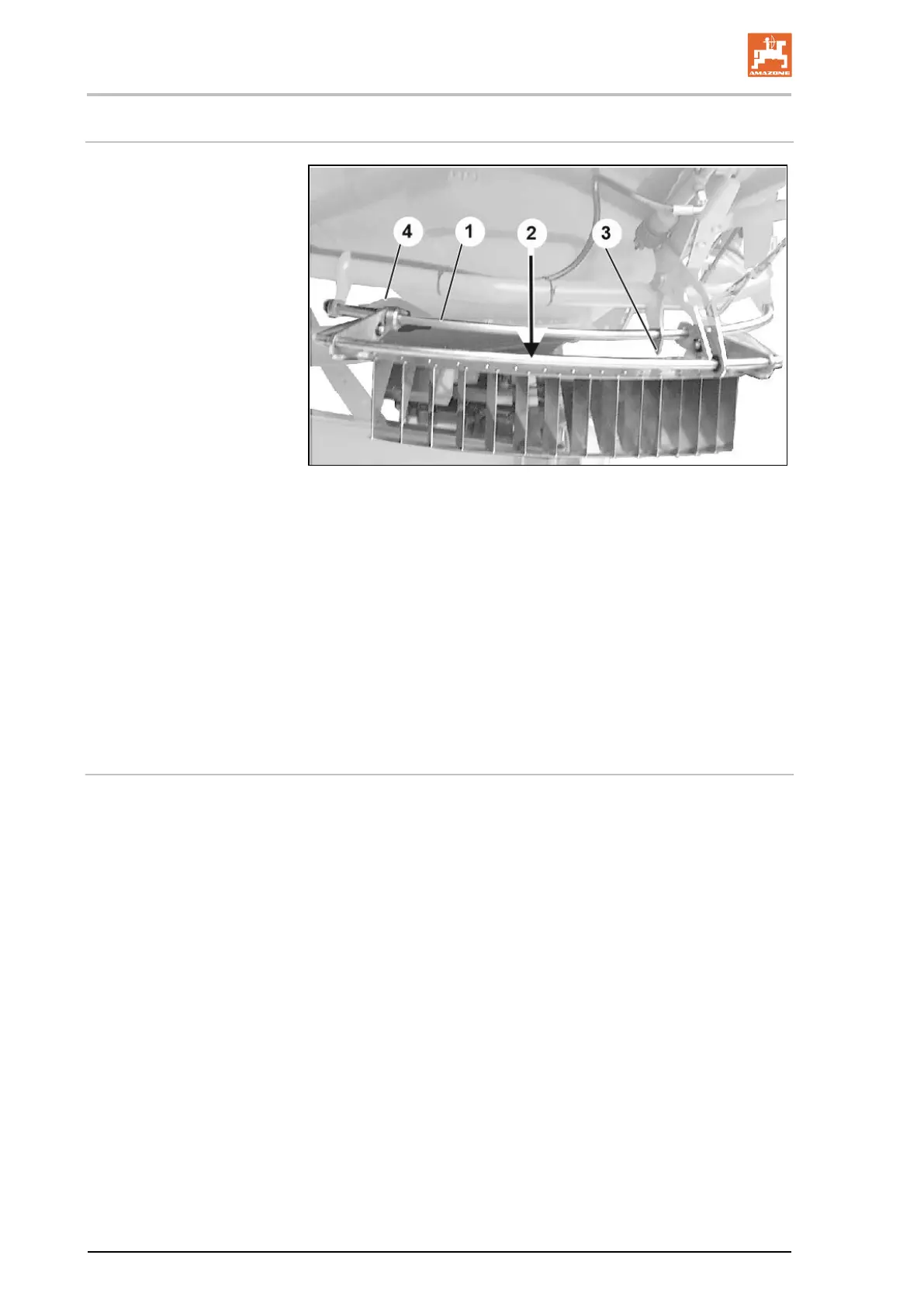
Fig. 76
• Settings are configured by moving the border spread deflector
on the guide bracket (Fig. 76/1).
• The values to be read from the setting chart also appear on the
border spread deflector (Fig. 76/2).
• The tip of the cylinder holder serves as the indicator for the set-
ting values (Fig. 76/3).
1. Release the rotary handle (Fig. 76/4).
2. Move the border spread deflector on the guide bracket until the
indicator is at the value to be set from the setting chart.
3. Tighten the rotary handle.
Procedure for boundary spreading/side spreading
1. Set the Limiter X according to the setting chart.
2. Lower the Limiter X hydraulically (move it into operational posi-
tion).
3. Carry out boundary/side spreading.
4. Raise the Limiter X hydraulically (take it out of operation).




 To Next Page