General Information 1-4 Remote Programming Setup and Interface
S412E PM PN: 10580-00319 Rev. N 1-5
1. Turn On power to the S412E and controller PC and wait for the systems to power up
completely.
2. Connect the USB cable mini-B connector to the S412E.
3. Connect the USB cable A connector to the controller PC USB host port. The controller
PC should indicate “New Hardware Found” if the combination of USB VID/PID/
Serial Number has never been connected to this controller PC.
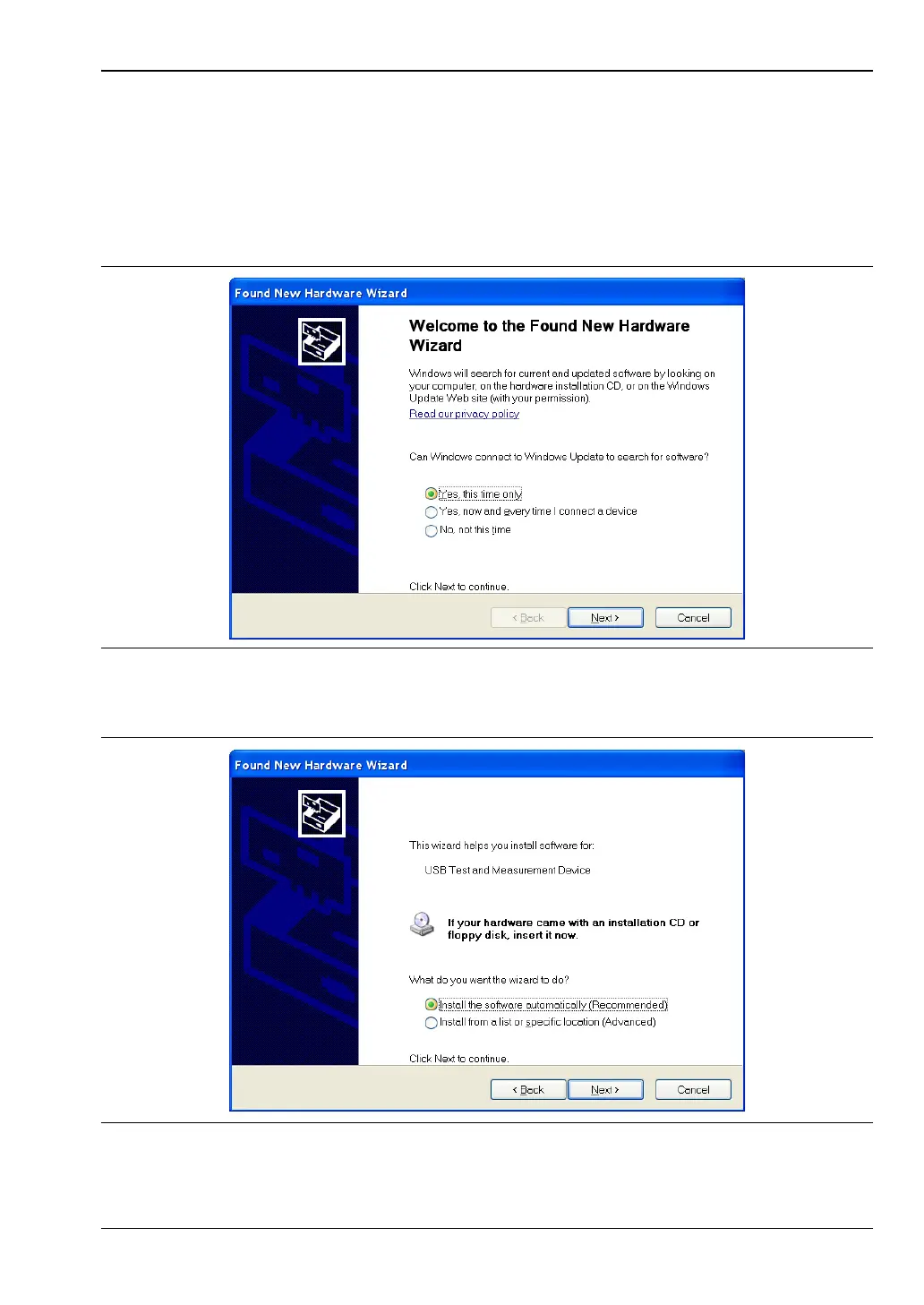
4. Select to allow the Wizard to search for and install the USB software automatically.
Figure 1-1. USB Found New Hardware Wizard
Figure 1-2. USB Found New Hardware Wizard














 To Next Page