22
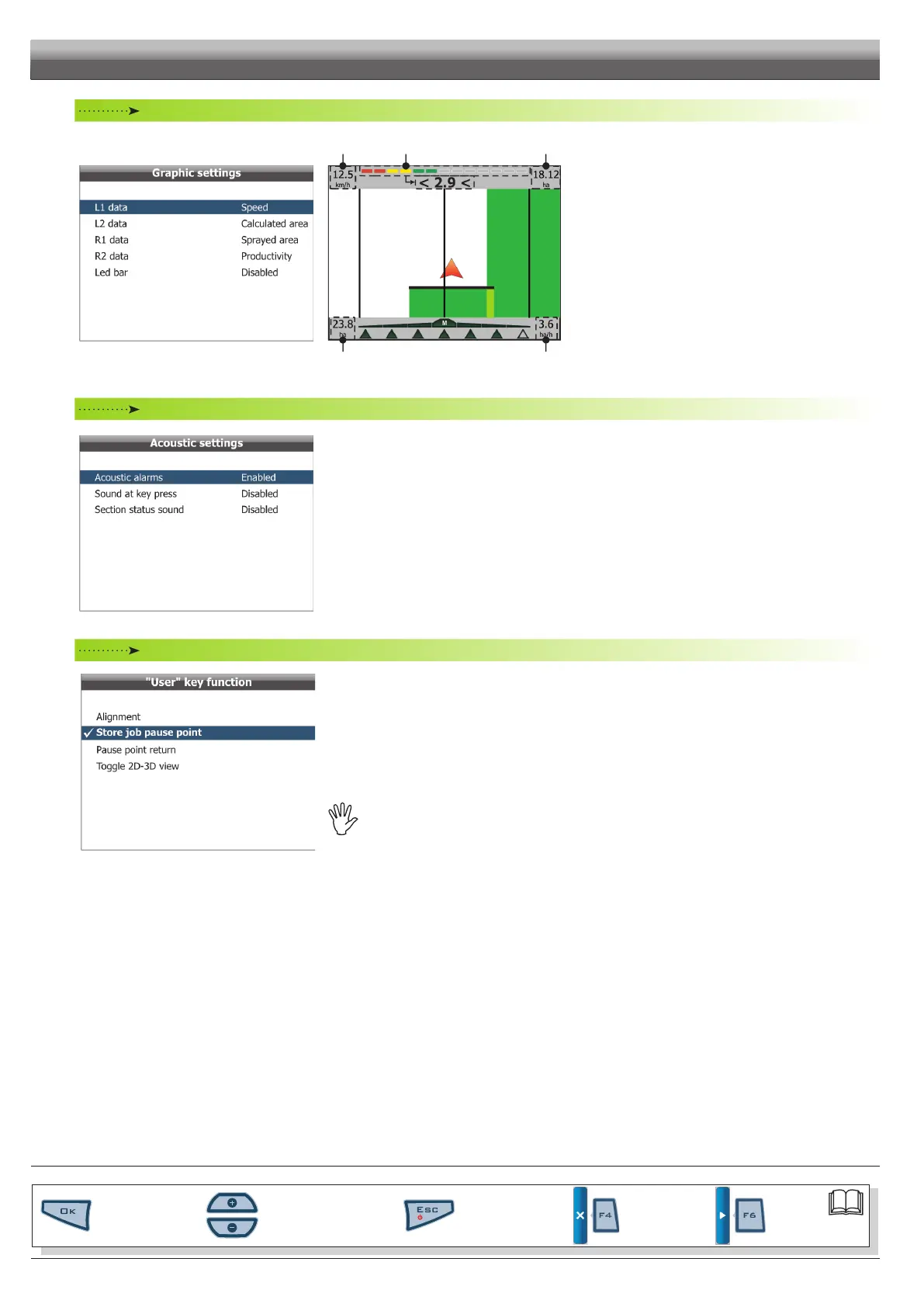
Graphic settings
Fig. 49
R2L2
Led bar R1L1
Fig. 50
• L1 - L2 - R1 - R2 data
Allows setting spraying job data you wish to view on guidance
page (Fig. 50).
• LED bar
Allows viewing the led bar on guidance page (Fig. 50).
Acoustic settings
Fig. 51
• Acoustic alarms
Allows enabling/disabling acoustic warning activated during alarms.
• Sound at key press
Allows enabling/disabling tone activated when pressing keys.
• Section status sound
Allows enabling/disabling acoustic warning (two close beeps) indicating that it is necessary to open or close sections.
"User" key function
Fig. 52
Allows customization of the
USER key.
When button is pressed, one of the following options is executed:
- Alignment (par. 8.2.4 - F4 Align).
- Store job pause point (par. 8.2.1 - F1 Pause).
- Pause point return (par. 8.2.3 - F3 Return).
- Toggle 2D-3D view (par. 8.4.2 - F2 2D-3D).
- Toggle sections management mode
(par. 6.5.4 - User preferences / Guidance settings / Boundarysct.management).
WARNING!ThismenucanbeprogrammedONLYif:
•sprayingjobisperformedbyaremotedevice
(Remote option,par.6.5.4 - User preferences/Guidance settings/Spraying activation).
Inothercases,USERkeyisprogrammedtoactivatethesprayingjob.
END OF PAR. 6.5 - MACHINES SETTINGS
PROGRAMMING - MACHINES SETUP
Par.
6.3
Scrolling menu items.
Increase / decrease data
Quit the function or
data changes
Conrm access or
data changes.
Shift the
cursor
Reset / disable
data



 To Next Page