SECTION 8 MAINTAINING YOUR ARMOR X7 PAGE 139
EXPORT CONTROLLED – SEE PAGE 3
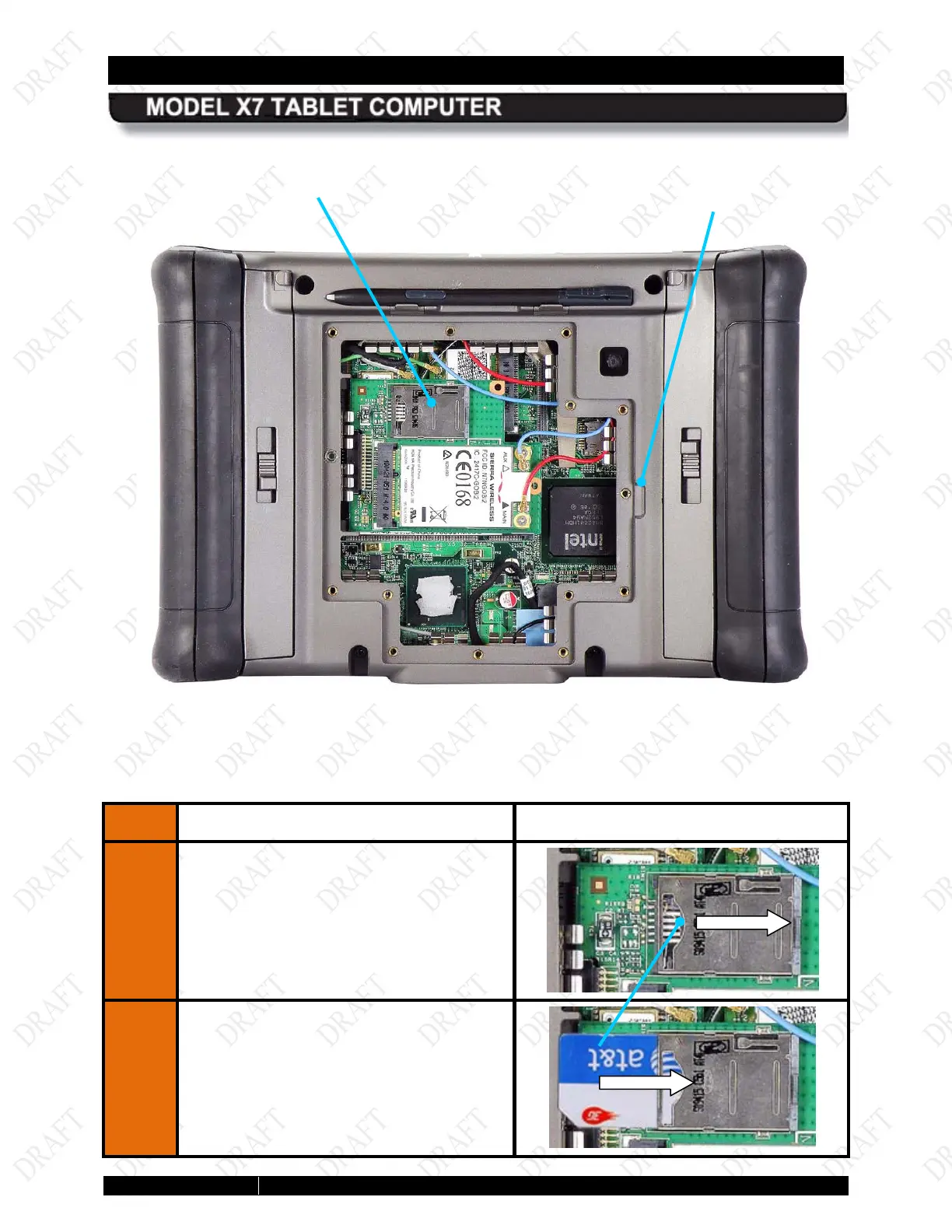
Figure 72. X7 Rear Compartment
STEP ACTION CONDITION OR INDICATION
5.
Place a fingertip in the notch on the left
side of the SIM socket cover and slide the
cover to the right until you feel an indent,
then lift up.
6.
Insert the SIM card with the corner notch
at the lower left.
SOCKET
REMOVAL
SLOT
NOTCH



 To Next Page