SECTION 8 MAINTAINING YOUR ARMOR X7 PAGE 141
EXPORT CONTROLLED – SEE PAGE 3
Installing a Micro SD or SDHC Card
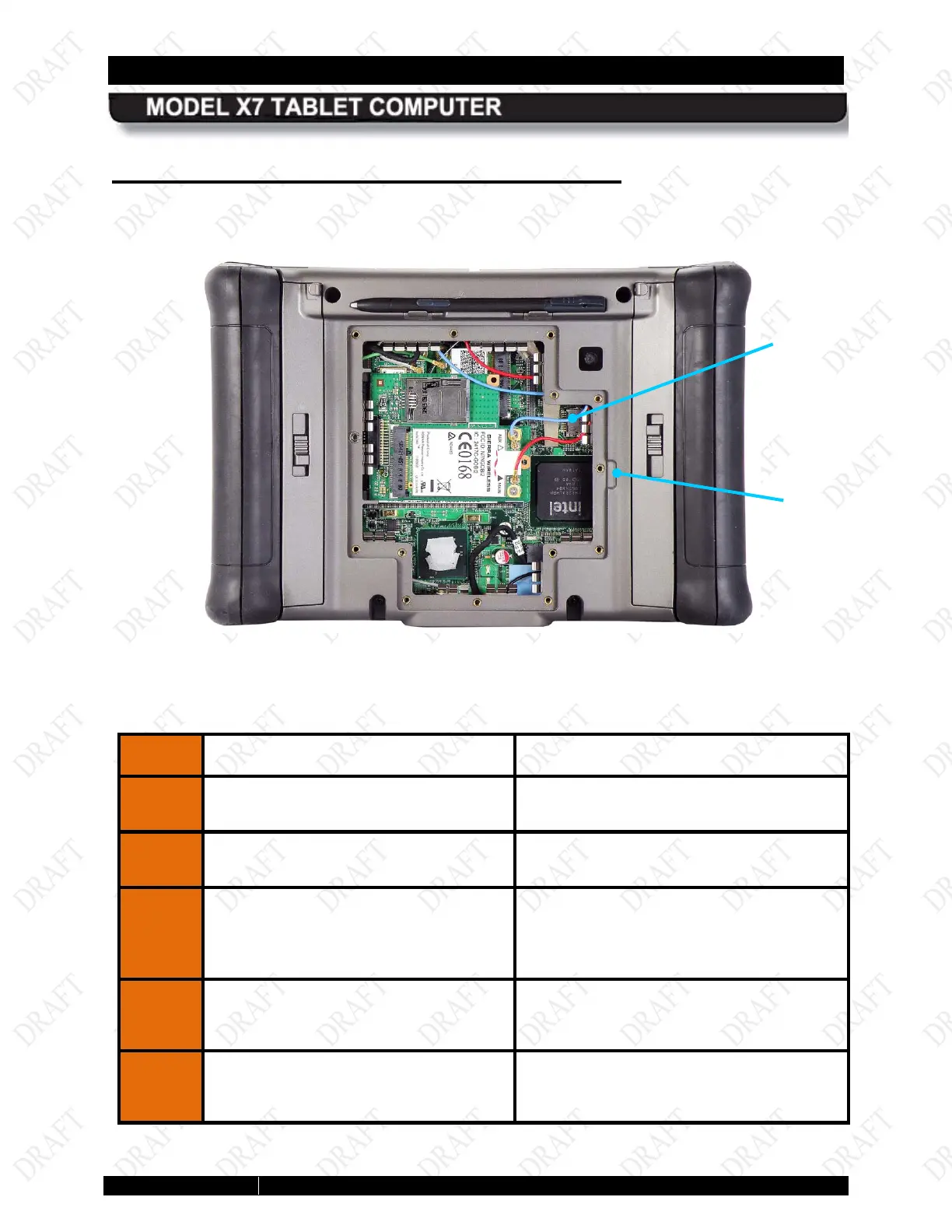
The micro SD card socket is located inside the rear compartment, as shown in Figure 75. Follow
the procedure in Table 24 to install the card.
Figure 73. Micro SD Card Socket
Table 23. Installing the SC Card
STEP
ACTION CONDITION OR INDICATION
Power down the computer and
disconnect any external power.
Remove the batteries.
3.
Place the computer face down on a
clean surface and remove the 14
Philips screws securing the cooling
register.
4.
Carefully pry up the cooling register at
the slot provided (Figure 75
remove.
5.
Carefully lift the socket cover and
insert the SD card all the way into the
cover.
CARD
SOCKET
REMOVAL
SLOT



 To Next Page