SECTION 3 GETTING STARTED PAGE 54
EXPORT CONTROLLED – SEE PAGE 3
Installing a Micro SD or SDHC Card
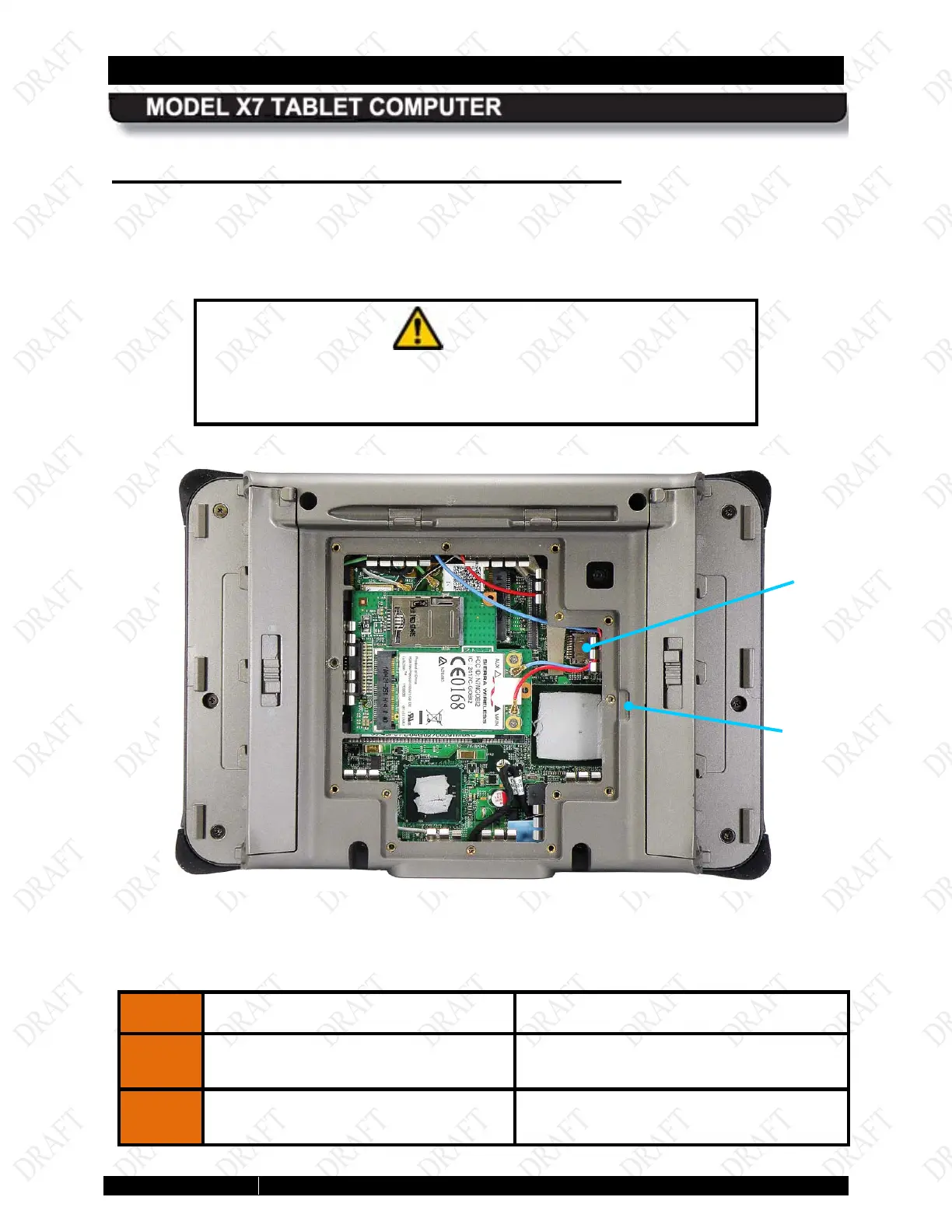
The micro SD card socket is located inside the rear compartment, as shown in Figure 19. Follow
the procedure in Table 4 to install the card.
CAUTION!
Do not remove the rear compartment cover while the unit is
powered up as internal voltages are exposed to possible short
circuit.
Figure 19. Micro SD Card Socket
Table 4. Installing the SC Card
STEP
ACTION CONDITION OR INDICATION
1.
Power down the computer and
disconnect any external power.
2.
Remove the batteries.
CARD
SOCKET
REMOVAL
SLOT



 To Next Page