SECTION 3 GETTING STARTED PAGE 70
EXPORT CONTROLLED – SEE PAGE 3
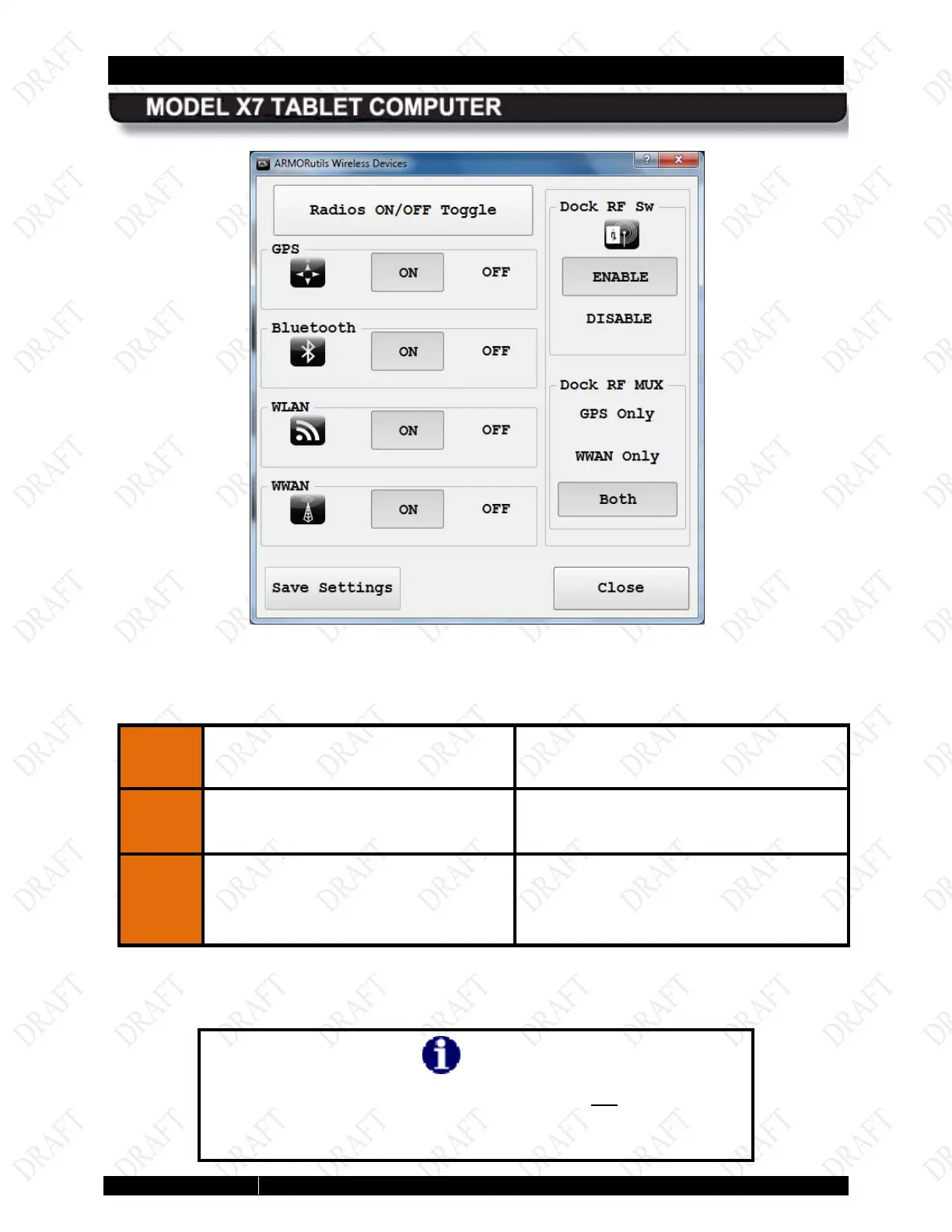
Figure 27. External Antenna Selection Options in ARMORutils
Table 11. Configuring the External Antennas
STEP
ACTION CONDITION OR INDICATION
1.
In the Dock RF MUX
GPS Only, WWAN Only or Both
When the tablet is docked, only the
antennas that are selected will be utilized.
2.
Press the Docking RF Sw Enable or
Disable button to enable
or disable
the antenna configuration that is
selected in the Dock RF Mux panel.
NOTE
If you have an X7 RF dock installed but are not using external
antennas, you must set the Dock RF Sw to “Disable” in order to
use the tablet’s internal antennas.



 To Next Page