SECTION 3 GETTING STARTED PAGE 63
EXPORT CONTROLLED – SEE PAGE 3
Entering Data Using the Input Panel
The input panel is a virtual keyboard and handwriting entry tool that is located on your desktop.
It is accessed differently depending on the operating system.
Accessing Input Panel
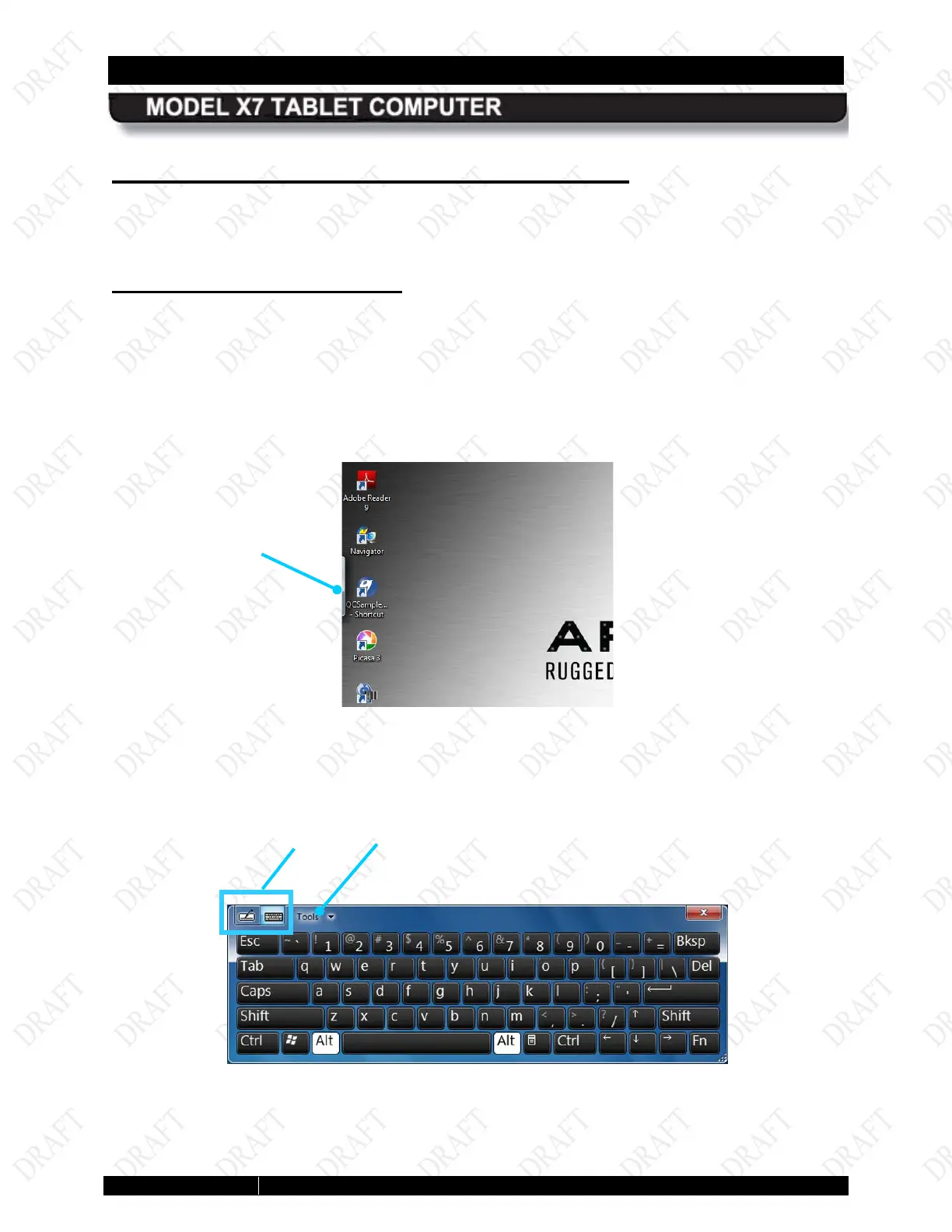
The Input panel keyboard is normally hidden just off the left side of the display, as shown in
Figure 22. The edge appears in the upper left corner when you tap near it on the screen with a
fingertip, stylus or the active pen,.
When it appears, tap once or twice on the edge of the input panel icon to fully open it on the
desktop as shown in Figure 23.
Figure 22. Location of the Input Panel
Figure 23. Input Panel Keyboard Opened on Desktop
MODE
OPTIONS AND
PANEL KEYBOARD



 To Next Page