SECTION 9 DISPLAY MANAGEMENT PAGE 153
EXPORT CONTROLLED – SEE PAGE 3
Calibrating the Display in Windows 7
You can access both touch screen and pen screen calibration routines using ARMORutils or
using the Tablet PC Settings utility in Control Panel.
Using ARMORutils
This capability is not currently available.
Using the Tablet PC Settings Utility in Control Panel
Table 28. Calibrate the Display Using the Tablet PC Settings Utility
STEP
ACTION CONDITION OR INDICATION
1.
Select Start
Control Panel
Hardware and Sound
Settings.
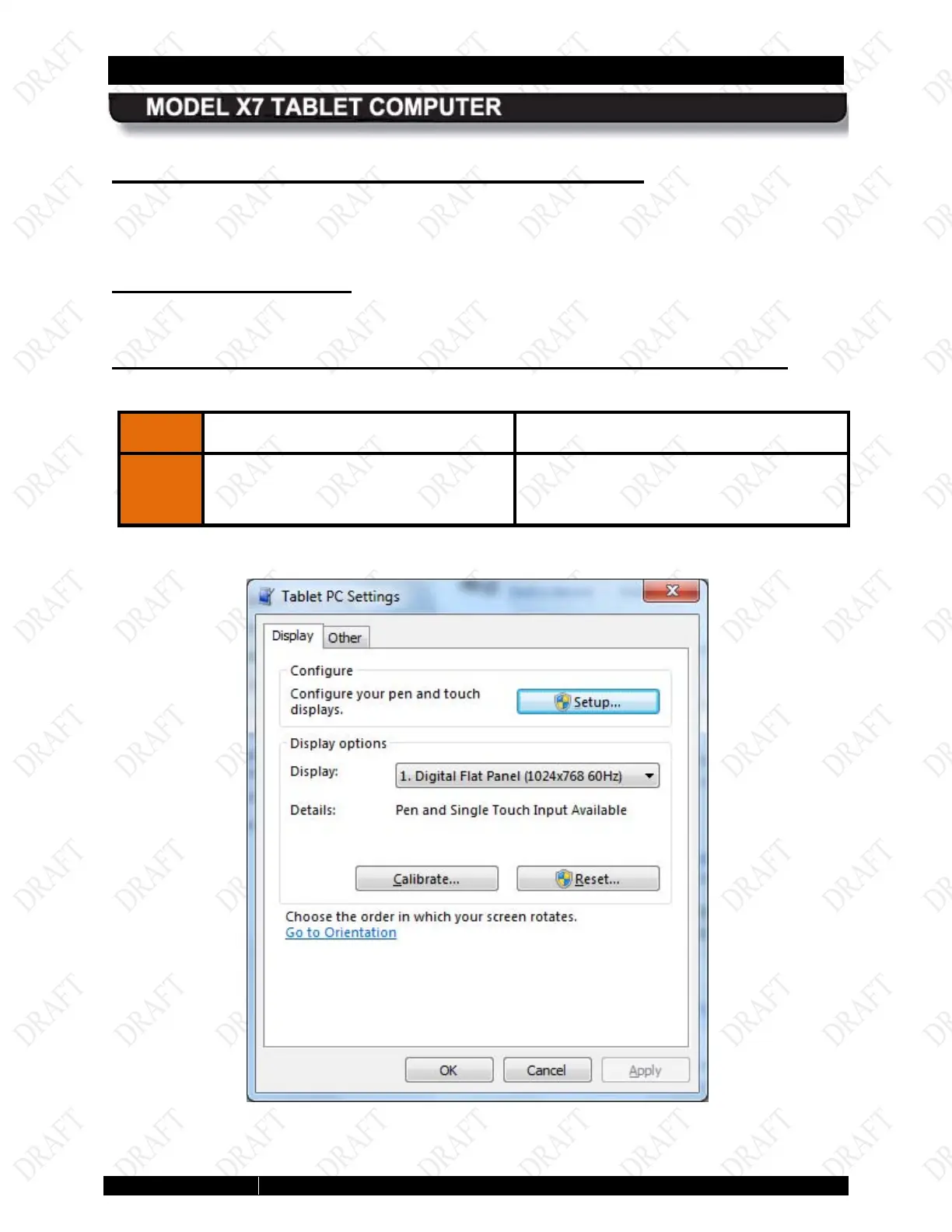
The Tablet PC Settings dialog window
opens, as shown in Figure 81.
Figure 79. Tablet PC Settings Window



 To Next Page