SECTION 9 DISPLAY MANAGEMENT PAGE 161
EXPORT CONTROLLED – SEE PAGE 3
Us ing a Keyboard “Hot Key” Combination
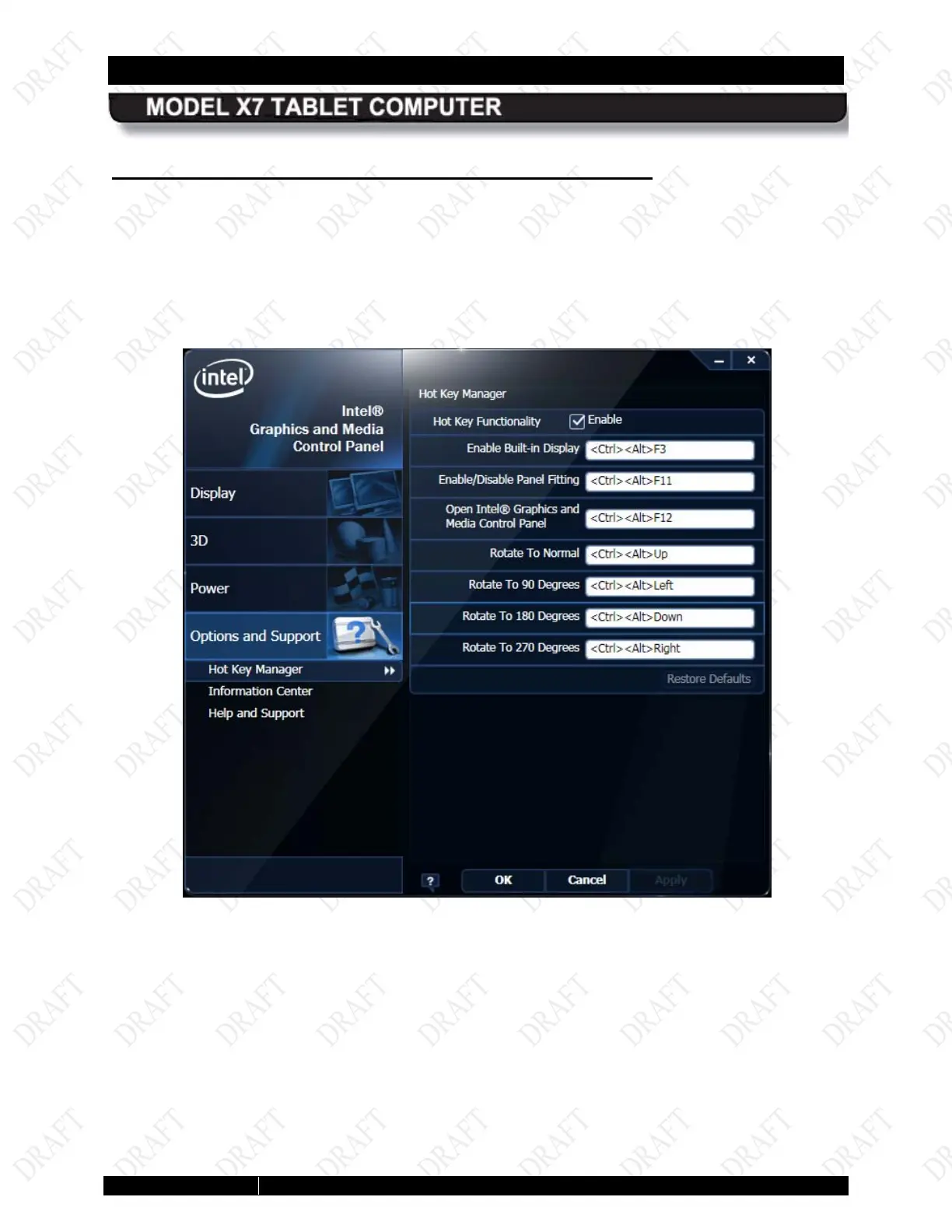
Open the Intel Graphics and Media Control Panel and select Options and Support à Hot Key
Manager. A list of pre-assigned (default) hot key combinations is displayed in the right panel, as
shown in
Figure 87. You can use these default combinations or specify a combination of your
own.
To use a hot key combination, connect a USB keyboard and enter the combination.
Figure 85. Intel Graphics Panel Hot Key Manager



 To Next Page