128 ALEXA Plus
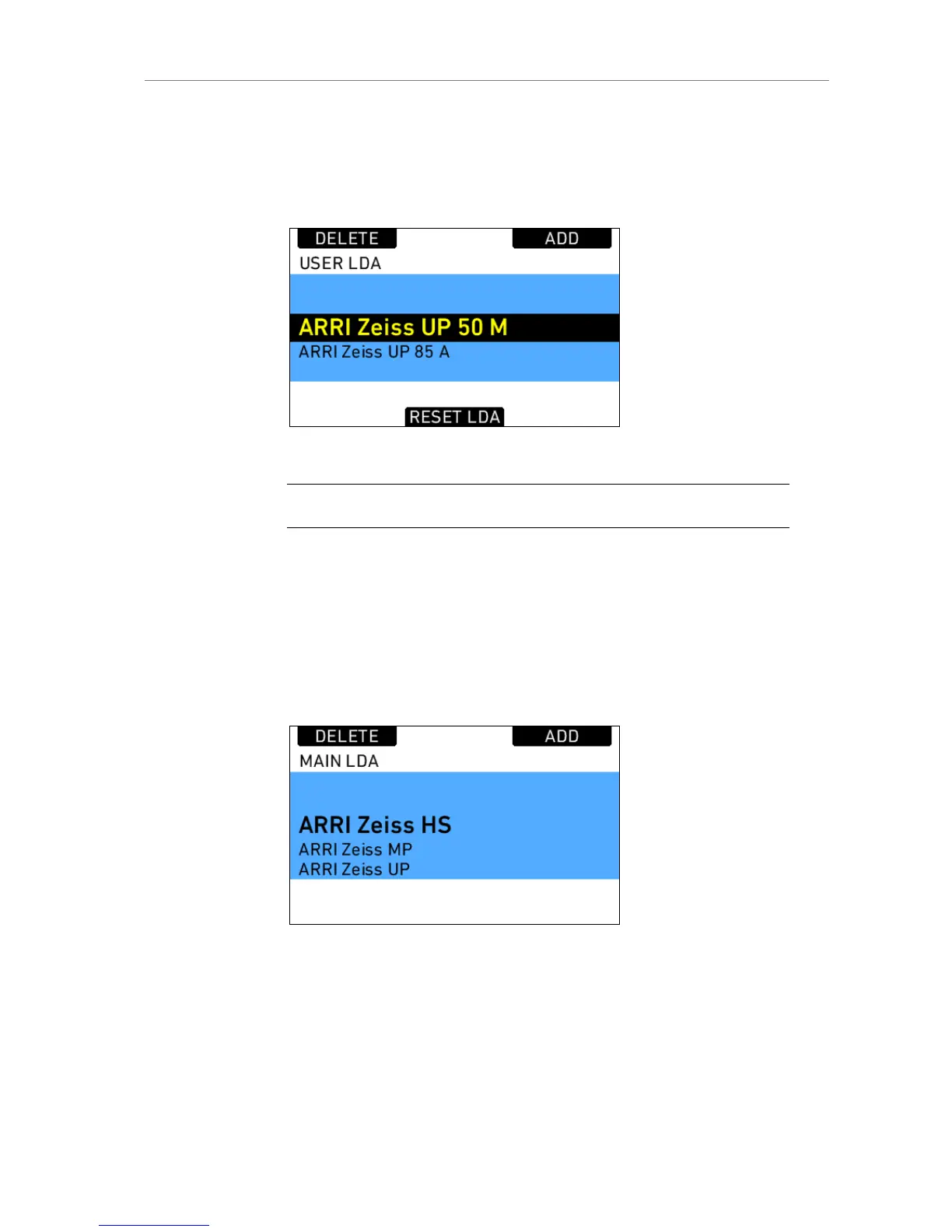
The LDA consists of a user list and a main archive list. The user list should
only contain the lenses currently used to achieve quick access to the desired
lens tables. The main archive contains a set of lens tables for ARRI/Zeiss
Highspeed, Master Primes and Ultra Primes and can be extended with
additional lens tables for any PL-Mount lens.
Figure 88: User LDA
Note: Custom lens tables may have to be created manually beforehand.
Pressing the LDA button opens the User LDA. Select a lens table and press
the wheel. After calibrating the lens motors, the LDS functionality can be
used.
To add a lens table from the main archive, access the User LDA screen and
press the ADD button. This opens the Main LDA list. From the main archive,
first select a lens type, the a lens model and then a lens class. The lens
class can be found on the lens barrell below the infinity symbol of the focus
scale. Then select to add the lens table to the user list (Press ADD), use it
without adding (USE), or both (ADD+USE).
Figure 89: Main LDA screen
To delete a lens table from the user archive, access the user list and press
the DELETE button. Select the lens table to delete and press the two buttons
labelled DELETE simultaneously. Repeat this procedure to delete further
lens tables.











 To Next Page