EasyManua.ls Logo

ASEM HMI30 - User Manual

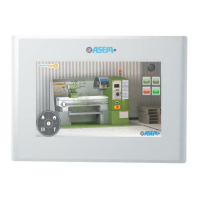
ASEM HMI30
91 pages
Print Icon
To Next Page IconTo Next Page
Loading...
ASEM Open Automation Systems
USER’S GUIDE
Code 86060322
Version A01
Date 16.07.2012
HMI30 / HMI30-TF

Table of Contents

Question and Answer IconNeed help?

Do you have a question about the ASEM HMI30 and is the answer not in the manual?

Summary

Preliminary Information

Scope of Instructions and Safety

Defines the scope of instructions and provides critical safety guidelines.

Description of HMI30 Systems

Product Overview, Key Features, and Package Contents

Describes the HM130 family, its main features, and lists package contents.

Putting the HMI30 into Operation

Outlines the phases for putting the HMI30 into operational use.

Software Options and Functionality

Lists and describes available software options for the HMI.

Installation and Connection Guide

Installation Preparation Steps

Covers preliminary steps before installing the HMI device.

Mounting Position and Overheating Concerns

Guidance on mounting location, position, and thermal considerations.

Preparing the Mounting Cut-out

Details on preparing panel cut-outs for proper device mounting.

Device Mounting Procedure

Step-by-step instructions for physically installing the HMI device.

Device Connection: Power, Grounding, and Notes

Guidelines for proper electrical connections, grounding, and power supply.

Switching On and Testing the HMI

Steps for powering up the device and initial testing.

Connecting the Configuration PC

Instructions on how to connect the HMI to a PC for configuration.

Commissioning the Device

Backup Design and Internal Memory Management

Explains memory structure and management for data integrity.

Memory Card Slot and Handling Procedures

Instructions for using SD/SDHC memory cards with the HMI.

Commissioning a Project

Project Overview, Transfer, and Serial Port Configuration

Explains project creation, transfer methods, and serial port setup.

Debugging HMI Projects

Steps and methods for debugging projects on the HMI.

Maintenance and Care Procedures

Technical Specifications

System Software Specifications

Details on the operating system and software features.

Summary

Preliminary Information

Scope of Instructions and Safety

Defines the scope of instructions and provides critical safety guidelines.

Description of HMI30 Systems

Product Overview, Key Features, and Package Contents

Describes the HM130 family, its main features, and lists package contents.

Putting the HMI30 into Operation

Outlines the phases for putting the HMI30 into operational use.

Software Options and Functionality

Lists and describes available software options for the HMI.

Installation and Connection Guide

Installation Preparation Steps

Covers preliminary steps before installing the HMI device.

Mounting Position and Overheating Concerns

Guidance on mounting location, position, and thermal considerations.

Preparing the Mounting Cut-out

Details on preparing panel cut-outs for proper device mounting.

Device Mounting Procedure

Step-by-step instructions for physically installing the HMI device.

Device Connection: Power, Grounding, and Notes

Guidelines for proper electrical connections, grounding, and power supply.

Switching On and Testing the HMI

Steps for powering up the device and initial testing.

Connecting the Configuration PC

Instructions on how to connect the HMI to a PC for configuration.

Commissioning the Device

Backup Design and Internal Memory Management

Explains memory structure and management for data integrity.

Memory Card Slot and Handling Procedures

Instructions for using SD/SDHC memory cards with the HMI.

Commissioning a Project

Project Overview, Transfer, and Serial Port Configuration

Explains project creation, transfer methods, and serial port setup.

Debugging HMI Projects

Steps and methods for debugging projects on the HMI.

Maintenance and Care Procedures

Technical Specifications

System Software Specifications

Details on the operating system and software features.

ASEM HMI30 Specifications

General IconGeneral
Display TypeTFT LCD
Power Supply24 VDC
ProcessorIntel Atom
Operating SystemWindows Embedded Standard 7
Serial PortsRS-232/422/485
Protection ClassIP65
Operating Temperature0°C to 50°C