49
HMI30 / HMI30-TF User’s guide
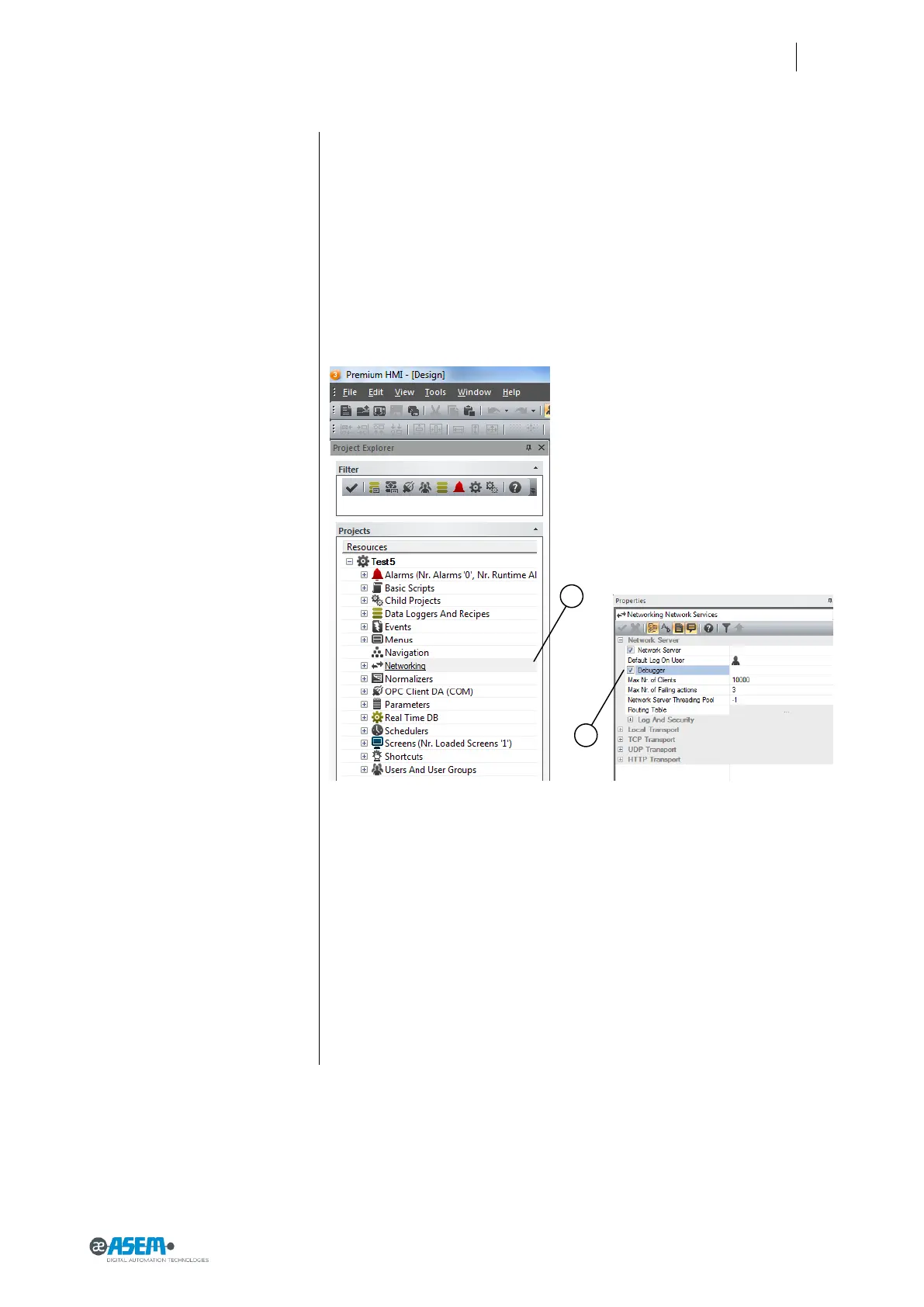
Figure 60
Debugging the project
5.4.3 Debugging the project
You can debug the project in HMI30 by connecting with the configuration PC.
In order to be able to use the debugging functionality you must prepare your
project as follows:
1. Select “Networking” in the project explorer window of Premium HMI
2. Enable the property “Debugger” in the Properties window of Premium
HMI
Transfer the project to HMI30 and make it running.
NOTE: Be sure that the project is running otherwise you cannot debug the pro-
ject
To debug the project running in HMI30 from the configuration PC you must:
1. Select TCP in the upper left list
2. Write the IP address of HMI30
Click on the button “Attach To Process…”



 To Next Page