5
HMI30 / HMI30-TF User’s guide
1.11 Scope of the operating instructions
c) The operating instructions apply to the HMI30 family devices in conjunc-
tion with the Premium HMI 3 software.
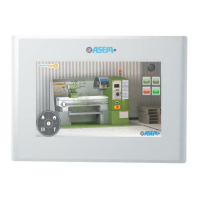
The devices are the following:
Full aluminum front panel
Aluminum front panel with True
Flat technology
1.12 Safety instructions
1.12.1 Installation according to the instructions
Commissioning the HMI device is prohibited until it has been absolutely
ensured that the system in which the HMI device is to be installed com-
plies with all the applicable EU and international regulation.
1.12.2 Hazardous areas
Do not use HMI30 in hazardous areas.
1.12.3 Working on the control cabinet
Open equipment
The HMI device is open equipment. This means that the HMI30 may only
be integrated in housings or cabinets, where it can be operated from the
front panel.
The cabinet in which HMI30 is installed may only be accessed with a key
or tool and only by trained and authorized personnel.
Dangerous voltage
Opening the cabinet may expose high voltage parts. Before opening the
cabinet always disconnect the power.


 To Next Page