41
HMI30 / HMI30-TF User’s guide
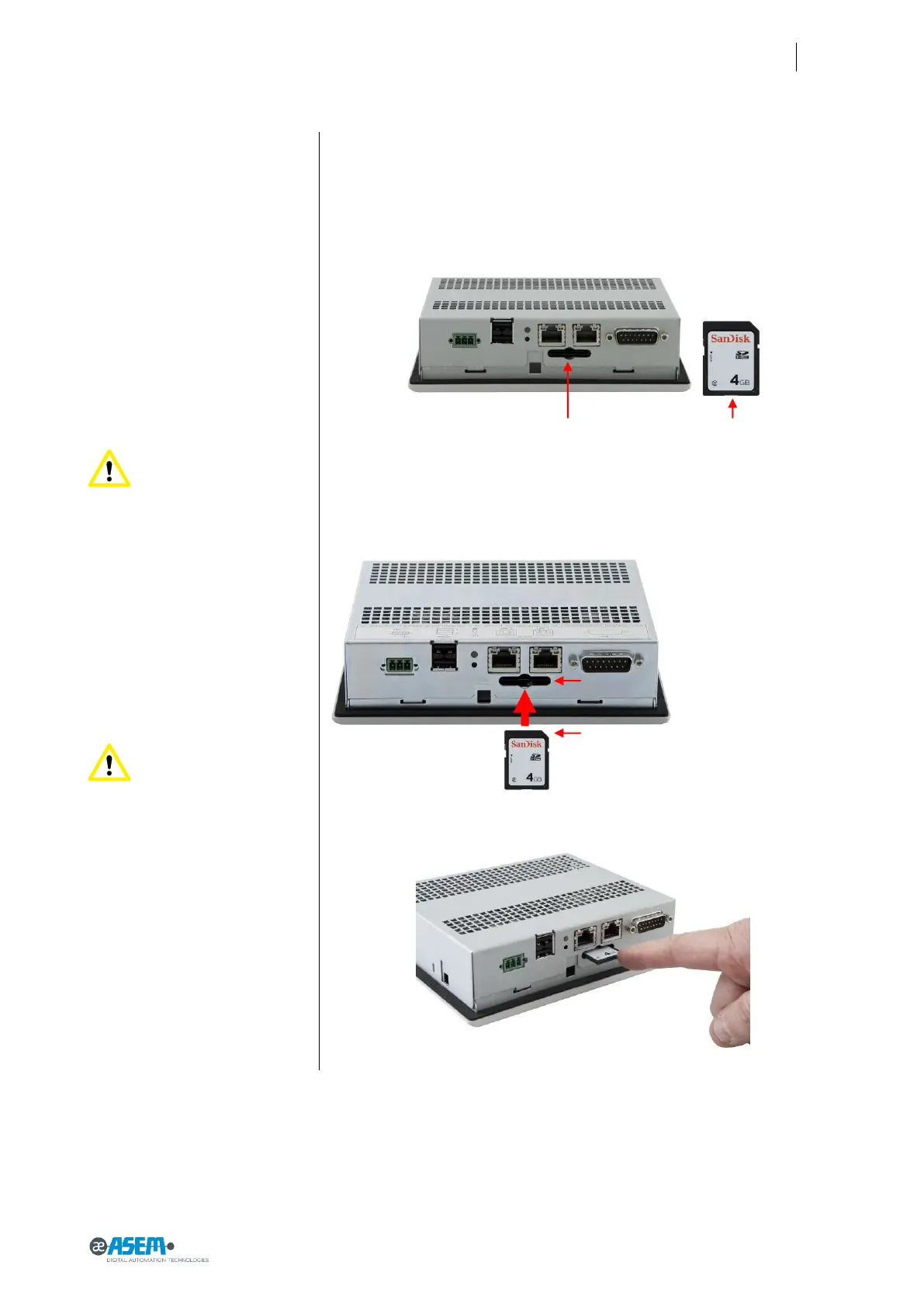
Figure 46
Slot for memory card
Attention: potential data
loss
Do not remove the memory card
while data is being accessed.
Data on the memory card is lost if
you attempt to remove it while
HMI30 is accessing its data.
Figure 47
Slot for memory card
Attention: removing the
system memory card while the
project is running. If you remove
memory card while a project is
running, the project may stop.
Figure 48
Slot for memory card
4.3 Slot for memory card
HMI30 can optionally accommodate an SD/SDHC card slot V. 2.0 (push-push
type).
4.4 Installation/removal of a memory card
Insert the memory card into the slot as indicated in the figure. Pay atten-
tion to the beveled edge.
Push the card all the way.


 To Next Page