54
SECTION 6 – Maintenance and care
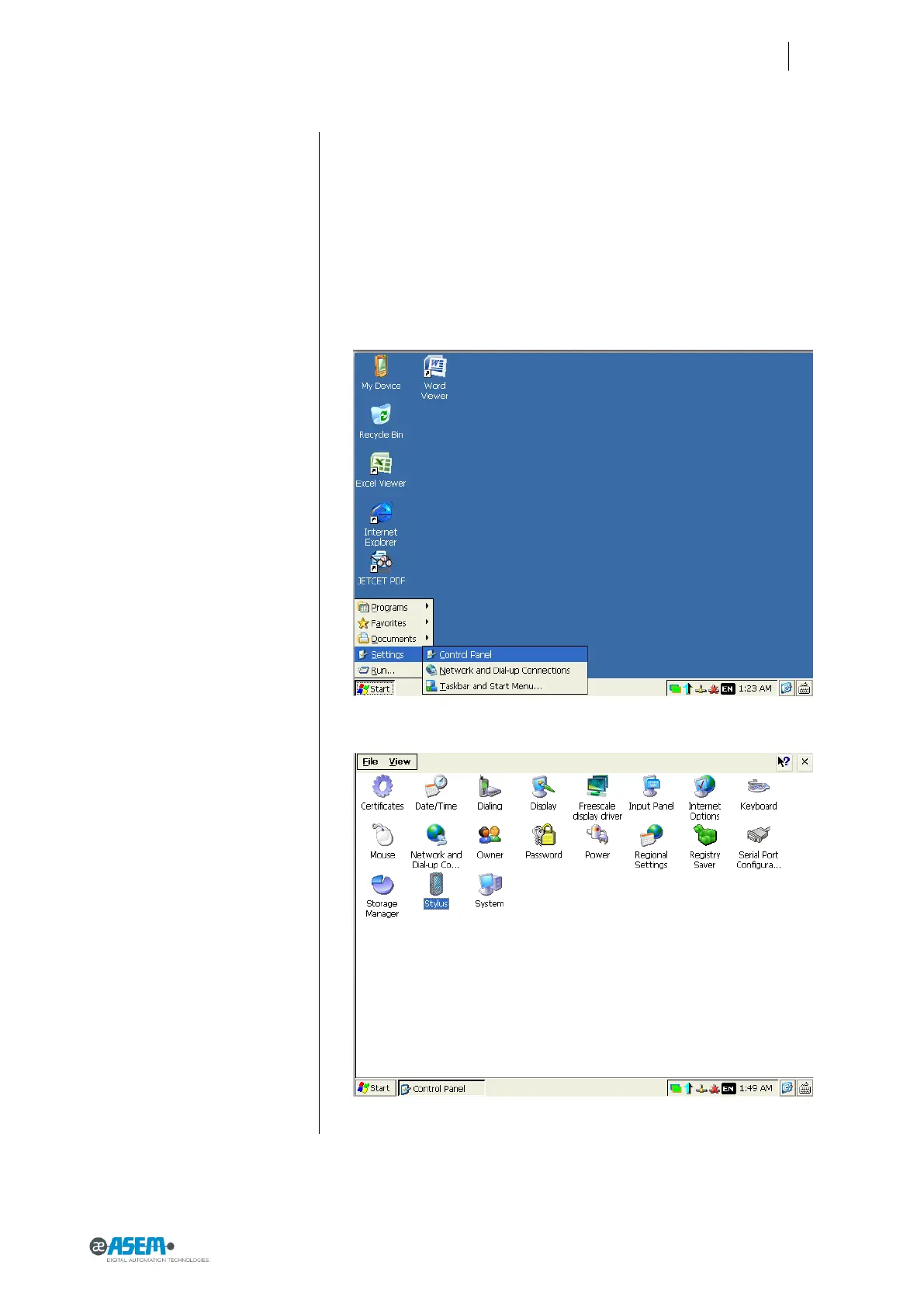
Figure 66
Calibration of the touchscreen
Figure 67
Calibration of the touchscreen
6.1 Calibration of the touchscreen
HMI30 is designed to don’t require touchscreen calibration, but in some cases,
like update of the operating system, you must recalibrate the touch screen.
To calibrate the touch screen:
Go in control panel.
Open the “Stylus” application.
The following window will appear.


 To Next Page