Ch. 10. Environmental Scanner Overview Sec. 10.3. Cypher ES Quick Reminder List
6.
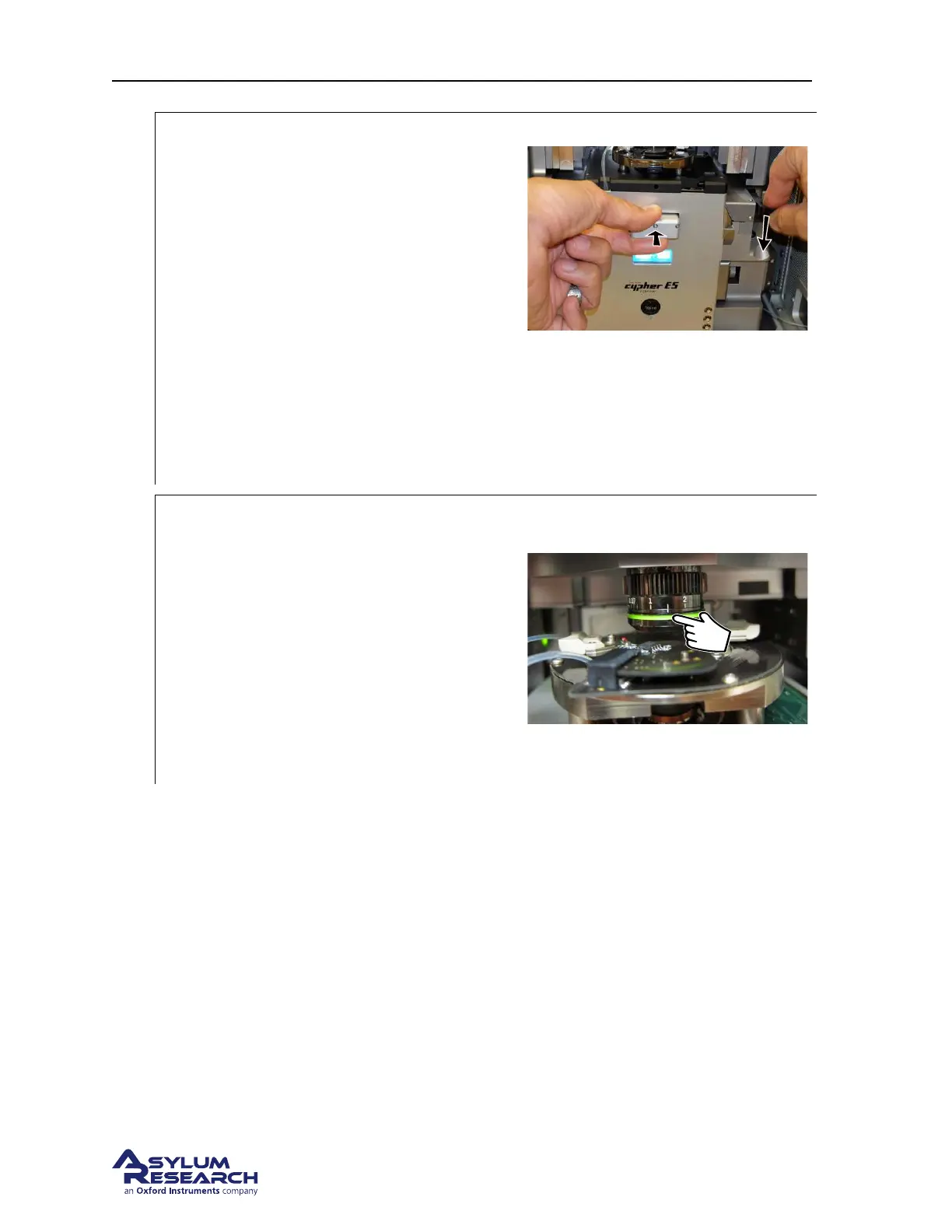
Make sure the scanner is fully seated
against the chassis before locking in place.
• Unlike the S scanner, which has a hard
stop on the back of the scanner, the ES
scanner has a spring loaded stop that
needs to be fully engaged.
• When inserting the ES scanner into the
chassis, push the scanner until you feel
the spring on the back of the scanner
engage. Fully depress the spring until
you feel the hard stop.
• After fully engaging the spring loaded
stop at the back of the scanner, lock the
scanner in place.
Note Proper seating of the scanner is most im-
portant when using the cooling capabilities of
the Cooler-Heater sample stage. During nor-
mal operation it is not particularly important.
7.
Take care to properly set the correction
collar on the objective.
• The ES scanner uses different correction
collar settings than the S scanner.
• The ES scanner uses 1.5 for gas
operation and 2.0 for liquid operation.
Note Incorrectly setting the correction collar
will degrade the optical image quality. In
addition it will cause slight errors in the XY
calibration of the scanner.
DRAFT
Page 125



 To Next Page