Ch. 11. Tutorial: AC Mode in Air, ES Sec. 11.2. Loading the Cantilever and Sample
6.
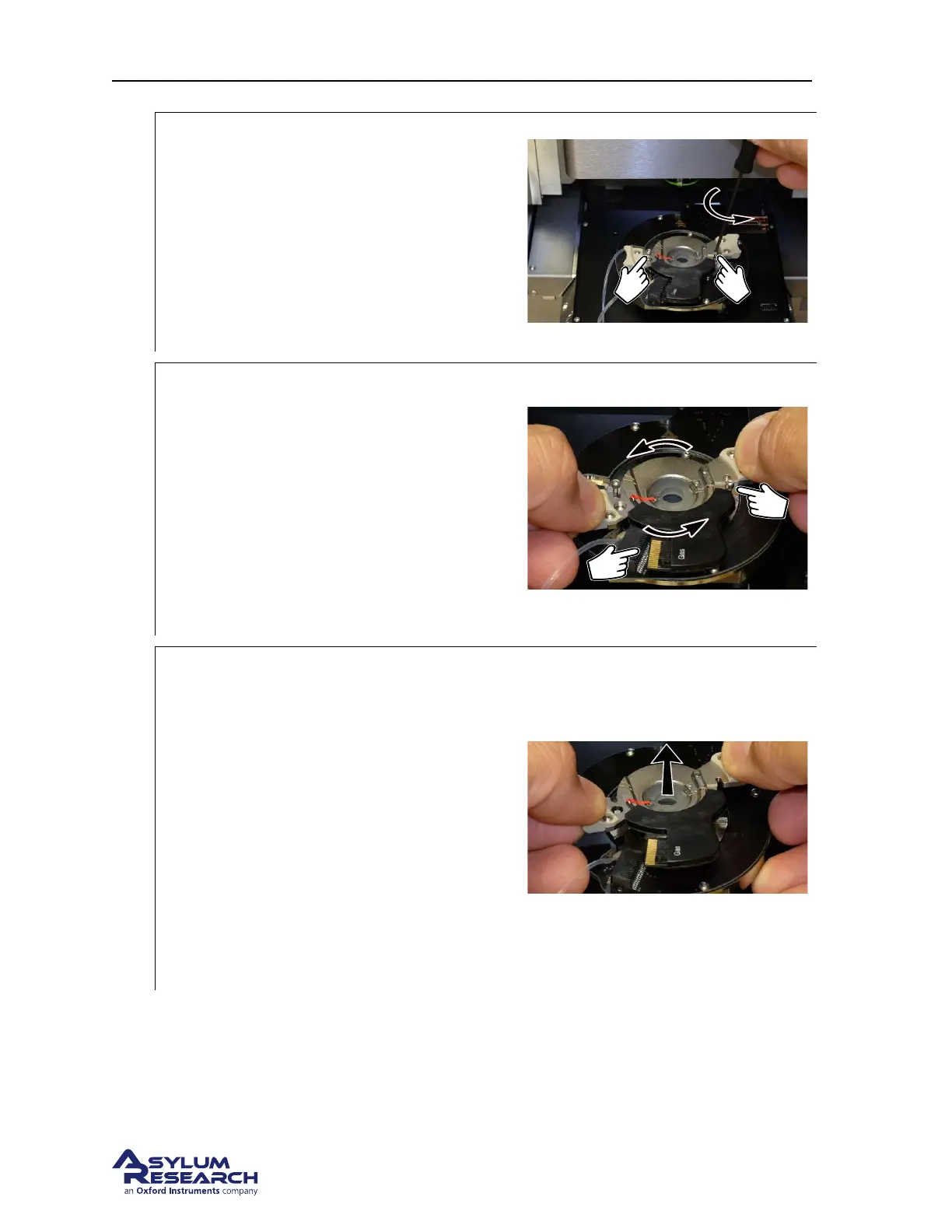
Release the cantilever holder:
• Locate the tool with yellow tip in the
chassis to the left of the scanner.
• Use tool to loosen the two screws
clamping the cantilever holder. One turn
counterclockwise should be enough (do
not completely unthread screws.
• Replace the tool.
7.
Rotate the cantilever holder:
• Place your fingers on the two side
cantilever holder handles.
• Rotate counterclockwise a few degrees.
1 the cantilever holder circuit board come out
of its mating connector. Stop when the board
has cleared the connector.
2 Notice the screws come away from the
cutouts in the cantilever holder.
8.
Remove the cantilever holder:
• Once the board has cleared the
connector, carefully wiggle the
cantilever holder up and out.
• The resistance you feel as you remove
the cantilever holder comes is the
cantilever holder O-ring sliding out
from the cell body. Once the O-ring
clears the cell body, be ready for the
resistance to drop suddenly. Keep a firm
grip on both handles to keep from
flinging the cantilever holder across the
room!
DRAFT
Page 133



 To Next Page