Ch. 11. Tutorial: AC Mode in Air, ES Sec. 11.2. Loading the Cantilever and Sample
23.
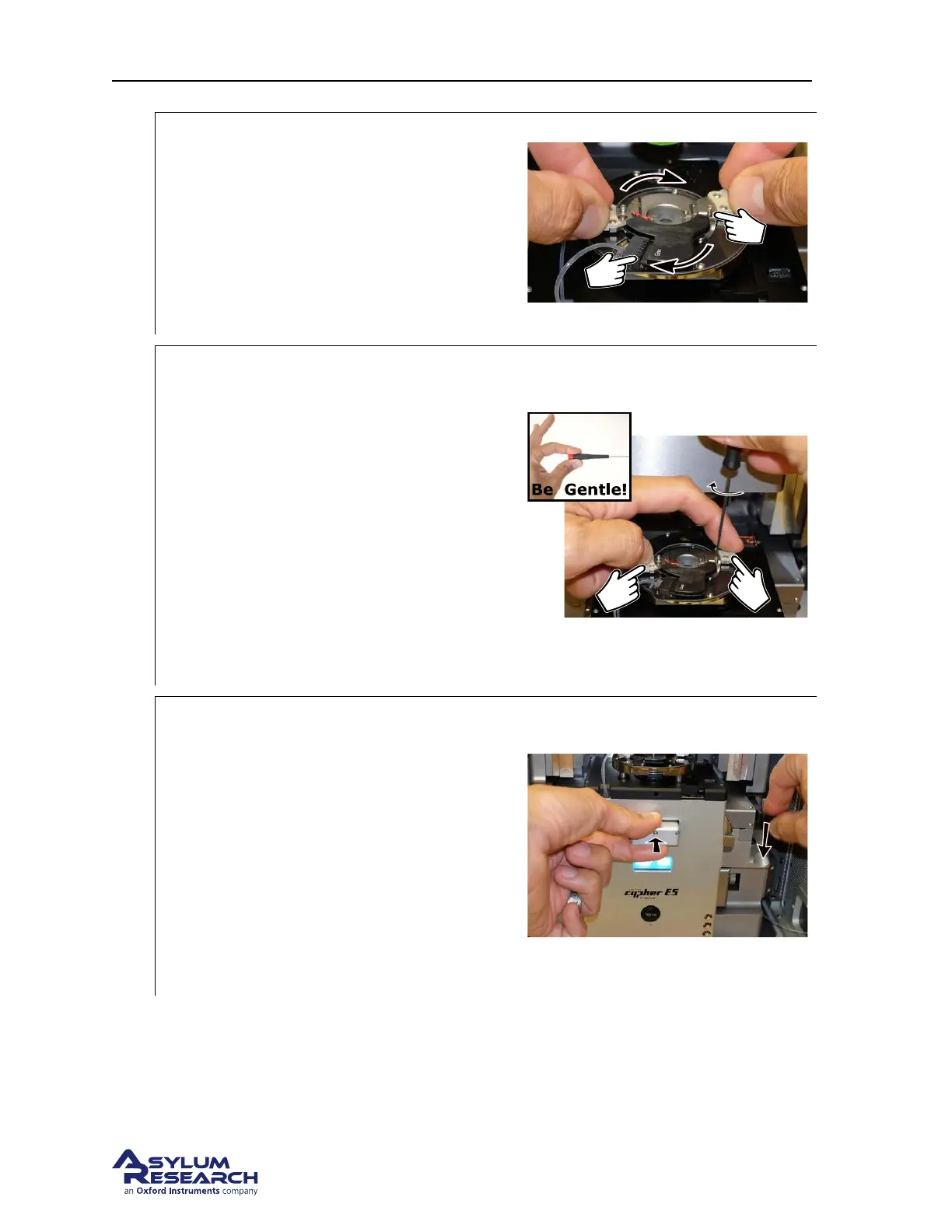
Rotate:
• Rotate the cantilever holder clockwise
until you feel a hard stop.
1 The cantilever holder contacts slip into the
mating connector.
2 Notice the screws cause the hard stop as
they slip into the matching metal cutouts.
24.
Tighten the screws:
• Place pressure on the cantilever holder
handles as shown. Make sure it’s firmly
seated.
• Finger tighten one of the screws and
stop as soon as you feel any
resistance.
• Do the same to the other screw.
• Release the pressure on the handles and
tighten both screws a tiny bit more.
• At all times, only hold the screwdriver
with your fingertips.
25.
Slide scanner into chassis:
• Slide the scanner back into the chassis.
Use firm pressure until you feel a hard
stop. Before you feel a hard stop you
will feel a spring-like resistance. You
are making thermal contact between the
scanner and the chassis. This is
necessary for best performance.
• Maintain pressure on scanner and press
the lever at the right downward to lock
the scanner into place.
DRAFT
Page 139



 To Next Page