Navigation (NAV) 111
General operation RADIO, CD NAME, TEL NAV, INFO CAR, SETUP
· Your map data DVD includes the continental United States
(excluding Alaska), Hawaii and parts of Canada on a single media
allowing for seamless routing across coverage areas.
· Street and city names can be changed. For this reason, there may
be exceptions where the names stored on the DVD do not match the
names that have been changed.
· Navigation DVDs can be purchased from an Audi dealer. The
dealer can also provide you with information about navigation DVD
updates.
· GPS positioning works in only one direction, i.e. the navigation
system receives data to determine vehicle location, but does not
broadcast data.
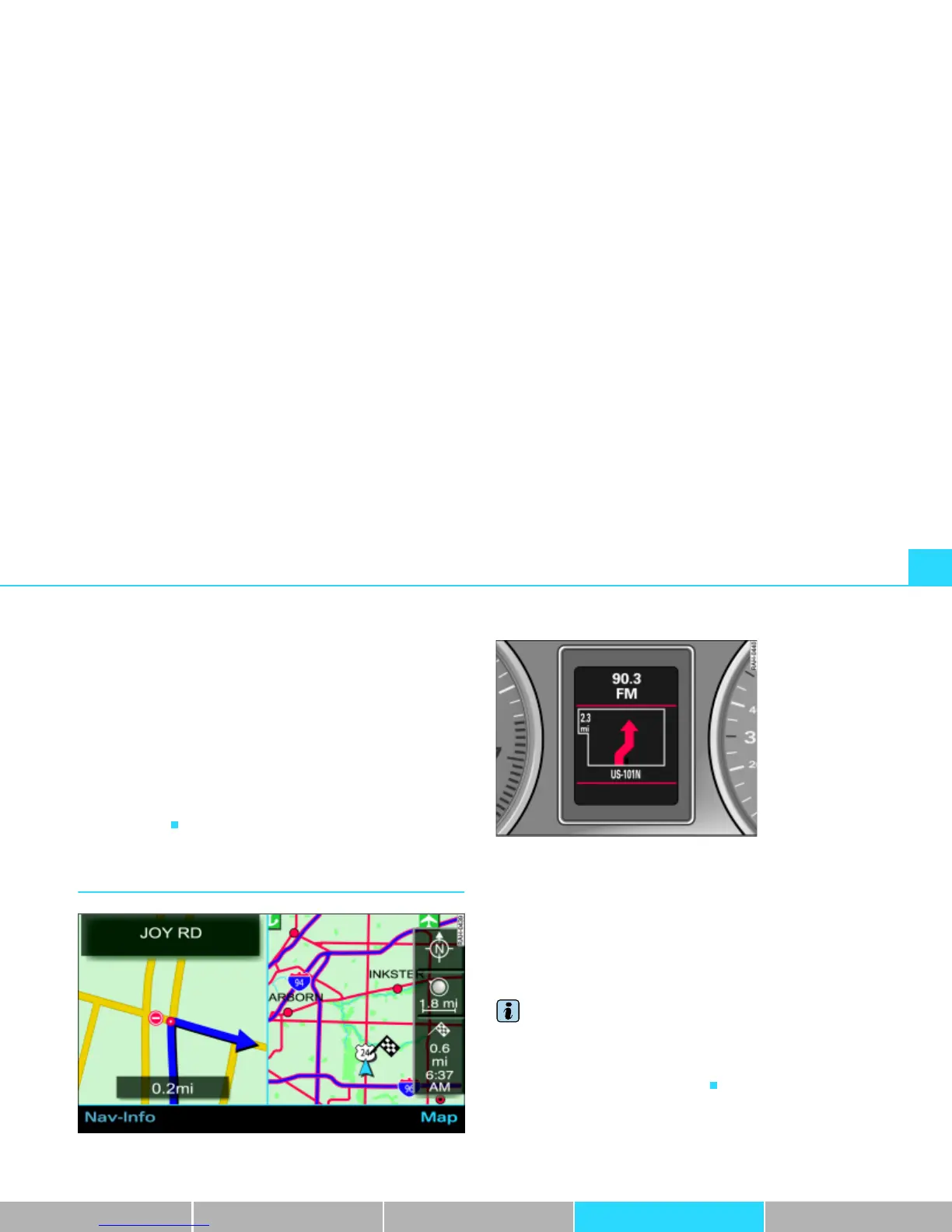
Navigation route guidance
Fig. 113 Navigation: Example of screen in the Navigation System display
Guidance for your route navigation is provided both visually and
acoustically:
· with voice messages Þ page 112
· through a screen in the Navigation System display Þ fig. 113
(
Þ page 112)
· through a display in the instrument cluster Þ fig. 114
(
Þ page 113)
Tips
· If the recommended route is not followed, the system will calcu-
late a new route from the current location.
· It is also possible to start the navigation in demo mode
Þ page 161 for simulation purposes.
Fig. 114 Navigation:
Example of display in
the instrument cluster



 To Next Page