SETUP172
– Choose between the display 12h and 24h.
Setting date format
–Press the Settings control button in the Setup menu.
– Select Time/Date format Þ page 171, fig. 182.
– Select Date format Þ page 171, fig. 183.
– Choose between the display MM/DD for the format
“Month/Day” or DD.MM for the format “Day.Month”.
The instruments cluster acts as the source for the time and date
display.
If the instrument cluster source is not available for some reason, the
time and date are received via the GPS. In this case GPS shows
under the menu item Time source GPS time can be set through the
menu item GMT +/-
Tips
If the instrument cluster source should not be available, please
contact an Audi dealership or authorized facililty.
Factory settings
Settings can be reset to prespecified default settings in
this function.
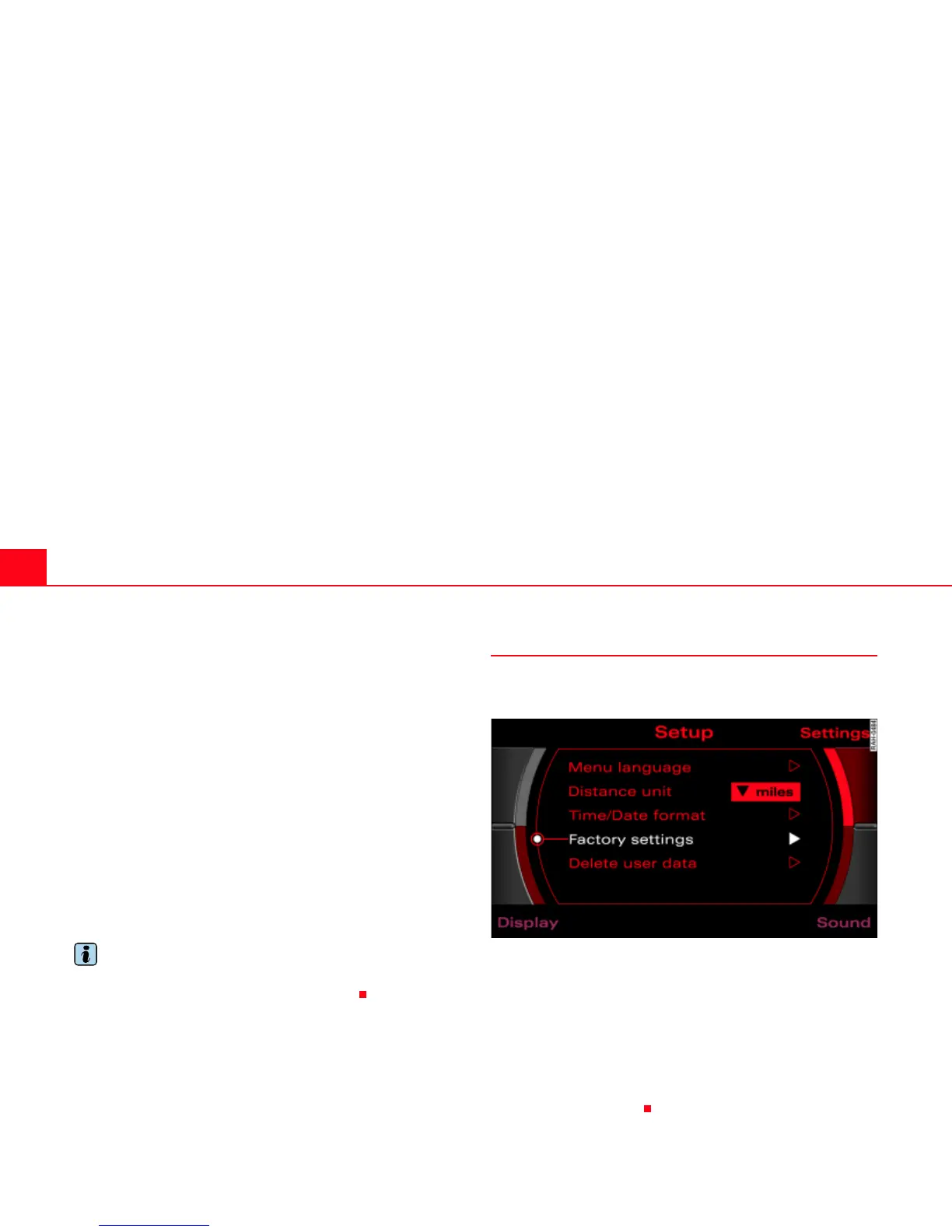
Fig. 184 Setup: Settings factory settings
–Press the Settings control button in the Setup menu.
– Select Factory settings Þ fig. 184.
–Confirm Reset system to factory presets? with Yes. The
settings (e.g. Setup Navigation and route criteria) are
reset to default settings.
User data are not deleted.



 To Next Page