Navigation (NAV) 145
General operation RADIO, CD NAME, TEL NAV, INFO CAR, SETUP
After you have activated the side menu, you are shown information
(city/street names and longitude/latitude) for the position you had
reached at the time of activation.
The following functions can be carried out using the
active map side menu:
Tips
Settings made in an active side menu are not kept after deactiva-
tion. You can enter permanent settings for the map display using
Setup Navigation
Þ page 151.
Map orientation
Inside side menu activation you can switch back and
forth between direction of travel and North.
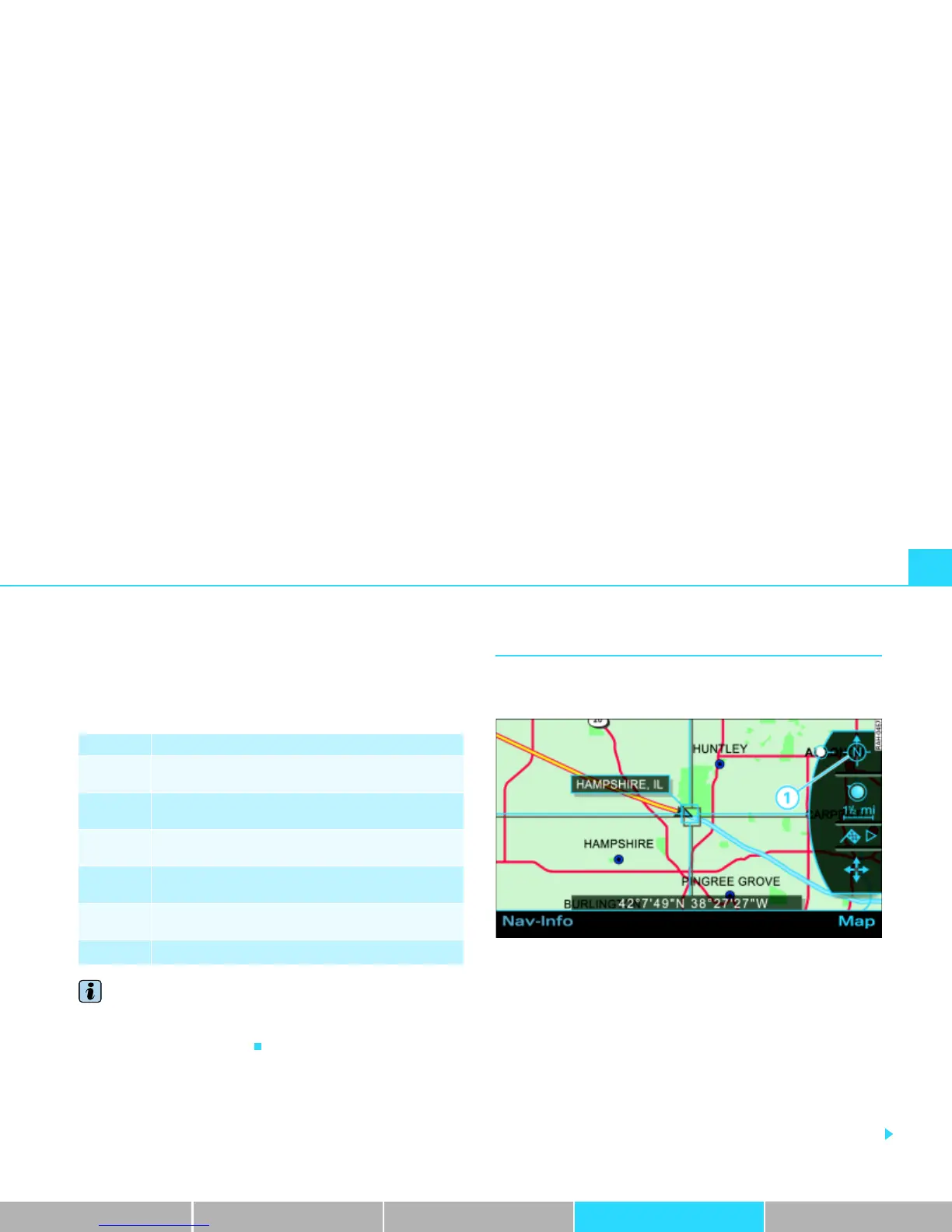
Fig. 153 Navigation: Map orientation North in the active side menu
–Press the Map control button in the navigation menu.
– Press the control knob to switch to the side menu.
– Rotate the control knob to the first map menu item
Þ fig. 153.
– By pressing the control knob, you can switch back and
forth between orientation North Þ fig. 153 and Travel.
For the time the side menu is active, the changed setting
remains.
Legende Function
Orientation
Þ page 145
Scale
Þ page 146
Map position menu
Þ page 148
Activation of map crosshairs
Þ page 149
Presentation of map crosshairs
Þ page 149
Vehicle symbol



 To Next Page