RADIO 67
General operation RADIO, CD NAME, TEL NAV, INFO CAR, SETUP
Delete stored stations (FM/AM range)
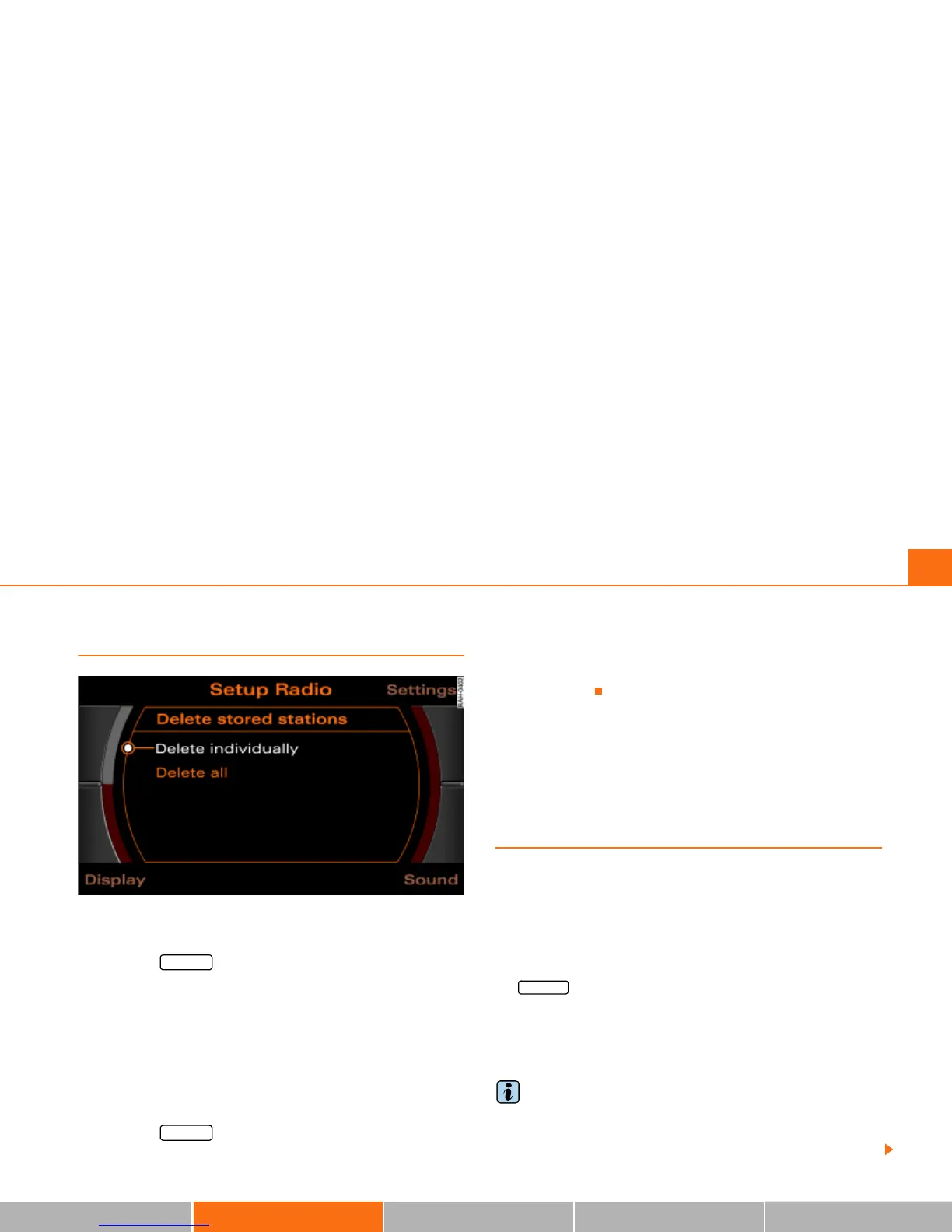
Fig. 67 Setup Radio: Delete stored stations
Delete individual stations
– Press the function button in the FM/AM radio
menu.
–Select Delete stored stations Þ page 66, fig. 66.
–Select Delete individually Þ fig. 67.
– Rotate and press the control knob to delete individual
stations from the memory list.
Delete all stations
– Press the function button in the FM/AM radio
menu.
– Select Delete stored stations Þ page 66, fig. 66.
– Select Delete all Þ fig. 67. All entries on the memory list
are deleted.
Satellite Digital Audio Radio
Service
Applies to vehicles: with Satellite Digital Audio Radio Service
Technical requirements
In addition to the radio in your vehicle, a tuner module has to be
installed in order to be able to receive satellite programs. At the
present time, tuners are available from these providers: XM Satellite
radio and Sirius Satellite radio. If you would like to retrofit a tuner,
please consult your Audi dealer.
You can select Radio Satellite mode (XM or Sirius Radio) by oper-
ating the Band control button
Þ page 57 or by repeatedly pressing
the function button
Þ page 16. If you have not yet
installed a tuner in your vehicle, the Band function will display the
Satellite radio option.
The Memory control button functions the same for all bands (FM,
AM, XM or Sirius)
Þ page 61.
Tips
· Only one tuner module can be installed in a vehicle at a time.
· XM and its corresponding logos are trademarks of XM Satellite
Radio Inc.
SETUP
SETUP
FM-AM



 To Next Page