Navigation (NAV)124
– Select Start route guidance Þ page 129.
If you select a region Þ page 118, existing entries in the destination
input menu
Þ page 117, fig. 121 (city, street and special destina-
tion) are deleted. This allows you to search for a street within a
region.
If the street entered exists in different cities, these cities are listed
for you. Select one of the cities suggested.
After selecting the street, you can set more detailed destination
criteria by entering an Intersection or a Street number
Þ page 128.
Destination input city
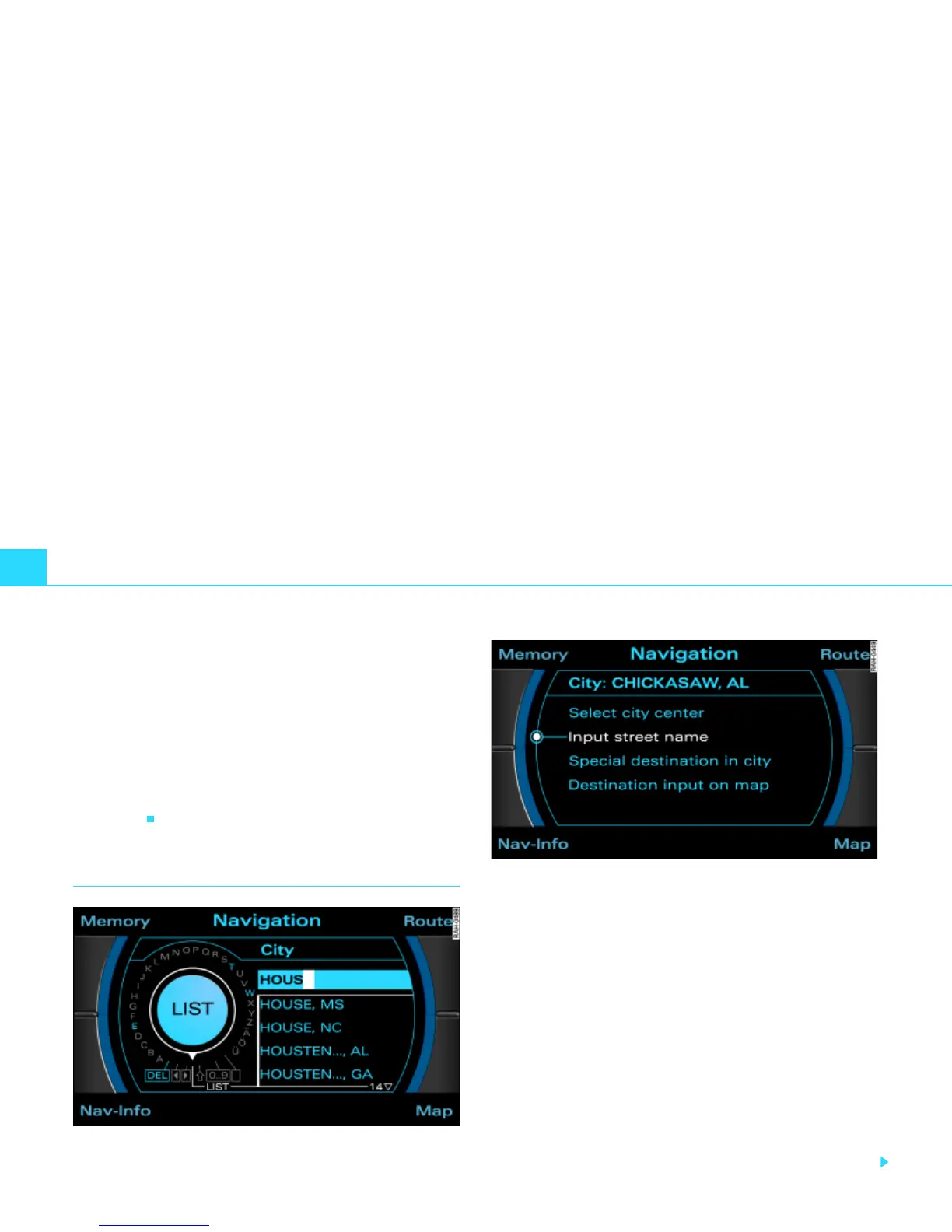
Fig. 128 Navigation: Entering the destination using the speller
Fig. 129 Navigation: More information about destination
– In a destination input menu Þ page 117, fig. 121, enter
another Region as applicable Þ page 118.
– Select City.
– Using the speller, enter the desired city Þ page 119,
fig. 124 and confirm the city entry with OK, or
– In the speller display, select LIST and select the city from
the list.
– Select Select city center Þ fig. 129 to navigate to the
center of the selected locality.
– Select Start route guidance Þ page 129.
Instead of the city center, you can also enter the street, select a
special destination in the city or select on the map display.



 To Next Page