Display 27
General operation RADIO, CD NAME, TEL NAV, INFO CAR, SETUP
Display
Orientation
Main menu
The main menu or the previously active function menu
appears in the display when a function button is
pressed.
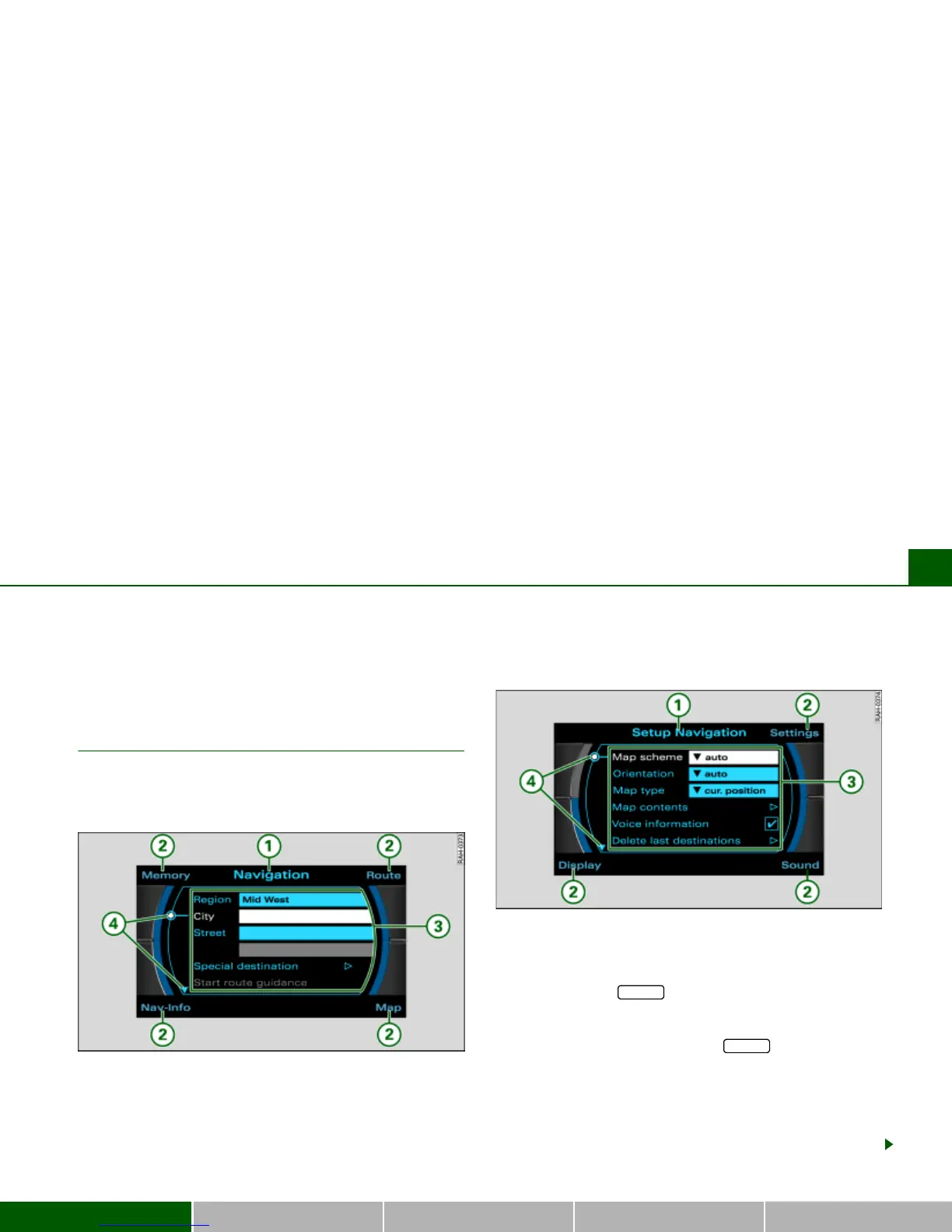
Fig. 20 Display overview: Main navigation menu
Fig. 21 Display overview: Setup main navigation menu
When you press a function button, the main menu or a submenu
assigned to this main function is displayed
Þ page 16.
If you then press the button, the appropriate main Setup
menu is displayed
Þ fig. 21.
You can open the main Setup menu from a main menu or a
submenu. For example, if you press the button in the main
navigation menu
Þ fig. 20 or in a navigation submenu Þ page 28,
fig. 22, you are shown the main Setup navigation menu
Þ fig. 21.
The functions in that menu which can be performed are shown in
the center of the display. If your vehicle is not equipped with a
particular function, no functions are offered in the main menu. You
are shown an appropriate Note instead.
SETUP
SETUP



 To Next Page