General system operation 23
General operation RADIO, CD NAME, TEL NAV, INFO CAR, SETUP
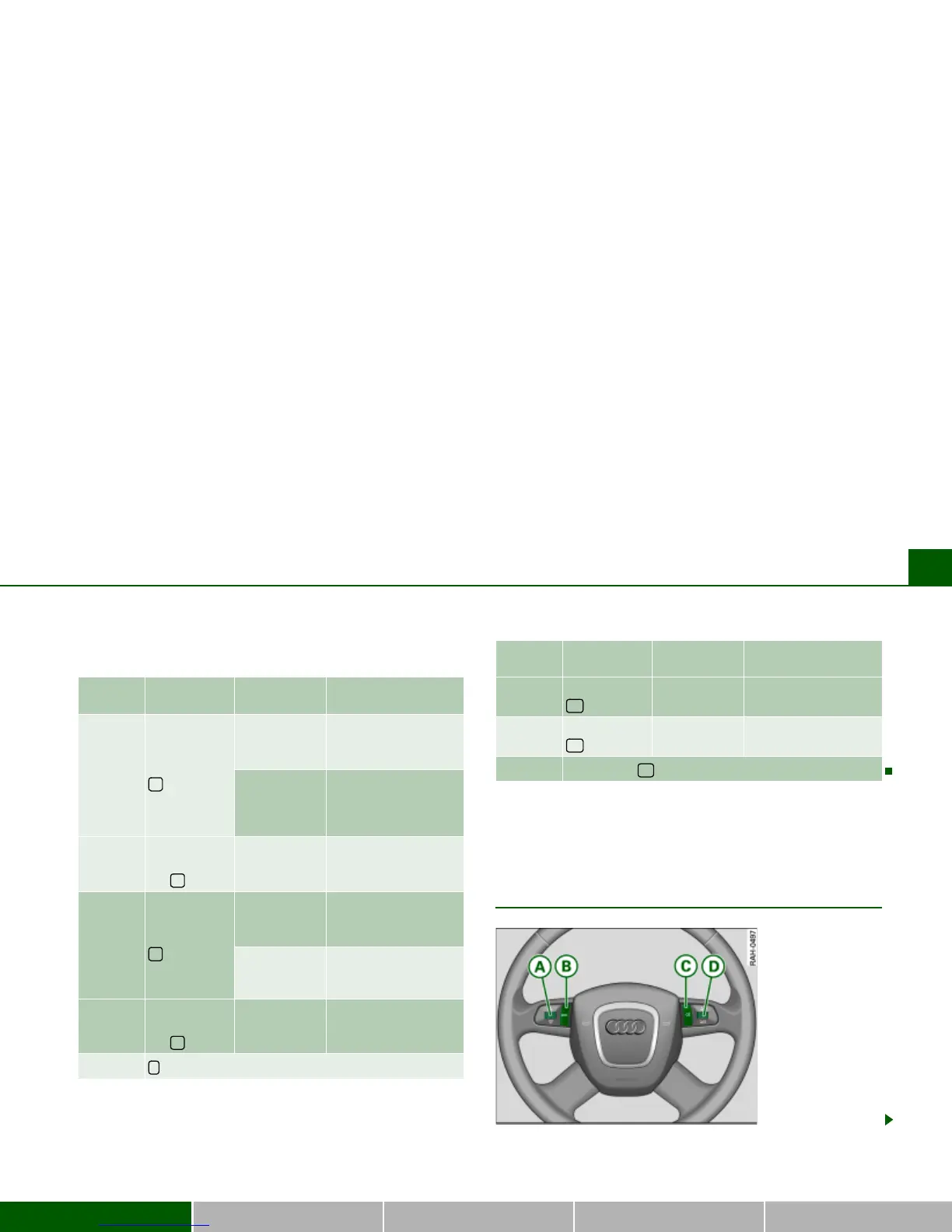
You can perform the following functions with this
multi-function steering wheel:
Applies to vehicles: with multi-function steering wheel with audio operation - version B
Multi-function steering wheel with audio
operation - version B
Button
Function
description
Operating
mode
Application
Press the
button
Radio
Select the previous
station on the radio
station list
a)
.
CD or MP3
Select the previous
track for the audio
source you are listen-
ing to.
Press and
hold
the button
CD or MP3 Reverse
Press the
button
Radio
Select the next station
on the radio station
list
a)
.
CD or MP3
Select the next track
for the audio source
you are listening to.
Press and
hold
the button
CD or MP3 Fast forward
button not applicable.
E
d
Press the
button
Radio, CD or
MP3
Increase volume
Press the
button
Radio, CD or
MP3
Reduce volume
Talk Button ( ) not applicable.
a)
If the radio memory list is shown in the Navigation System display, a radio
station can be selected from the list using the left menu thumbwheel.
Button
Function
description
Operating
mode
Application
A
C
^
A
D
_
A
F
g
Fig. 18 with multi-
function steering
wheel with audio oper-
ation (version B)



 To Next Page