Drives46
Removing and inserting the magazine
You can load and remove the CD magazine with the Naviga-
tion System switched on or off.
Removing the magazine from the CD changer
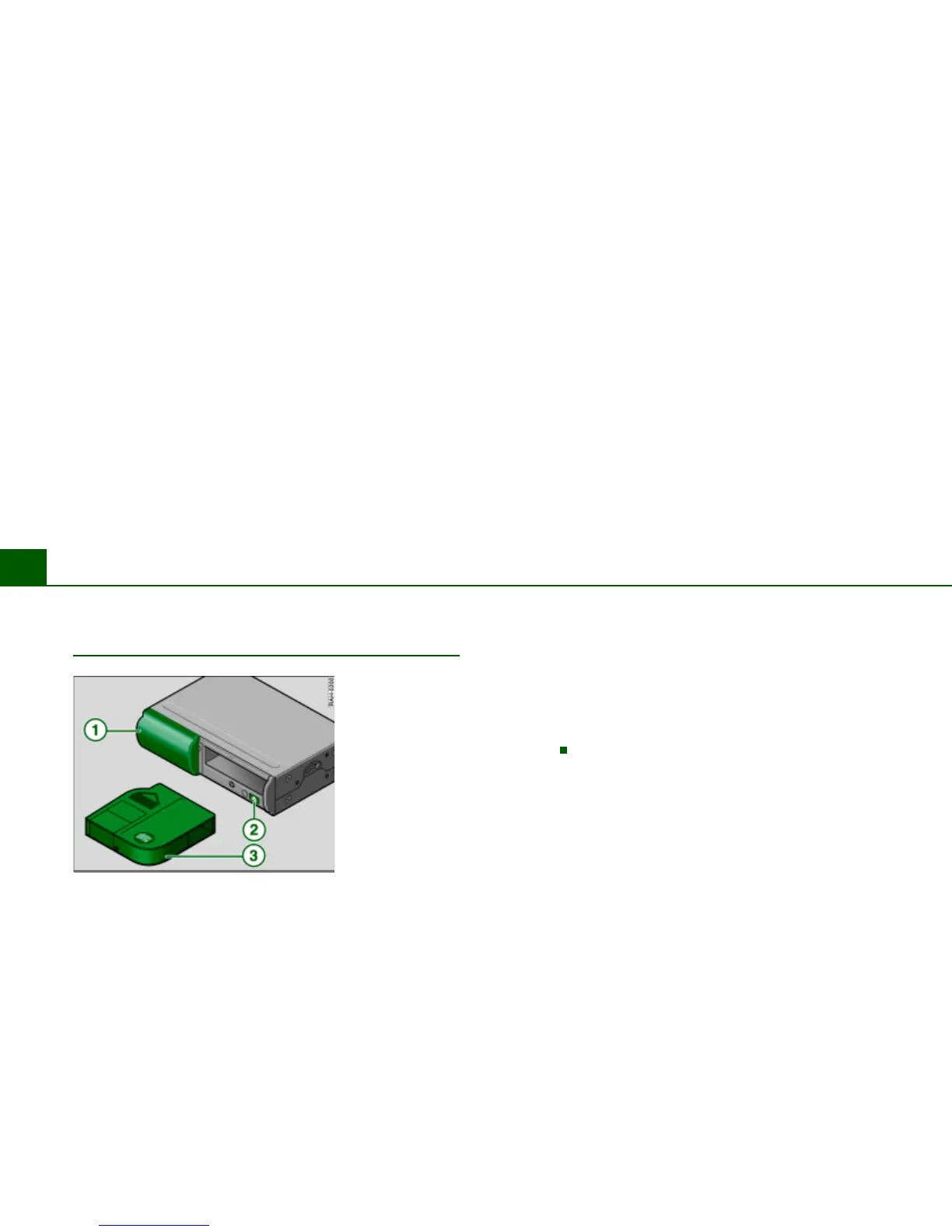
– Slide the changer door open Þ fig. 46.
– Press the cartridge eject button Þ fig. 46. The maga-
zine automatically comes out.
– Remove the magazine .
Inserting the magazine in the CD changer
– Open the sliding door of the CD slot Þ fig. 46.
– Slide the magazine all the way in with the inscription
“disc” on top. While doing this, the arrow on the maga-
zine must point towards the magazine slot Þ fig. 46.
– Close the changer door .
After inserting the magazine, you will hear a “working noise” from
the CD changer. The device is simply counting how many CDs are in
the changer.
If there is no magazine in the CD changer, a read error is shown in
the display.
Fig. 46 CD changer
with magazine
A
1
A
2
A
3



 To Next Page