Navigation (NAV) 123
General operation RADIO, CD NAME, TEL NAV, INFO CAR, SETUP
Destination input street
Within a selected region, a street can be selected even
without specifying a city.
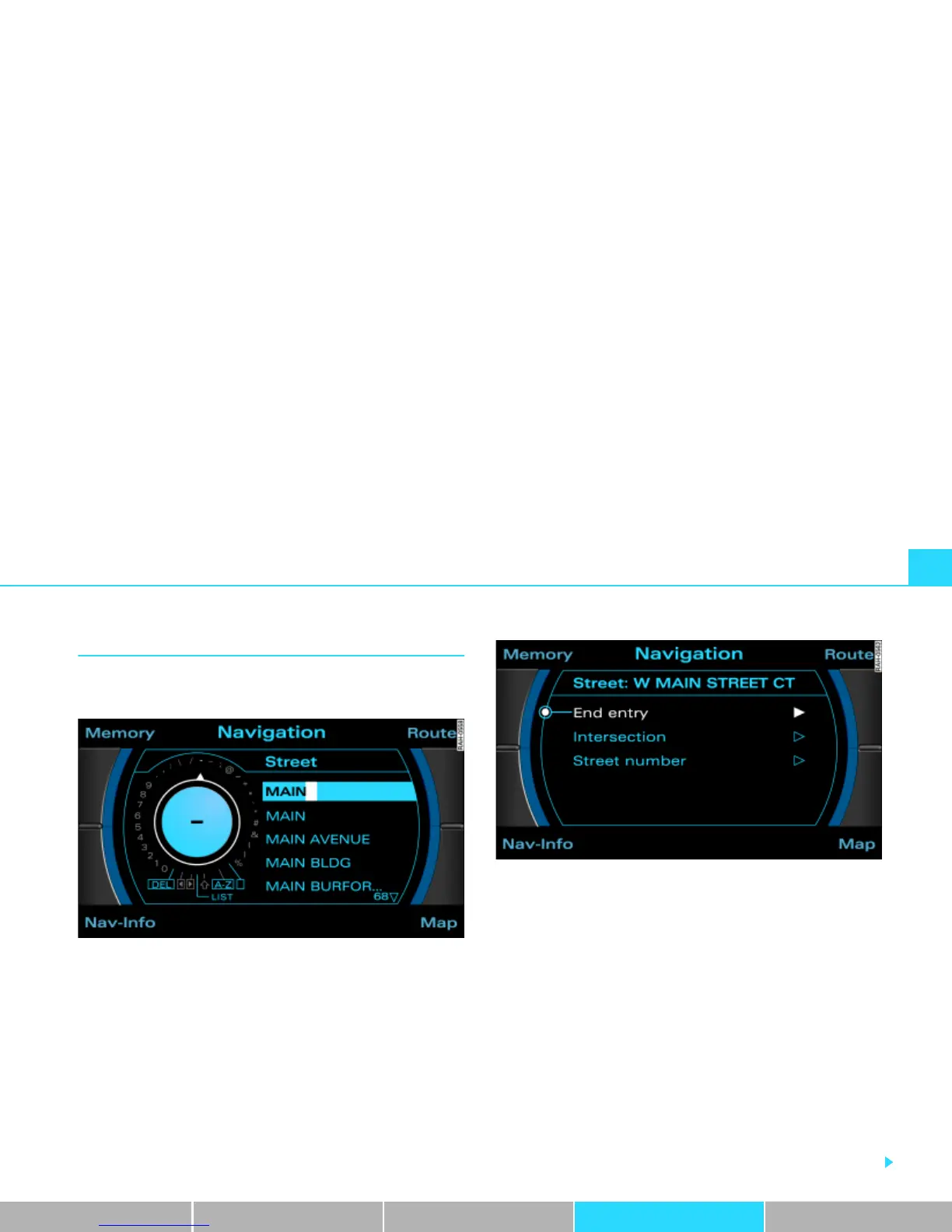
Fig. 126 Navigation: Entering a street as destination using the speller
Fig. 127 Navigation: Set more detailed street information
– In a destination input menu Þ page 117, fig. 121, select
another Region Þ page 118 from the list by rotating and
pressing the control knob or confirm the region already
being shown. This deletes all existing entries in the desti-
nation input menu Þ page 117, fig. 121.
– Select Street Þ page 117, fig. 121 and enter the street
name using the speller, or
– In the speller display, select LIST Þ fig. 126 and select
the street from the list.
– Select a location from the following list.
– Select End entry Þ fig. 127.
– Geben Sie ggf. Enter stopovers for route guidance with
stopovers Þ page 139.



 To Next Page