CCR 1.0 User Guide Page 112
15-601130 Issue 1k (22 May 2009)IP Office
5. Agent
An agent is a user who handles calls to queues on the IP Office telephone system. Unlike general IP Office users they
have been specifically configured as agents in the IP Office configuration. IP Office Customer Call Reporter supports up
to 150 agents.
· To make and receive calls, the agent must login to a phone on the IP Office telephone system. Note that T3 Series
and T3 IP Series phones are not currently supported.
· The agent's phone status is recorded by IP Office Customer Call Reporter. For example when they logged in to a
phone, answer a call, log off, etc.
· The agents are added to queues and then answer call targeted to those queues. An agent can be a member of several
queues.
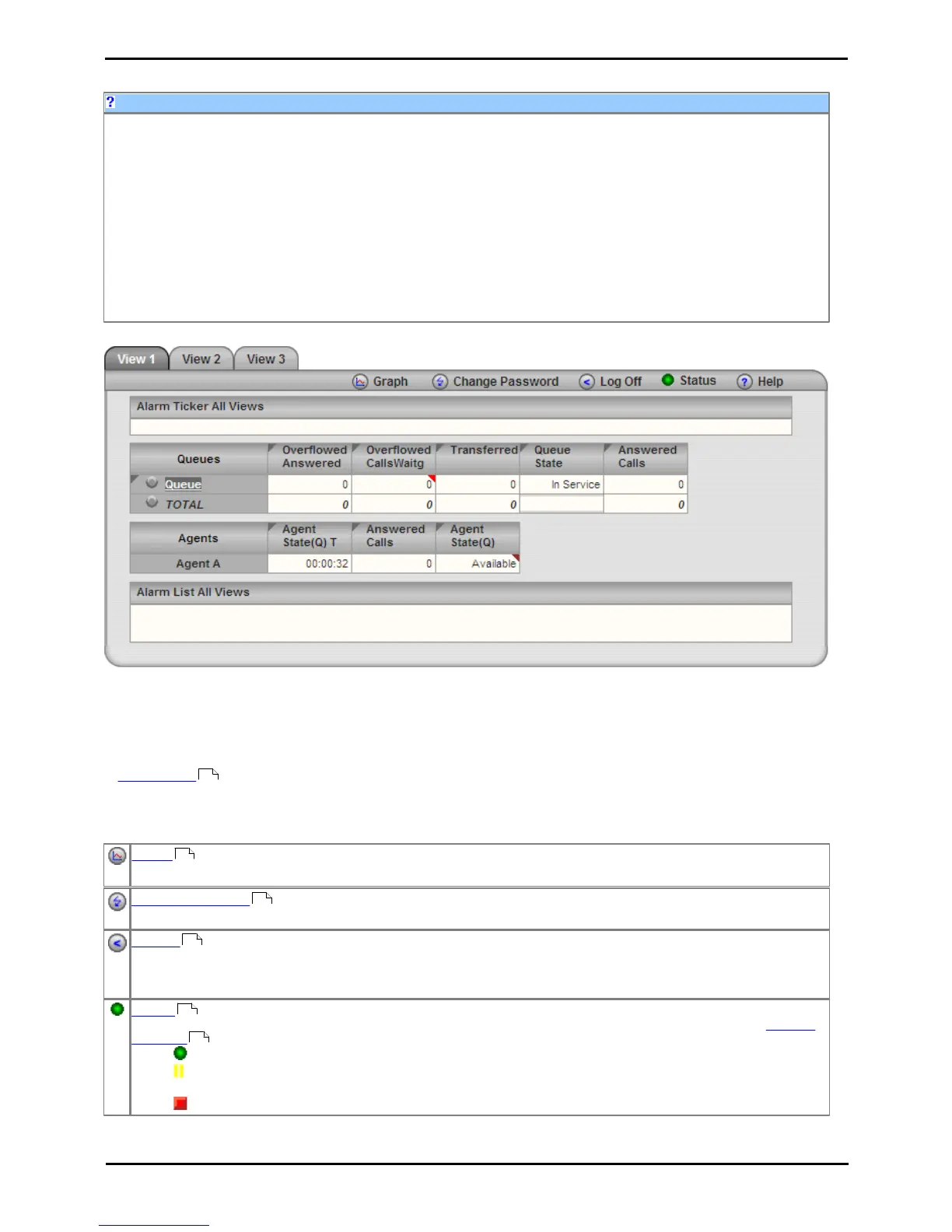
· Using the web client allows the agent to see the same views as their supervisor. However unlike the supervisors view
the agent will only see their own statistics and those for queues which they belong.
Example web client when logged in as an agent.
· Blank Views! While it is possible that the supervisor has not configured any content for a particular view, if all
views are blank then you may have selected a supervisor whose views do not include any queues to which you
belong.
Tabs
· View 1/2/3
The 3 view tabs match those of the agent's supervisor. However unlike the supervisor's version you cannot adjust the
view. Also you will only see queue statistics for the queues to which you belong and agent statistics for yourself.
Buttons
Graph
Display a separate graph of a statistic for a selected queue or agent.
Change Password
While logged in to IP Office Customer Call Reporter, you can change your password.
Log Off
Close the IP Office Customer Call Reporter connection. It is important to close a connection using this control rather
than just closing the browser or tab within the browser. Failing to use this button will cause a 5 minute delay before
you can log in again on another PC.
Status
This button indicates the overall status of IP Office Customer Call Reporter. Clicking on the icon displays a System
Settings tab which shows the status of the individual IP Office Customer Call Reporter components.
· Green Circle - On: IP Office Customer Call Reporter is running.
· Yellow Bars - Slow Flash: Some parts of IP Office Customer Call Reporter are still in the process of
starting.
· Red Box - Flash: There may be a problem in IP Office Customer Call Reporter.











 To Next Page