CCR 1.0 User Guide Page 126
15-601130 Issue 1k (22 May 2009)IP Office
6. Administrator
The administrator can amend IP Office Customer Call Reporter system preferences plus create and administer
supervisors. That includes assigning which queues a supervisor can see or granting the supervisor self-administration
rights to amend their own settings including queues.
The administrator does not have any views of call statistics. However they can setup and amend the views used by
supervisors and their agents.
There is only one administrator account and only one person can log in as the administrator at any time.
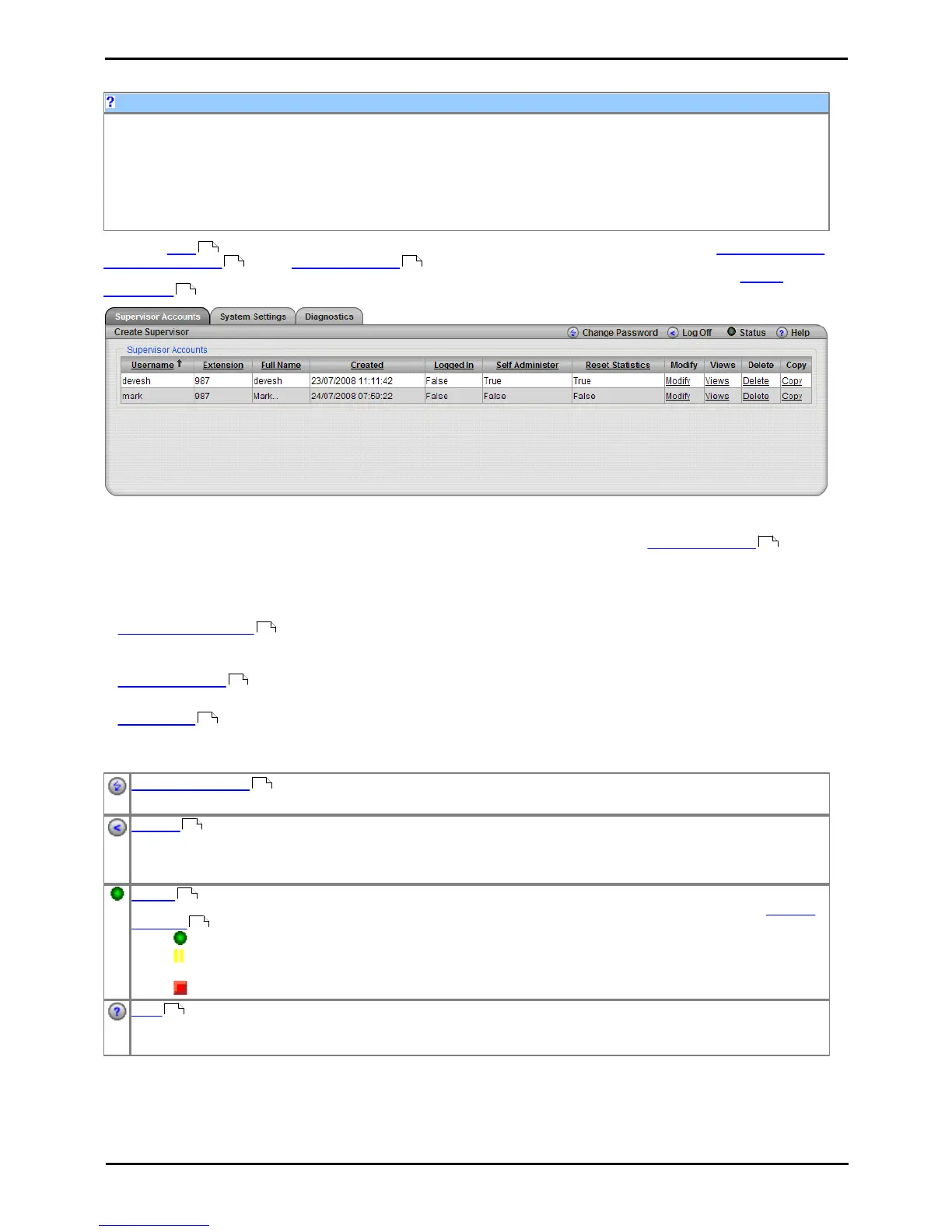
When you login as the administrator you view a listing of all the supervisor accounts. You can then create and modify
supervisor accounts . In the System Settings window you can see all the monitored IP Office switches together
with the name and address of all discovered IP Offices and their connection state. You can also modify the system
preferences .
Example web client when logged in as an administrator.
· Important
The first time you log in as the administrator, it is recommended that you select the System Settings tab and
confirm the information in the Preference Details section, especially your unique email address.
Tabs
· Supervisor Accounts
This tab displays the existing supervisor accounts created by the administrator. It can be used to create and modify
accounts.
· System Settings
This tab allows adjustment of system wide IP Office Customer Call Reporter settings such as the email server.
· Diagnostics
This tab should only be used under guidance of an Avaya support engineer when requested.
Buttons
Change Password
While logged in to IP Office Customer Call Reporter, you can change your password.
Log Off
Close the IP Office Customer Call Reporter connection. It is important to close a connection using this control rather
than just closing the browser or tab within the browser. Failing to use this button will cause a 5 minute delay before
you can log in again on another PC.
Status
This button indicates the overall status of IP Office Customer Call Reporter. Clicking on the icon displays a System
Settings tab which shows the status of the individual IP Office Customer Call Reporter components.
· Green Circle - On: IP Office Customer Call Reporter is running.
· Yellow Bars - Slow Flash: Some parts of IP Office Customer Call Reporter are still in the process of
starting.
· Red Box - Flash: There may be a problem in IP Office Customer Call Reporter.
Help
Access this documentation in online format. Where possible the appropriate page for the current IP Office Customer
Call Reporter screen is displayed.
13
129 136
136
136
129
136
139
15
18
136
136
17











 To Next Page