· This statistic is available for queues and agents.
· It shows the sum of answer times divided by the number of queue calls answered by the queue or by the agent being
reported.
· The time is measured from when calls are first presented to the queue or agent.
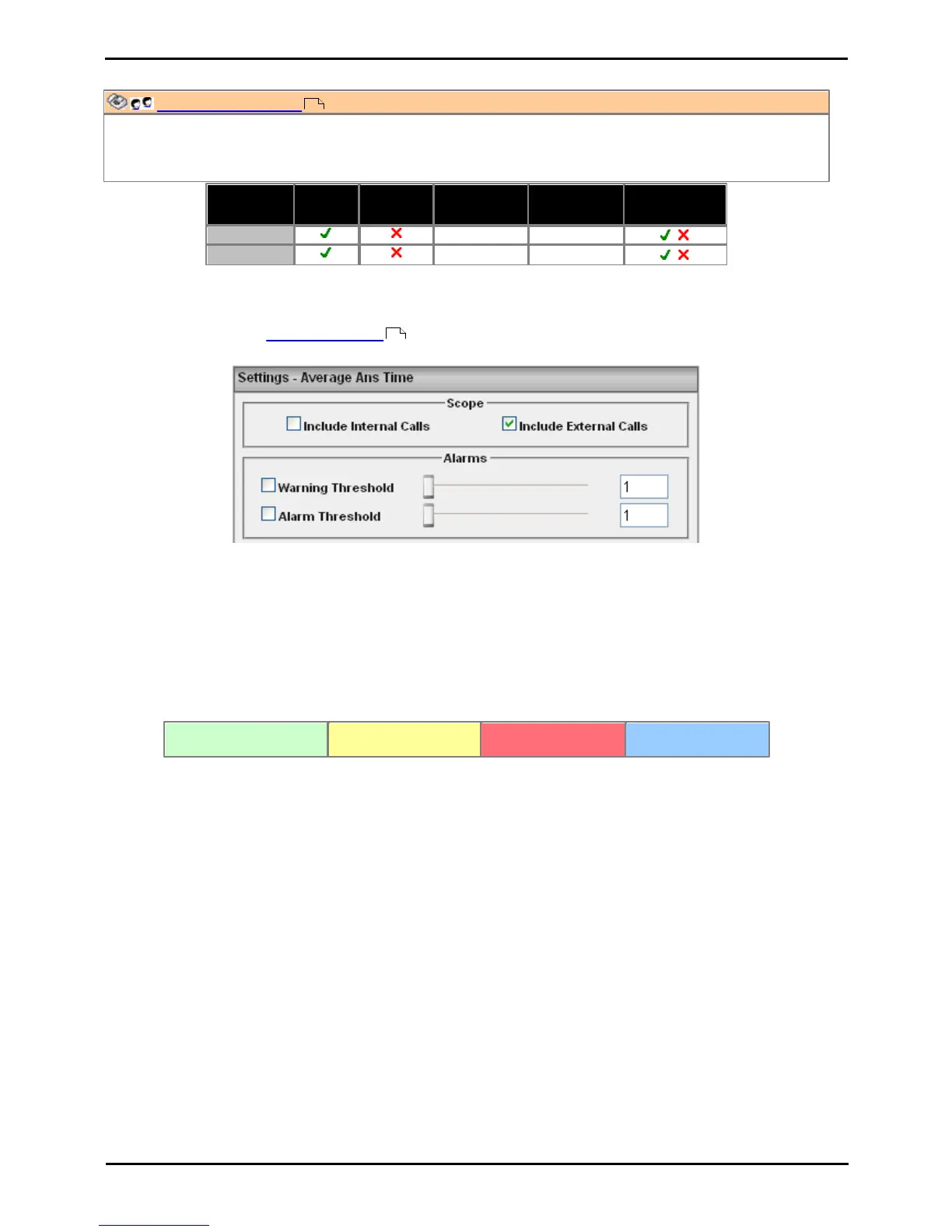
Statistic Settings
All supervisors can customize the settings of each statistic column included in a view. The changes are applied to the
existing data since the last view statistics reset . Click on the statistic name at the top of the column and select
Settings. Customize the statistics settings as required and then click Update.
· Scope
Supervisors can select which type of calls are included in the calculation of this statistic. By default both internal
and external calls are included.
· Include Internal Calls: Select to include internal calls in the statistic.
· Include External Calls: Select to include external calls in the statistic.
· Alarms
These controls allow you to select whether a warning and or an alarm is given for the statistic and to set the
threshold levels beyond which those events occur.
· When enabled, the background color of the cells is used to indicate their current alarm state.
· Alarms and warning are updated approximately every 8 seconds.
· Alarms and warnings are automatically cleared when the cell value returns to the threshold level.
· Agents and supervisors can acknowledge alarms and warnings in their views by clicking on the colored
cell. This only affects their view. Acknowledging an alarm also removes it from the alarm list.
· The alarm and warning settings are applied to all cells in the statistic column. When applied to an agent
statistic, the same setting is are applied to the whole column, even when you change which queue's
agents are being viewed.
· Note that when enabling or disabling alarms and warnings, the new settings only get used at the next
change in the value of the relevant cells.
· Warning Threshold
Select to enable a warning threshold and to set that threshold.
· Alarm Threshold
Select to enable an alarm threshold and to set that threshold using the slider control or by entering the
number directly.
Transferred Call and Performance Statistics
For performance statistics, Average Answer Time, Average Answer % and Grade of Service, transferred calls are
treated as follows:
· For supervised transfers, the duration of the enquiry call is treated as the ringing time of the transferred call. Note
also that the ring time of the enquiry call is included a separate answered call value.
58
30











 To Next Page