CCR 1.0 User Guide Page 16
15-601130 Issue 1k (22 May 2009)IP Office
1.5 Forgotten Passwords
If you have forgotten your password, you can request a new password to be sent to you by email.
How is my Email address set for IP Office Customer Call Reporter?
· Agent
Your email address is requested by IP Office Customer Call Reporter the first time you log in. If you already have
an email address set in the IP Office telephone system, that address is displayed by default.
· Supervisor
When the administrator creates or amends a supervisor account they can enter a unique email address.
Supervisors can also check and change their email address when logged using the Account Details tab.
· Administrator
The administrator's email address is entered when IP Office Customer Call Reporter is first run. When logged in as
the administrator, the email address can be checked and changed through the System Settings tab.
To request a new password
1. Using your web browser access the web address for your IP Office Customer Call Reporter system.
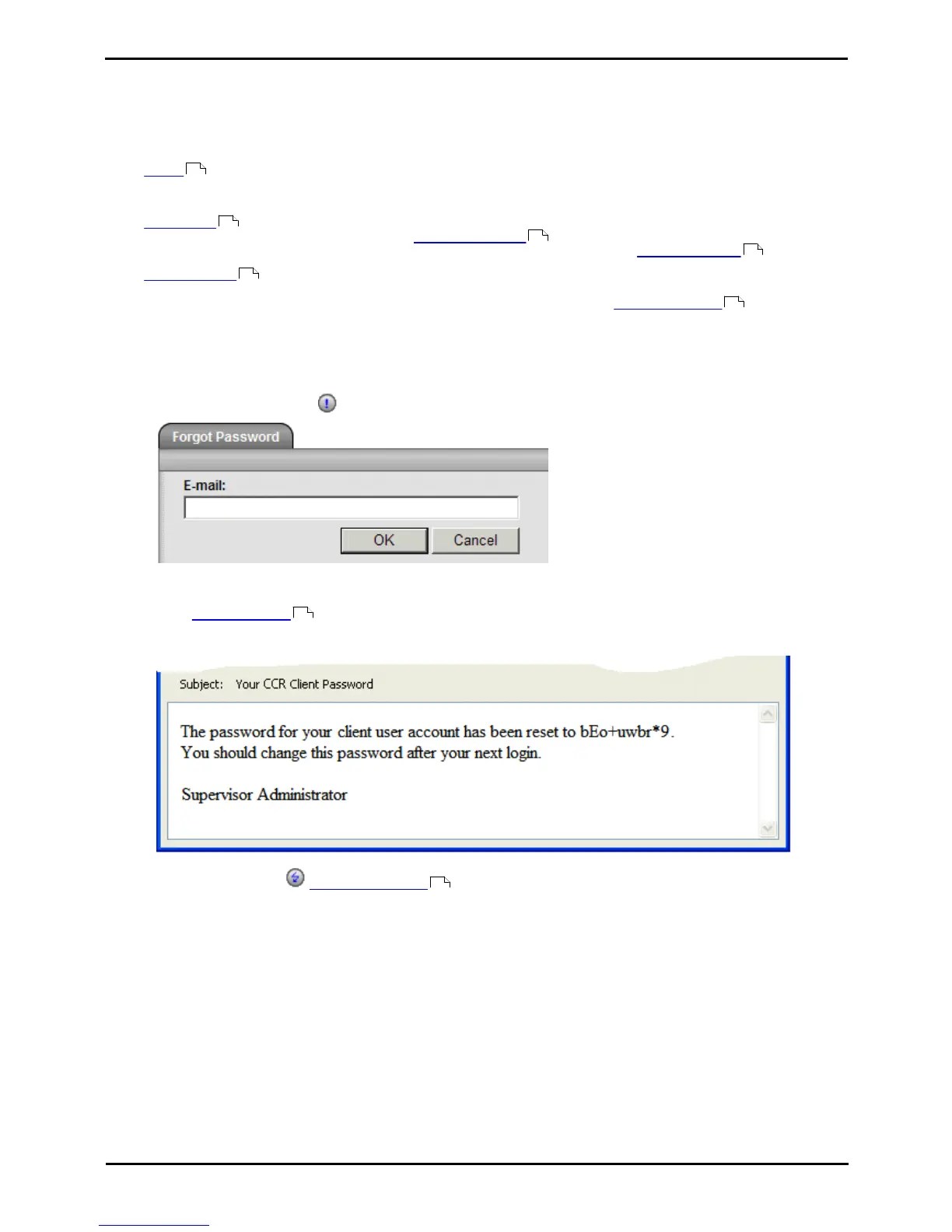
2. On the login form click the Forgot Password link.
3. Enter your email address.
4. Click OK to request a new password email. You are returned to the main IP Office Customer Call Reporter web
client Logon Window and an email is sent to your email address.
5. The email subject will be Your CCR Client Password. It contains a randomly generated password that you can
use to login.











 To Next Page