CCR 1.0 User Guide Page 22
15-601130 Issue 1k (22 May 2009)IP Office
2.1 Logging In
This refers to logging in to the IP Office Customer Call Reporter web client, not to logging in to a phone to receive
calls.
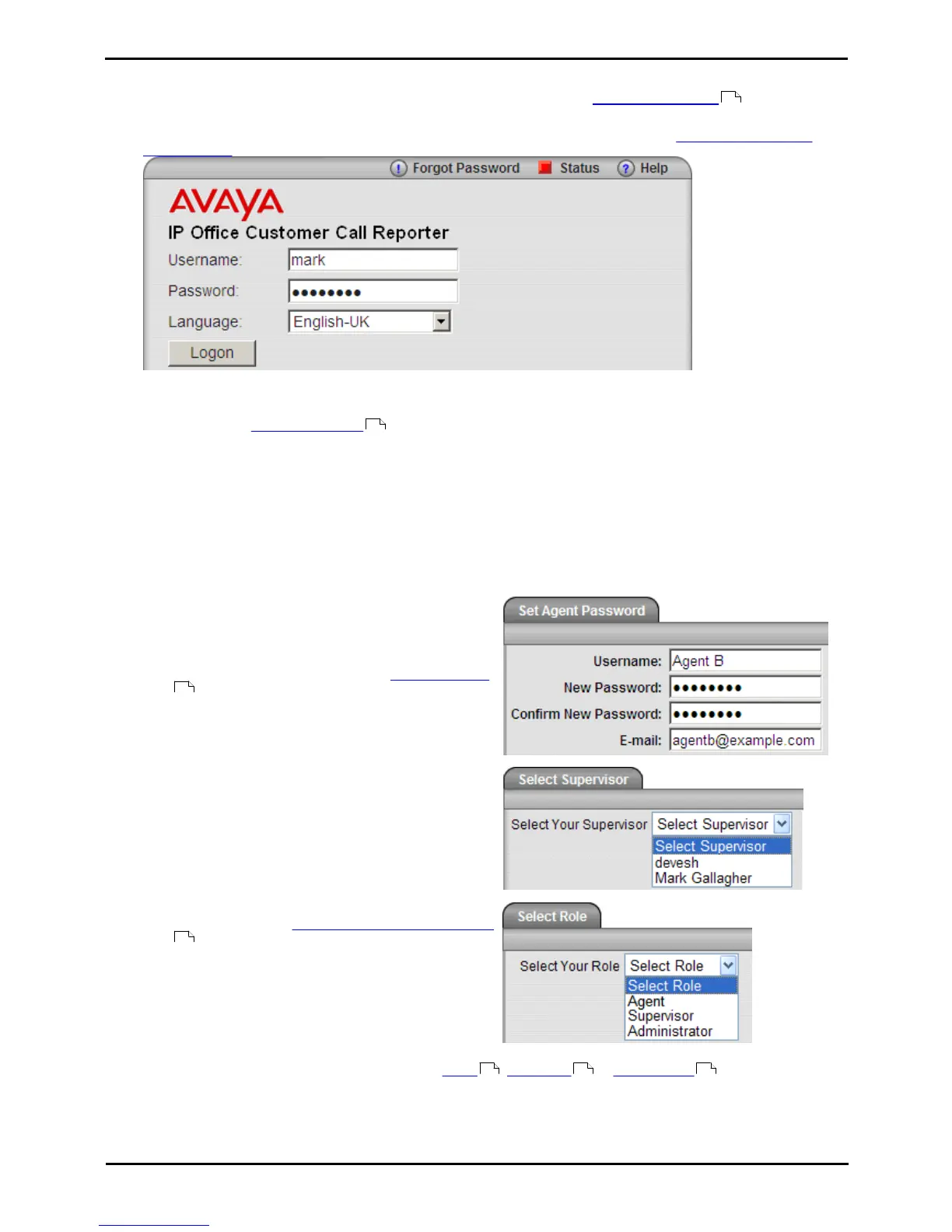
1.Using your browser, enter the path to the IP Office Customer Call Reporter web service - http://<server_path>/
CCRWebClient. The login window should appear.
2.Enter your Username and Password.
· If you have forgotten your password but have an email address known to the IP Office Customer Call Reporter
system, click Forgot Password .
· If you are an agent logging in for the first time leave the password field blank. You will then be asked to set
your IP Office Customer Call Reporter password and enter your unique email address as part of the login
process.
3.If you want the IP Office Customer Call Reporter web client to run in a different language, you can use the
Language drop down to select a language from the list.
Supported languages are Dutch, English (UK), English (US), French, Italian, Brazilian Portuguese,
Russian and Spanish.
4.Click Logon.
· Agent's First Time Login
If you are an agent logging in for the first time, the
Set Agent Password window will appear. Enter a
password of your choice and then click OK. Your
unique email address is also requested. You need to
enter an address in order to use the Forgot Password
feature in future.
· All Agent Logins
If multiple supervisors have been configured, agents
need to indicate the supervisor they are working for.
· Multiple Role Login (Optional)
If your username is configured for more than one role
, the Select Role window will appear. Select the
required role and click OK.
2.The web client will open in the appropriate mode: Agent , Supervisor or Administrator .
· You have three attempts to enter the correct password or username. If you fail to enter valid login details the
login window will close and your account is locked for 5 minutes.
118
16
16
188
112 20 126











 To Next Page